Technical Information
53
VA
1
offee
stem
5.15 Display Module Electronic - Removal
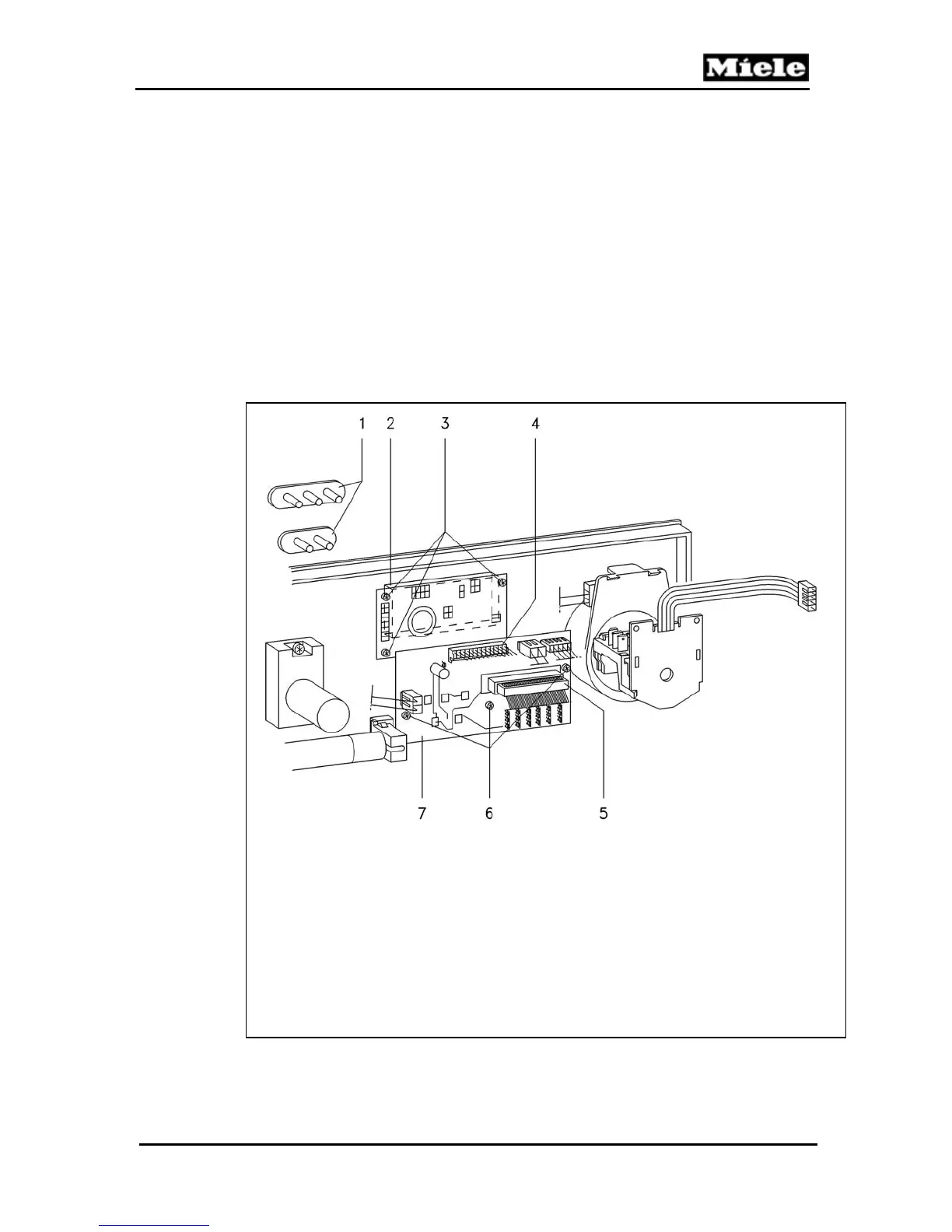
Refer to figure 5-15.
1. Open the door.
2. Remove the Rear Door Panel and Fascia Panel Cover
(5.12 & 5.13).
3. Pull off the pushbutton knobs (Item 1).
4. Disconnect the connections from the electronic (Item 7).
5. Remove the electronic unit fixing screws (Item 6).
6. Remove the electronic unit.
7. Remove the display module fixing screws (Item 3).
Figure 5-15: Rear View of Front Door with Rear Panel Removed.
1 Pushbuttons
2 Display module,
3 Display module fixing screws
4 Display module and electronic unit connection
5 Control and power modules connection
6 Electronic unit fixing screws
7 Electronic unit



 To Next Page