Technical Information
18
S 500 & S 600 Canister Vacuums
2 Function
2.1 Dustbags
A clean bag is essential to the maximum efficiency of the vacuum. A clogged
bag can cause restricted airflow resulting in poor suction or, in extreme cases,
an overheat condition can occur resulting in the vacuum shutting off. An
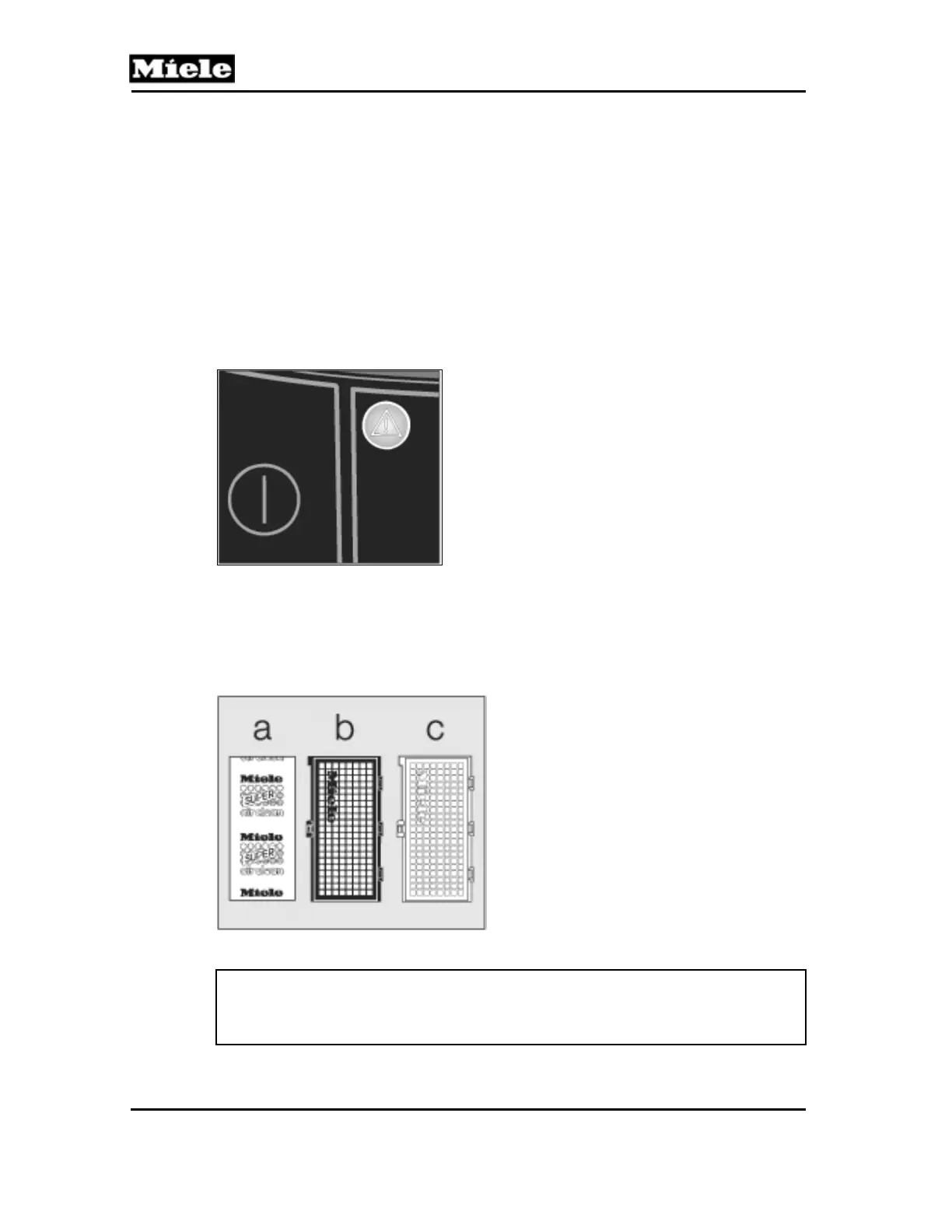
ORANGE indicator light next to the tool access button identifies a bag filled to
capacity. An overheat condition is identified by a TRIANGULAR LIGHT on the
control panel. See Figure 010-1. Changing the bag is relatively easy; the most
important thing to remember is to use the correct bag. A list of dustbags and
the models in which they are used can be found in the product line information
in the operating manual.
Figure 010-1: Overheat Indicator
2.2 Filters
Miele canister vacuums use several types of filters (Super Air Clean, Active Air
Clean, Active HEPA) to provide a clean, healthy environment. See Figure 010-
2. Vacuum model will dictate filter(s) type; refer to Tables C-1 and C-2.
Figure 010-2: Filter Types
Note:
Changing from one type of filter to another type is permitted. (e.g., Active Air
Clean to Active HEPA). See Section 010-4.9 for instructions.
a Super Air Clean
b Active Air Clean
c Active HEPA (High Efficiency Particulate Air)



 To Next Page