Technical Information
31
500 & S 600 Canister Vacuums
4.5 Cover Frame Removal
1. Remove the casing top. See Section 020-4.2.
2. Remove the cap. See Section 030-4.1.
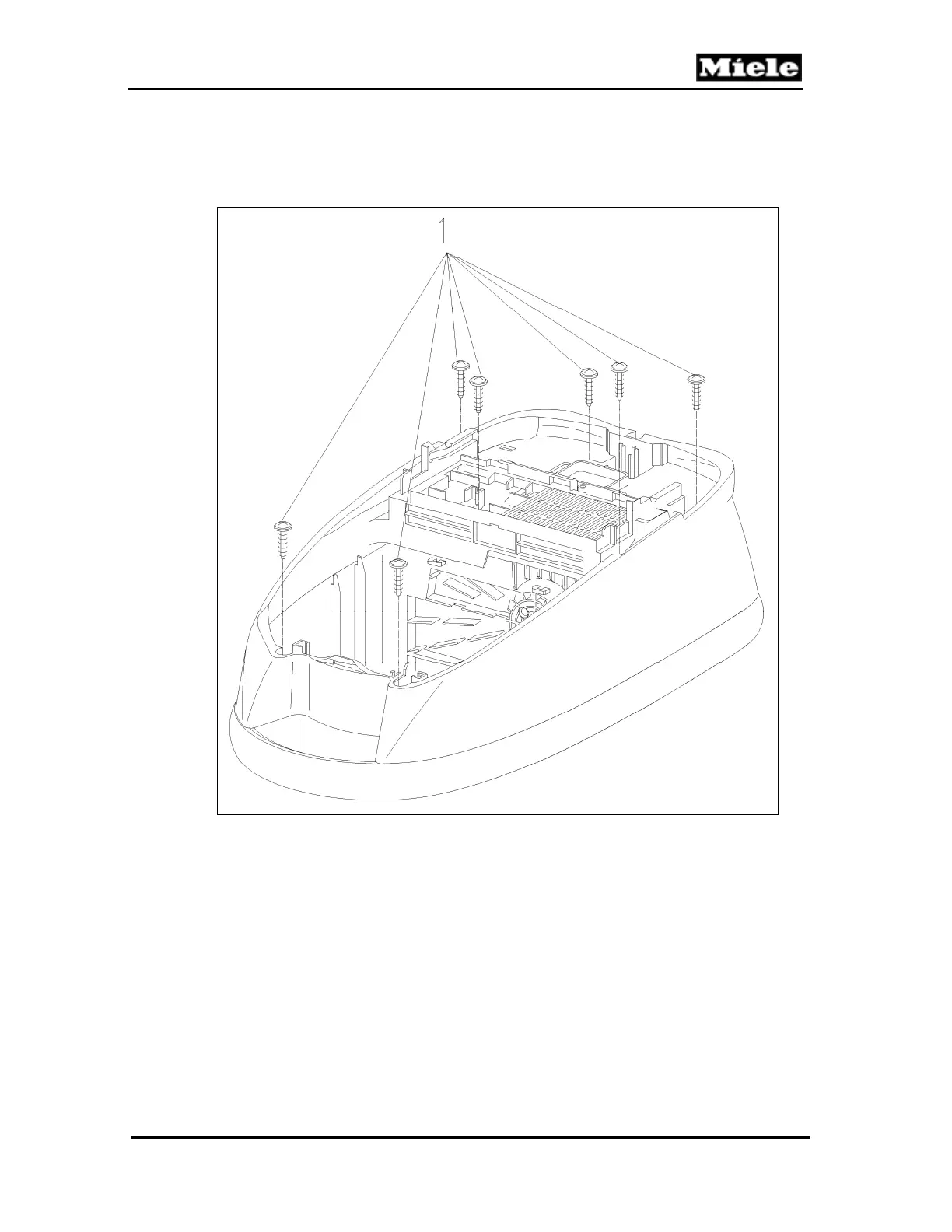
3. Remove the 7 screws from the cover frame; see Figure 020-7, Item 1.
Figure 020-7: Cover Frame Screws
4. Remove the cover frame.
4.6 Bag Change Indicator Removal
1. Remove the accessory compartment lid. See Section 020-4.1.
2. Remove the accessories.
3. Open the casing top.
4. Remove the right-hand screw from the dust channel holder (Figure 020-8,
Item 2).



 To Next Page