Technical Information
55
500 & S 600 Canister Vacuums
4.9 Potentiometer and Indicator Light Removal (S 52x, S 62x)
1. Remove the casing top; see Section 020-4.2.
2. Remove the cap; see Section 030-4.1.
3. Remove the plug housing; see Section 030-4.7.
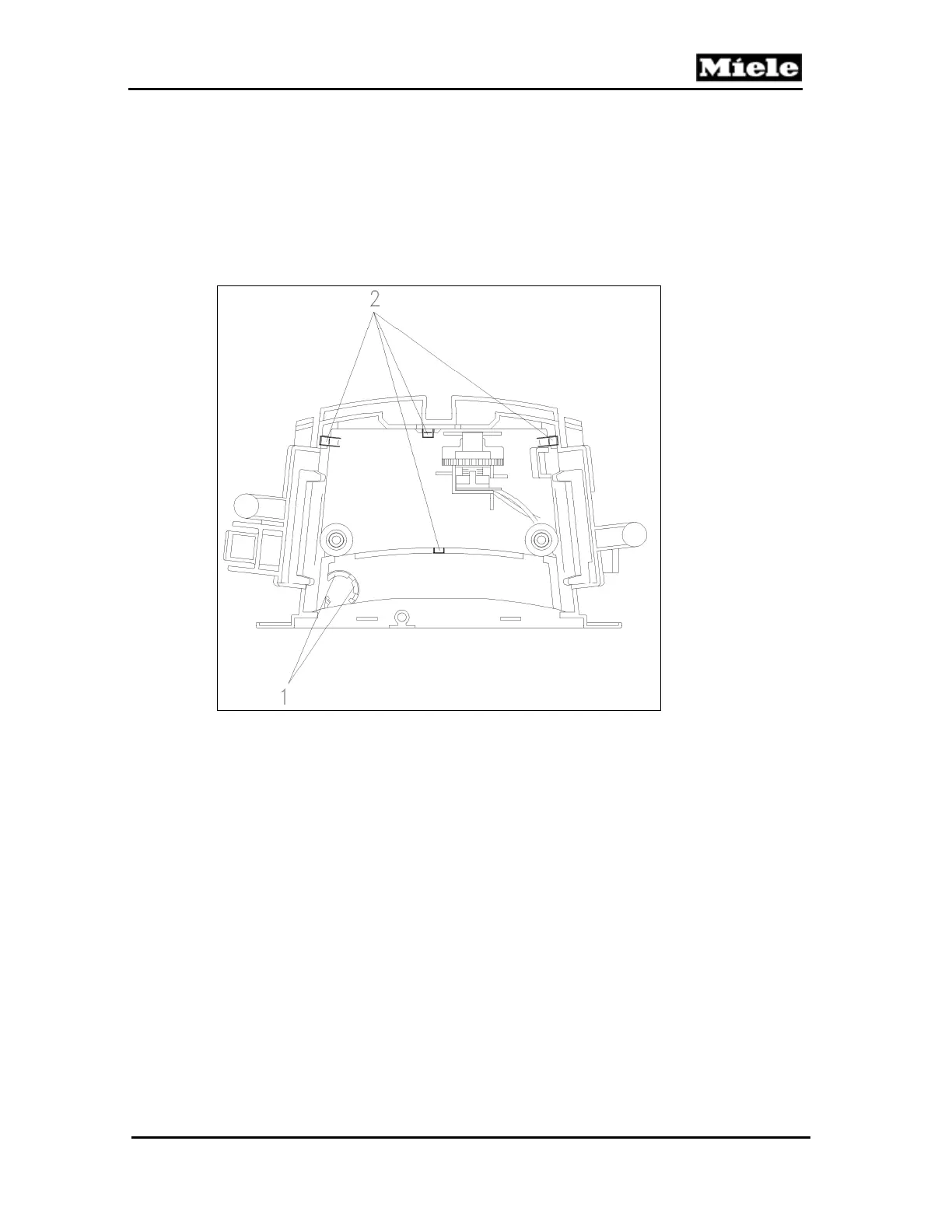
4. Use a screwdriver to release the indicator light locking tabs. See Figure 030-
17, Item 1. Remove the indicator light.
5. Use a screwdriver to release the 4 bracket locking tabs. See Figure 030-
17, Item 2. Remove the bracket.
Figure 030-17: Indicator Light and Bracket (S 52x, S 62x)
6. Slide the cog wheel off the potentiometer.
7. Remove the potentiometer and cog wheel.
8. Replace the potentiometer and indicator light.



 To Next Page