Technical Information
35
500 & S 600 Canister Vacuums
6. Install the bag change indicator.
7. Screw the holder for the dust channel and bag change indicator back into
place.
8. Re-install the slide shutter as described under Slide Shutter
Replacement, Section 020-4.9.
4.9 Slide Shutter Replacement
1. Pull the slide shutter out of the suction opening.
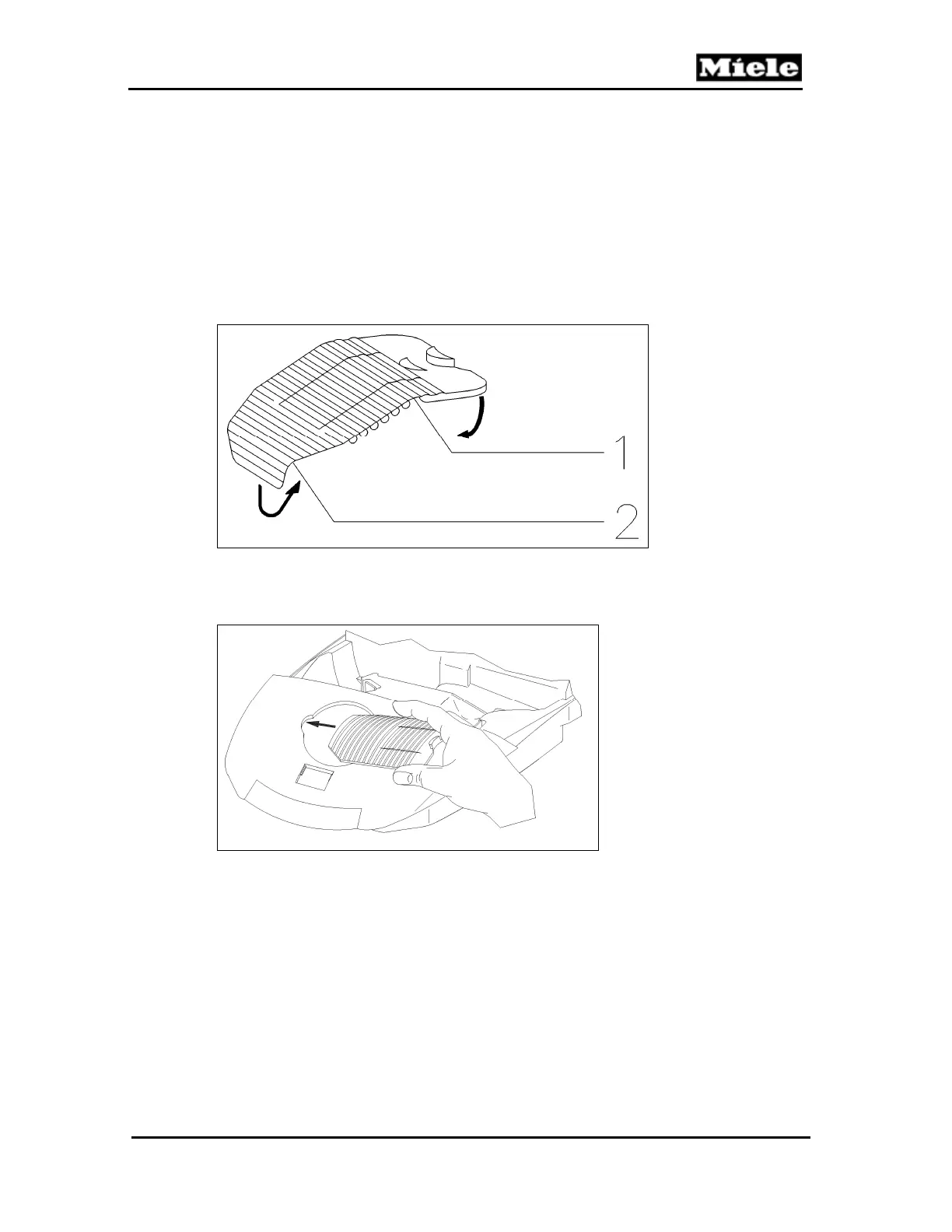
2. Bend the new slide shutter first by 180° (Figure 020-12, Item 1) and then
by 90° (Figure 020-12, Item 2), and roll it a little.
Figure 020-12: Bending the Slide Shutter
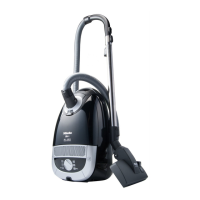
3. Press and curl the shutter together slightly parallel to the slots (closure tab
pointing to the right) and slide it into its guide; see Figure 020-13.
Figure 020-13: Installing the Slide Shutter
4.10 Casing Top Catch Removal (S 500 Models)
1. Remove the 2 screws from the dust channel holder (see Figure 020-8,
Items 1 and 2) and remove the holder.
2. Insert two fingers through the suction opening and press out the slide
sleeve and dust channel.
3. Remove the casing top catch.
4.11 Casing Top Catch Removal (S 600 Models)
1. Remove the casing top. See Section 020-4.2.
2. Unclip the catch using a screwdriver. See Figure 020-14.



 To Next Page