Technical Information
37
500 & S 600 Canister Vacuums
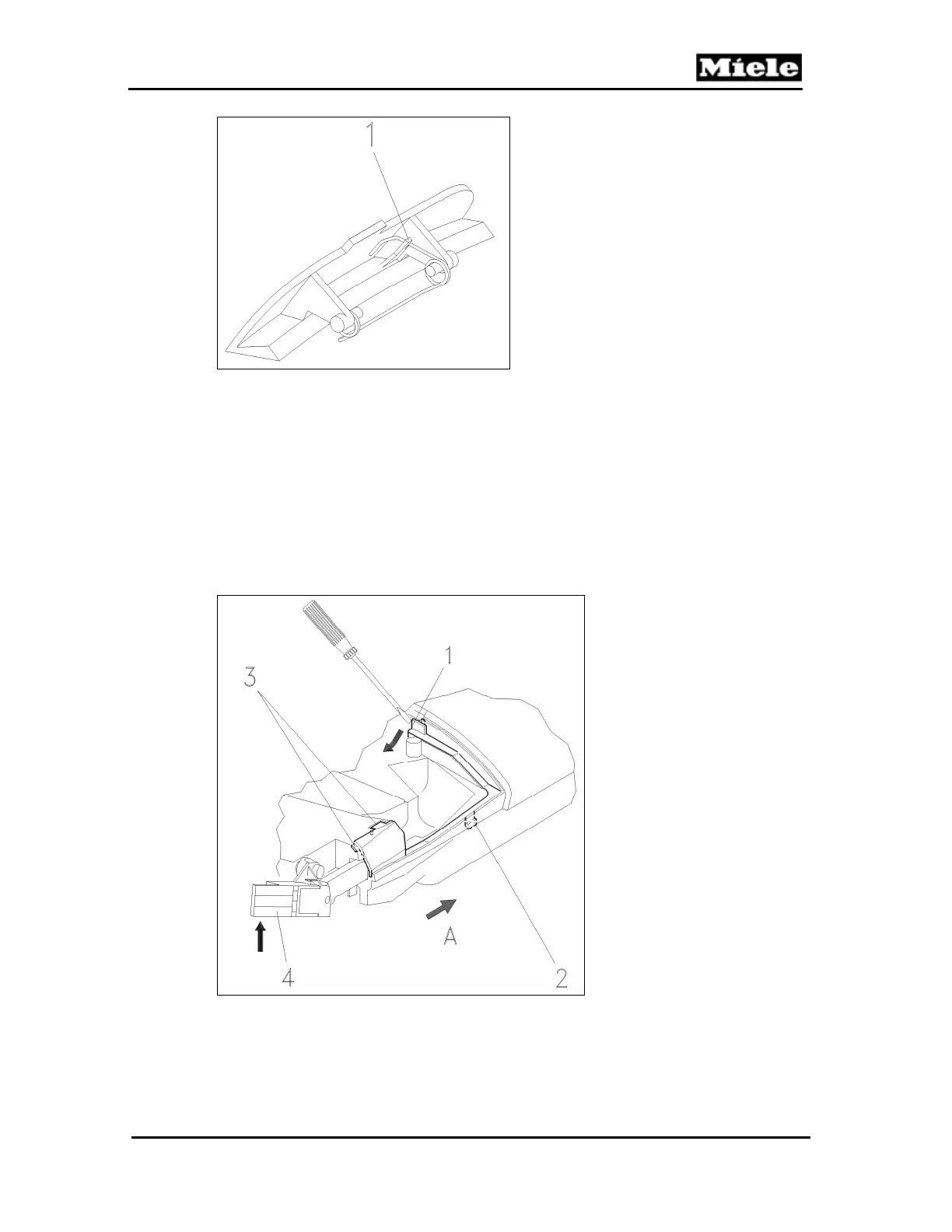
Figure 020-16: Spring Position (S 600 Models)
4.14 Built-In Socket Removal
1. Remove the accessory compartment lid. See Section 020-4.1.
2. Remove the accessories.
3. Remove the casing top. See Section 020-4.2.
4. Remove the slide sleeve and dust channel. See Section 020-4.7.
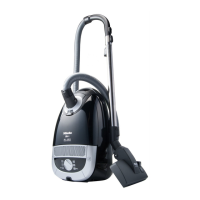
5. Use a screwdriver to release the cover strip locking tab; see Figure 020-17, Item 1.
6. Lift the cover strip to release the tab; see Figure 020-17, Item 2. Pull the
cover strip in the direction of arrow A to release it from its retainer; see
Figure 020-17, Item 3.
Figure 020-17: Cover Strip Removal
7. Press the cover strip out of its guide while holding the hinge (Figure 020-18)
in position.



 To Next Page