Technical Information
40
S 500 & S 600 Canister Vacuums
4.15 Built-In Socket Installation
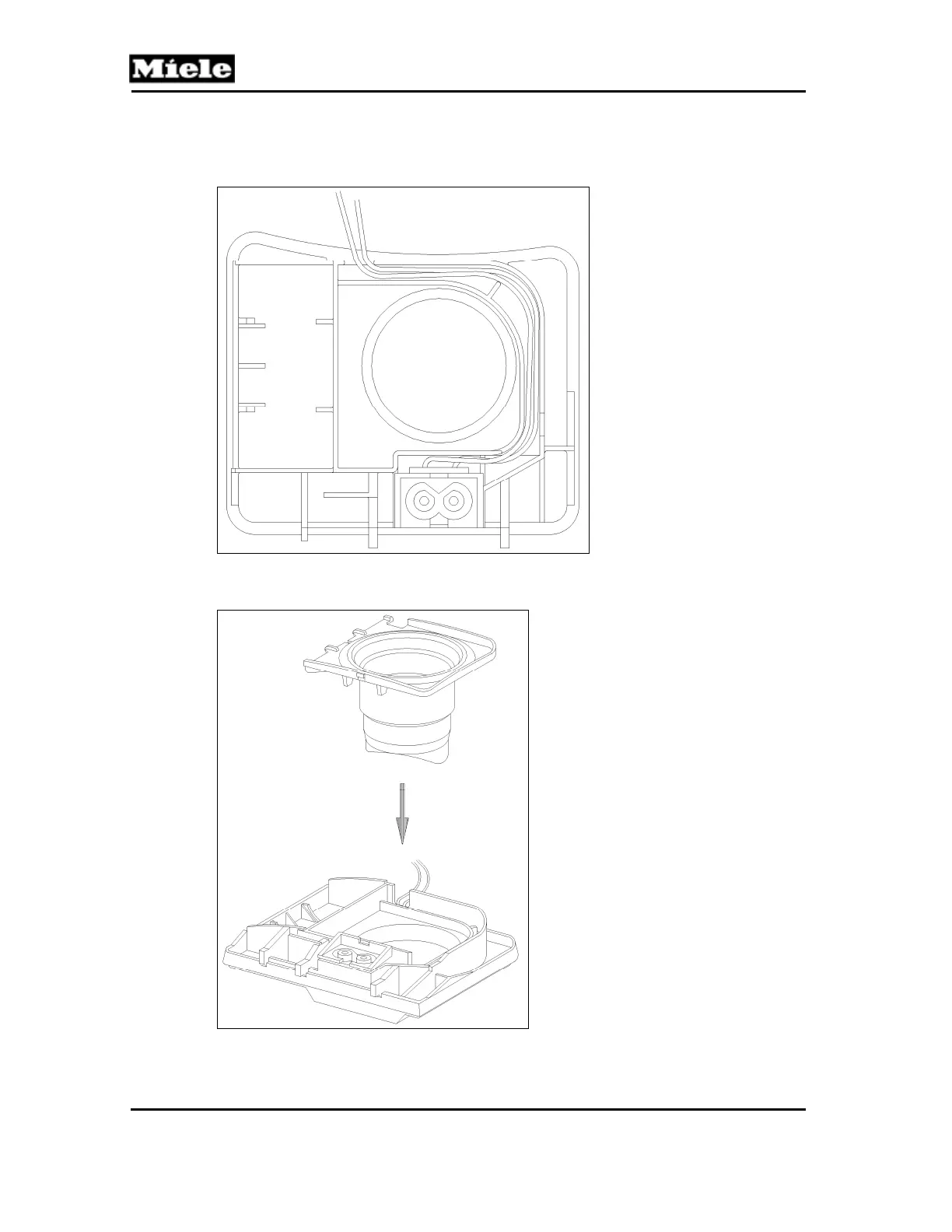
1. Install the built-in socket in the dust channel and lay the wires in the guide;
see Figure 020-22.
Figure 020-22: Built-In Socket Installation
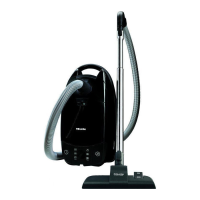
2. Install the slide sleeve; see Figure 020-23. Ensure that the wires are not trapped.
Figure 020-23: Slide Sleeve Installation
3. Slide Sleeve and Dust Channel Installation, Section 020-4.8.



 To Next Page