Technical Information
33
500 & S 600 Canister Vacuums
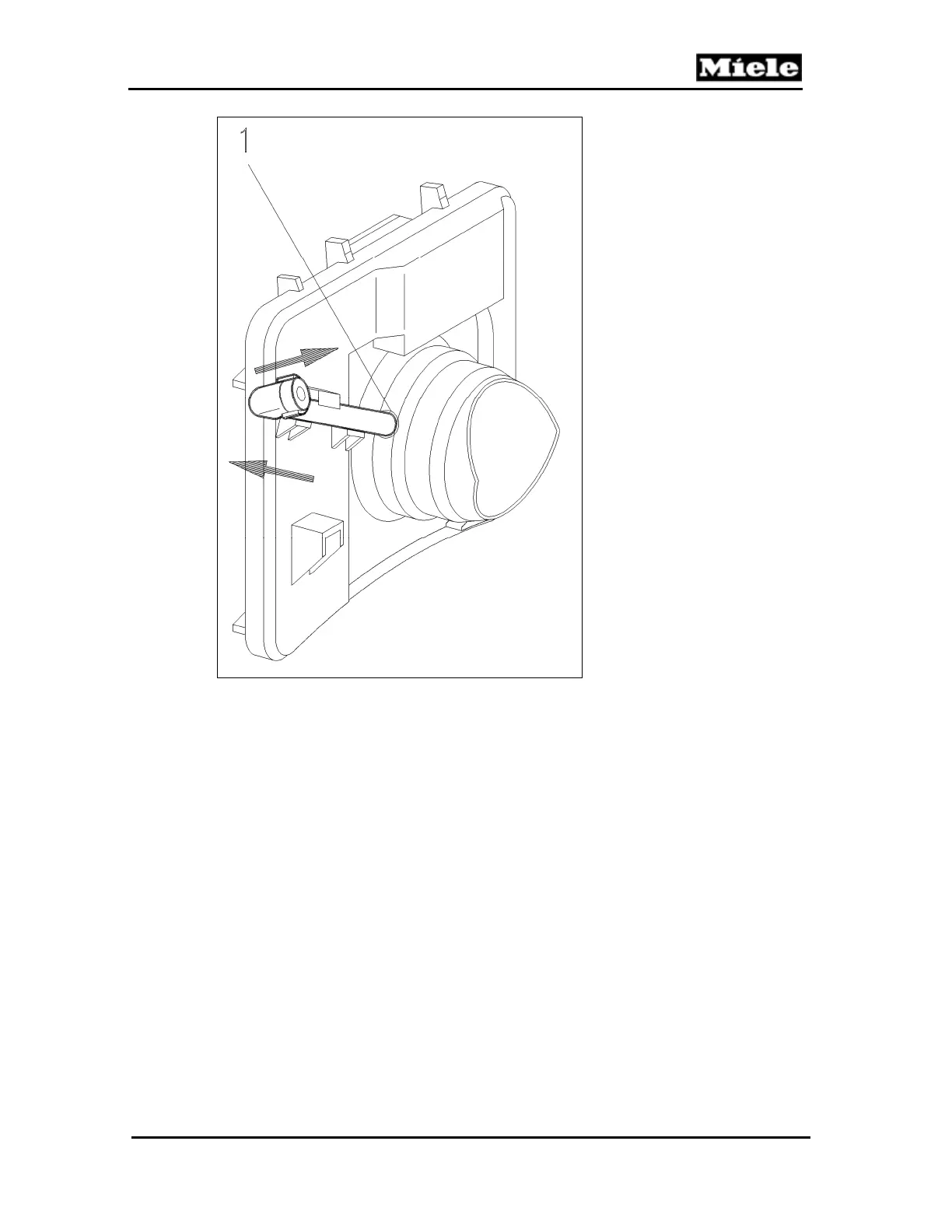
Figure 020-9: Connection Piece Removal
10. Press the slide sleeve out of the dust channel.
4.8 Slide Sleeve and Dust Channel Installation
1. Install the casing top catch; see Section 020-4.12 or 020-4.13.
2. Install the built-in socket (if applicable). See Section 020-4.15.
3. Install the connection piece (if applicable). The connection piece must be
installed firmly in the slide sleeve. See Figure 020-9, Item 1.
4. Pre-assemble the slide sleeve and dust channel; see Figure 020-10.



 To Next Page