Technical Information
32
S 500 & S 600 Canister Vacuums
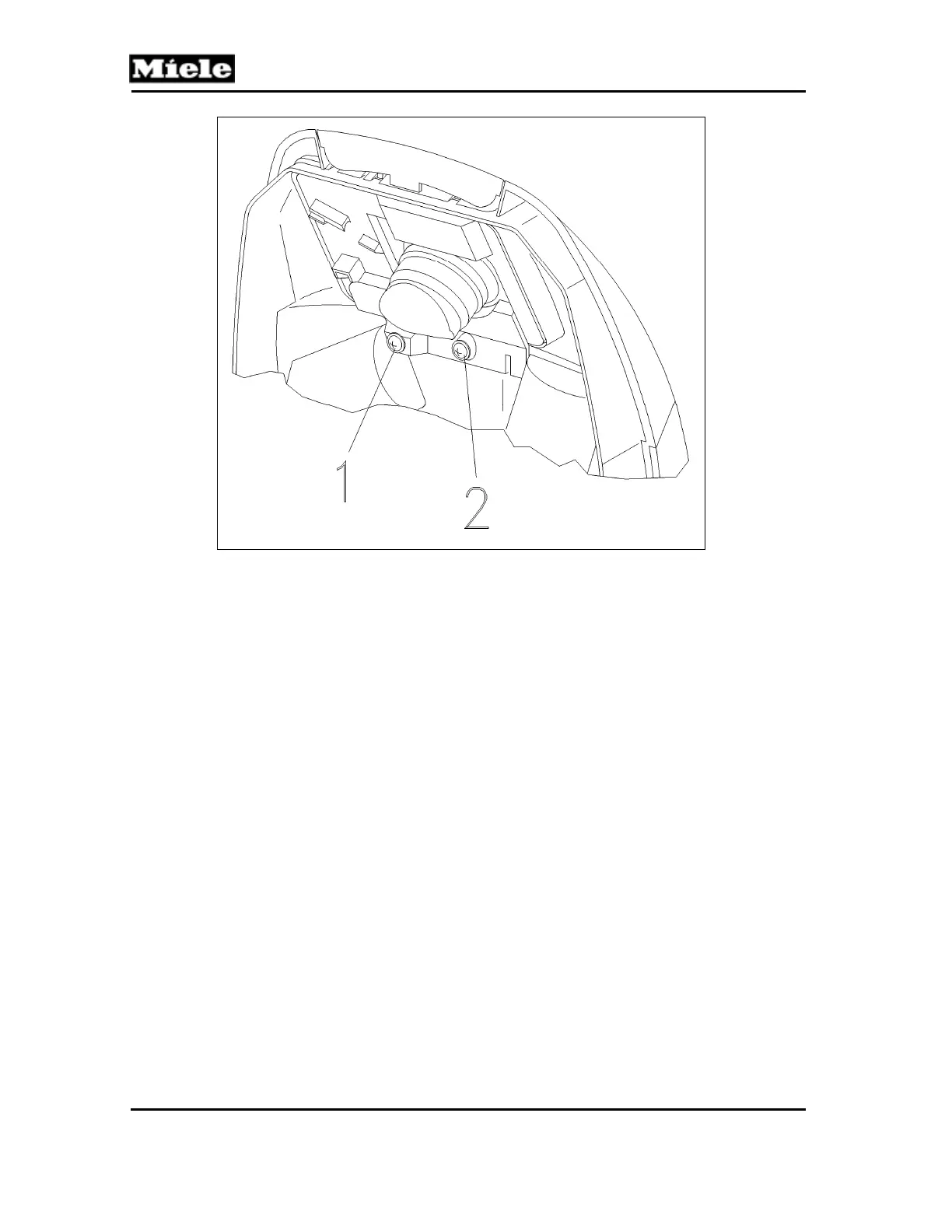
Figure 020-8: Dust Channel Holder Screws
5. Remove the bag change indicator.
4.7 Slide Sleeve and Dust Channel Removal
1. Remove the accessory compartment lid. See Section 020-4.1.
2. Remove the accessories.
3. Remove the casing top. See Section 020-4.2.
4. Remove the hygienic slide shutter from the suction opening.
5. Remove the 2 screws from the dust channel holder (Figure 020-8, Items 1
and 2) and remove the holder.
6. Remove the bag change indicator.
7. Insert two fingers through the suction opening and press out the slide
sleeve and dust channel.
8. Remove the casing catch.
9. If applicable, lift the connection piece and remove it from the dust channel;
see Figure 020-9.



 To Next Page