Milestone Srl MA213-003 – DMA-80 EVO – User Manual
99
The Common Internet File System (CIFS) is the standard way that computer users share files across
corporate intranets and the Internet.
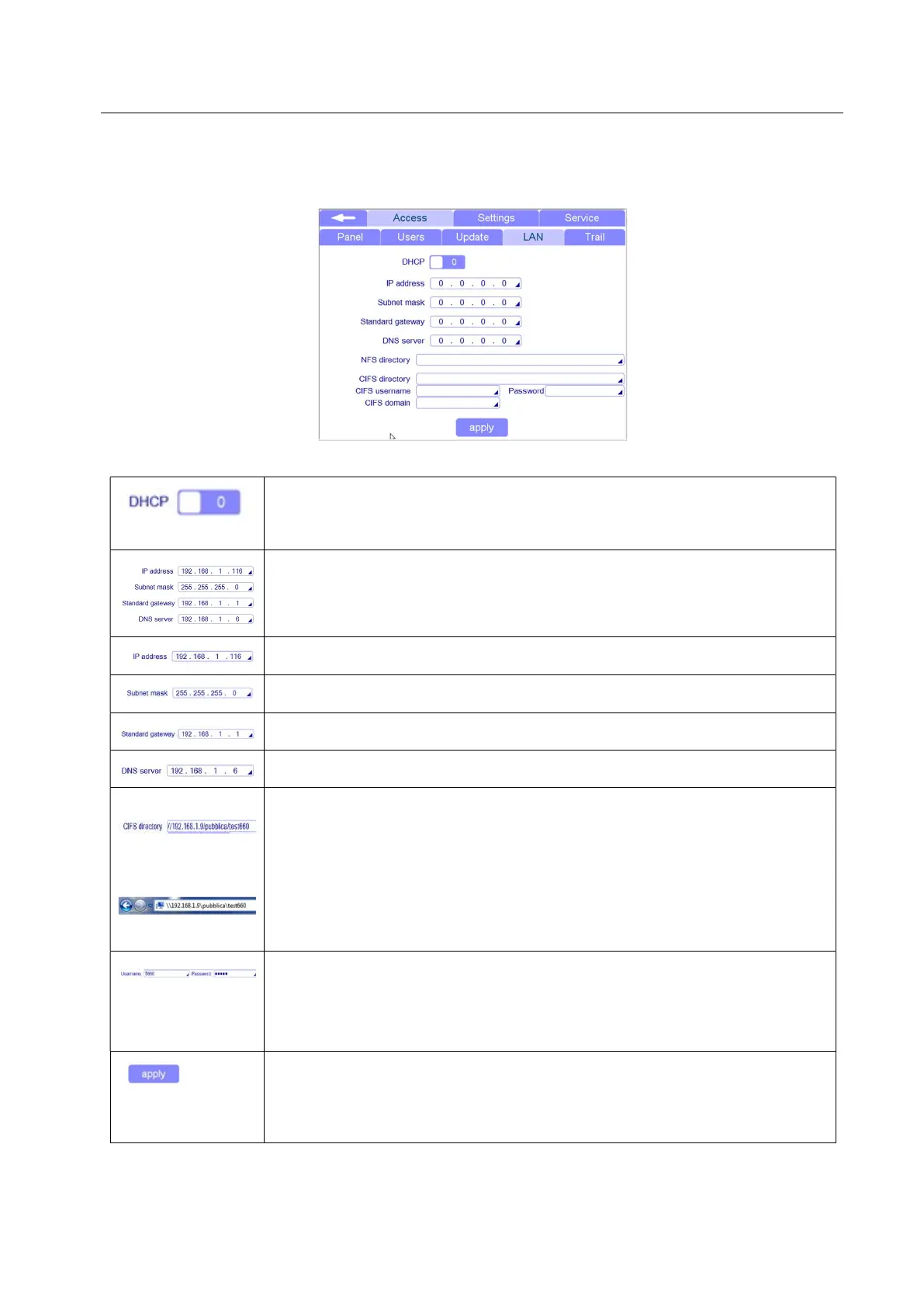
To set the CIFS you have to enter in the Settings/Access/LAN
If your network supports the automatically assigned IP address function for all
client connected to the network, you can select this option and your network will
assign an automatic IP address to your T660.
If your network doesn’t support the automatically assigned IP address you must
set the following settings:
Insert the IP address dedicated for your T660
Insert the Subnet mask of your network
Insert the standard gateway of your network
Insert the DNS server of your network
Terminal 660
Server
Insert the address of server and his shared folder where you want to save
directly the file of your T660.
ATTENTION:
T660 needs “/” (slash) as separator for the address.
Windows-server save the address using “\” (backslash).
Insert the name and password that networking administrator has assigned to
T660.
Username and password must be set in the server otherwise the server will not
recognize/accept T660
Press APPLY to confirm all the setting.
The terminal will automatically restart



 To Next Page