Milestone Srl MA213-003 – DMA-80 EVO – User Manual
46
his work and he wants to logout without switching off the unit, the popup window here below is displayed.
After the logout, the login window is displayed again.
5.10 General Operations Tips
The following indications will help you navigating the software.
5.10.1 Popup menu
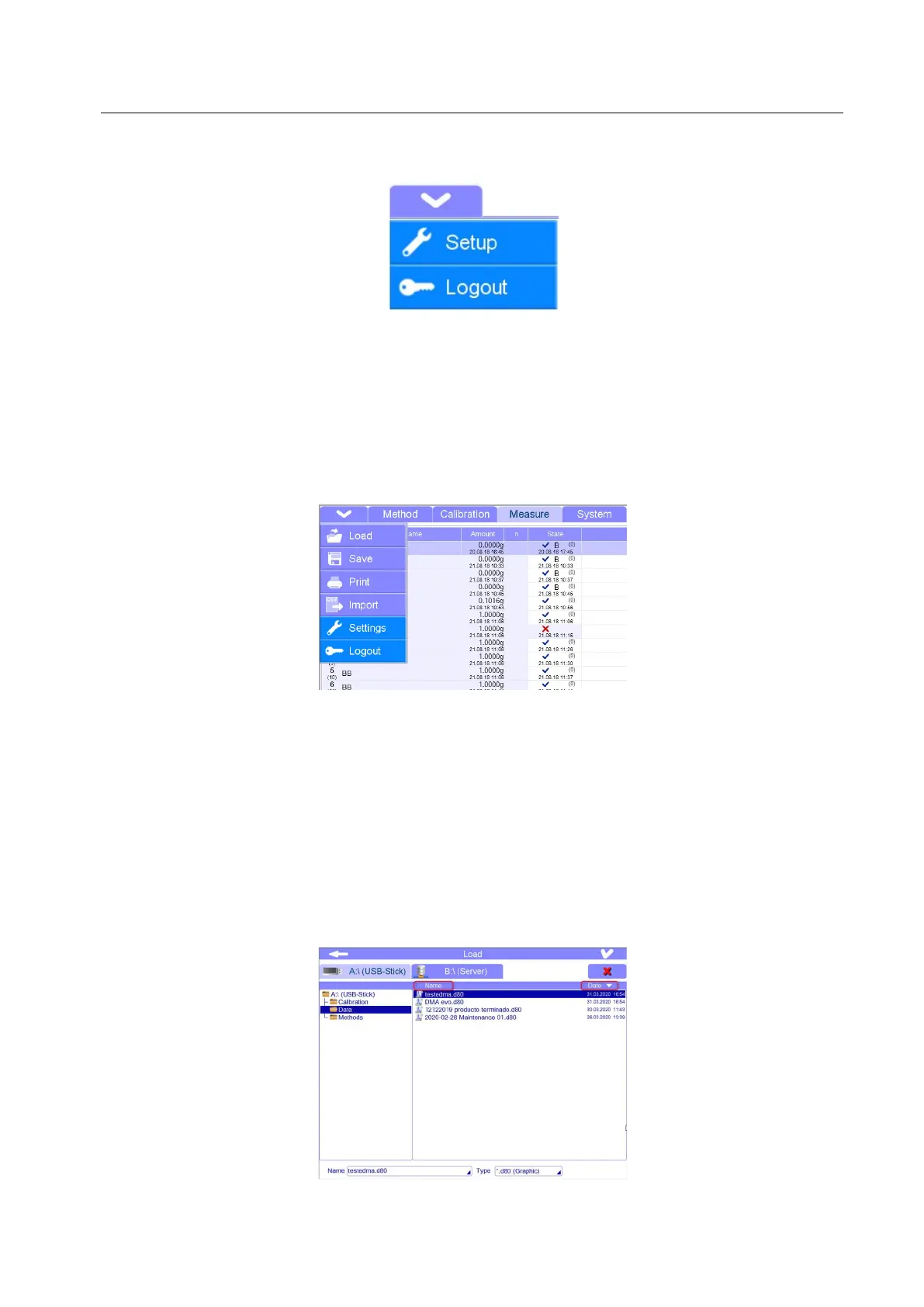
By pressing the arrow icon in the upper left corner, the popup menu is opened with the available functions
of the current page. The functions are different: files opening, saving, printing, importing CSV files, going
to settings and logout.
5.10.2 File opening, closing, saving and deleting
By the corresponding icons: “load“, “save“ and “print” in popup menu, you can load, save and print the
files.
According to the page, there are some tips to respect (indicated in the next chapters).
Remember:
Measurement files are saved under Data Folder (.d80)
Calibration files are saved under Calibration Folder (.c80)
Method files are saved under Method Folder (.m80)
- FILE ORDERING: Files can be ordered according to the date or name.
In this way, it would be easier to find a file.



 To Next Page