Milestone Srl MA213-003 – DMA-80 EVO – User Manual
36
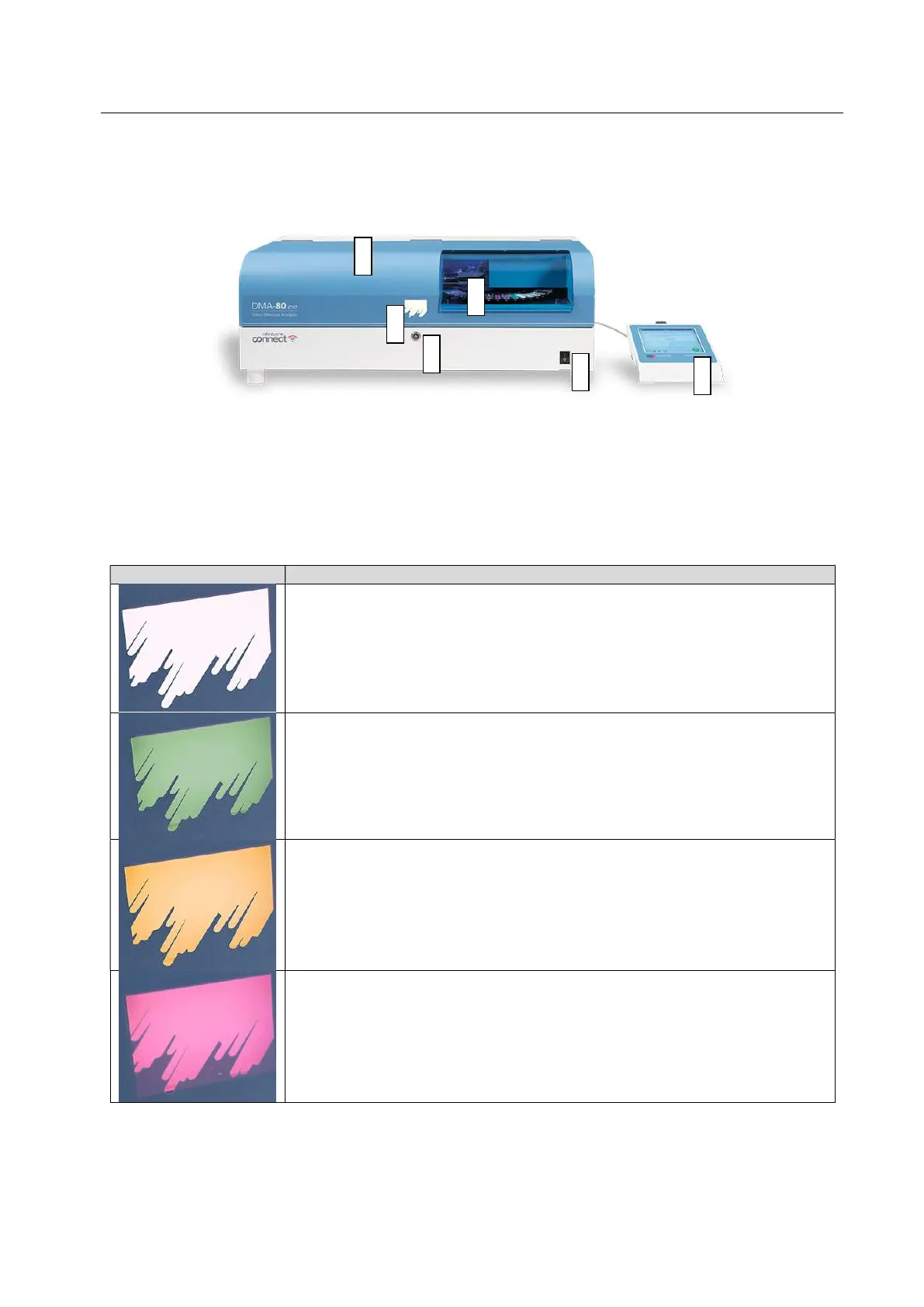
3.2 DMA-80 EVO front view
An overview of the front side of the DMA-80 EVO is shown in the picture
Legend
a. Autosampler section
b. Air grids for cooling
c. Lock for main chassis
d. Main power switch
e. Terminal or personal PC
f. Back light logo
WHITE: The software is on Measurement pages and the unit is in standby
mode ready for the analysis
GREEN (flashing): The run (in case of measurement in single mode) or
sequence of runs (in case of automatic mode) has finished.
YELLOW (flashing): The software is on Measurement page and the unit is
in stand by mode waiting that some parameters have reached their working
values.
RED (flashing): The software is on Settings pages or the analysis has been
interrupted.
RED: The unit is running
c
d
a
f
b
e



 To Next Page