Milestone Srl MA213-003 – DMA-80 EVO – User Manual
19
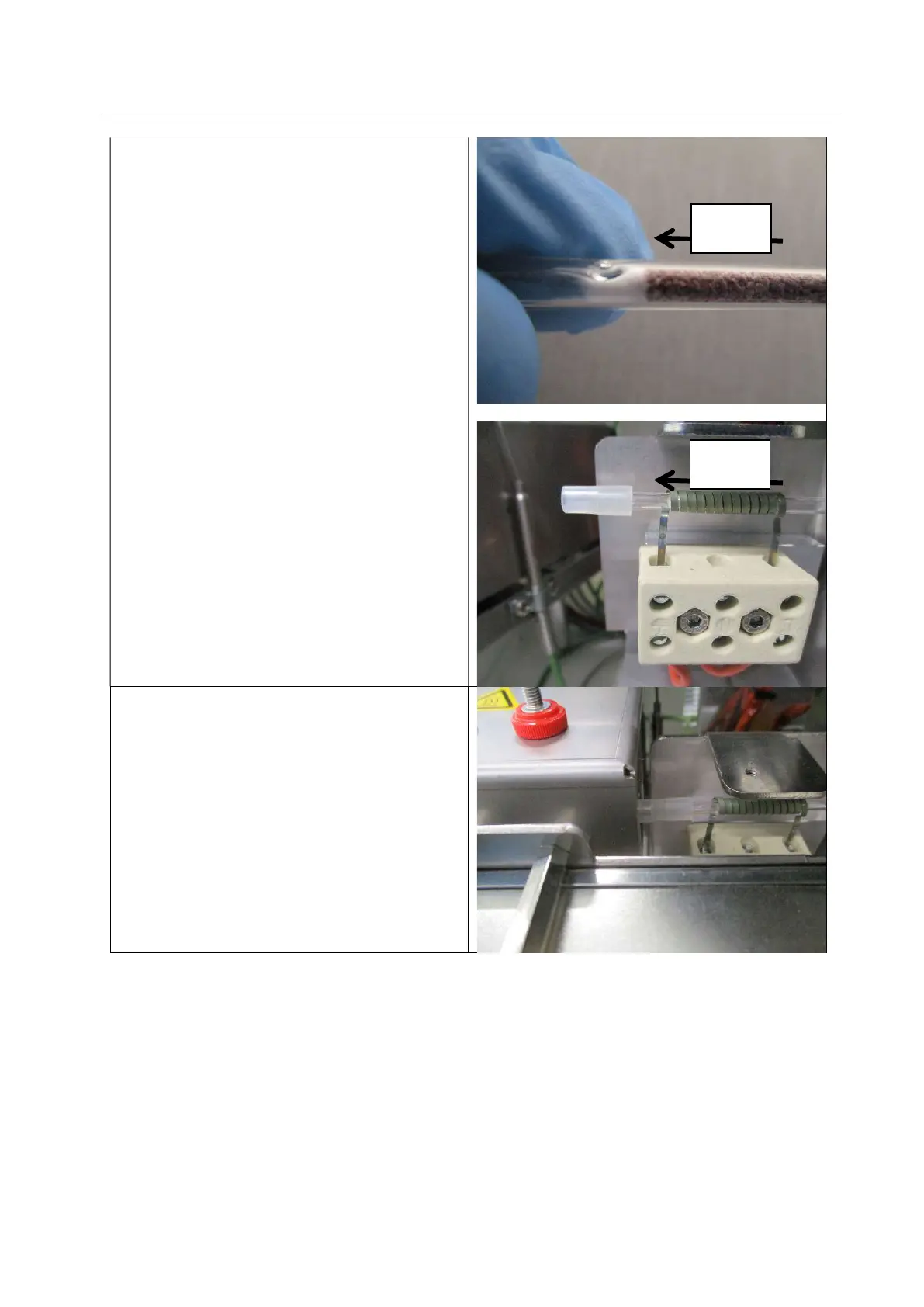
After 20 minutes, take the amalgamator marked
with the label with red line from the blue
accessories case.
Connect the amalgamator in the right position.
The amalgamator tube has a little groove on the
glass to indicate the direction of the flow.
The amalgamator must be installed with the
groove close to the cuvette in order to avoid that
the material inside moves out during the flow
passage.
Connect the cuvette.
FLOW
FLOW


 To Next Page