Milestone Srl MA213-003 – DMA-80 EVO – User Manual
50
Direct link to Connect website only available with DMAonPC software
Some icons (generally used) are available in several menu points and they can be selected
from there.
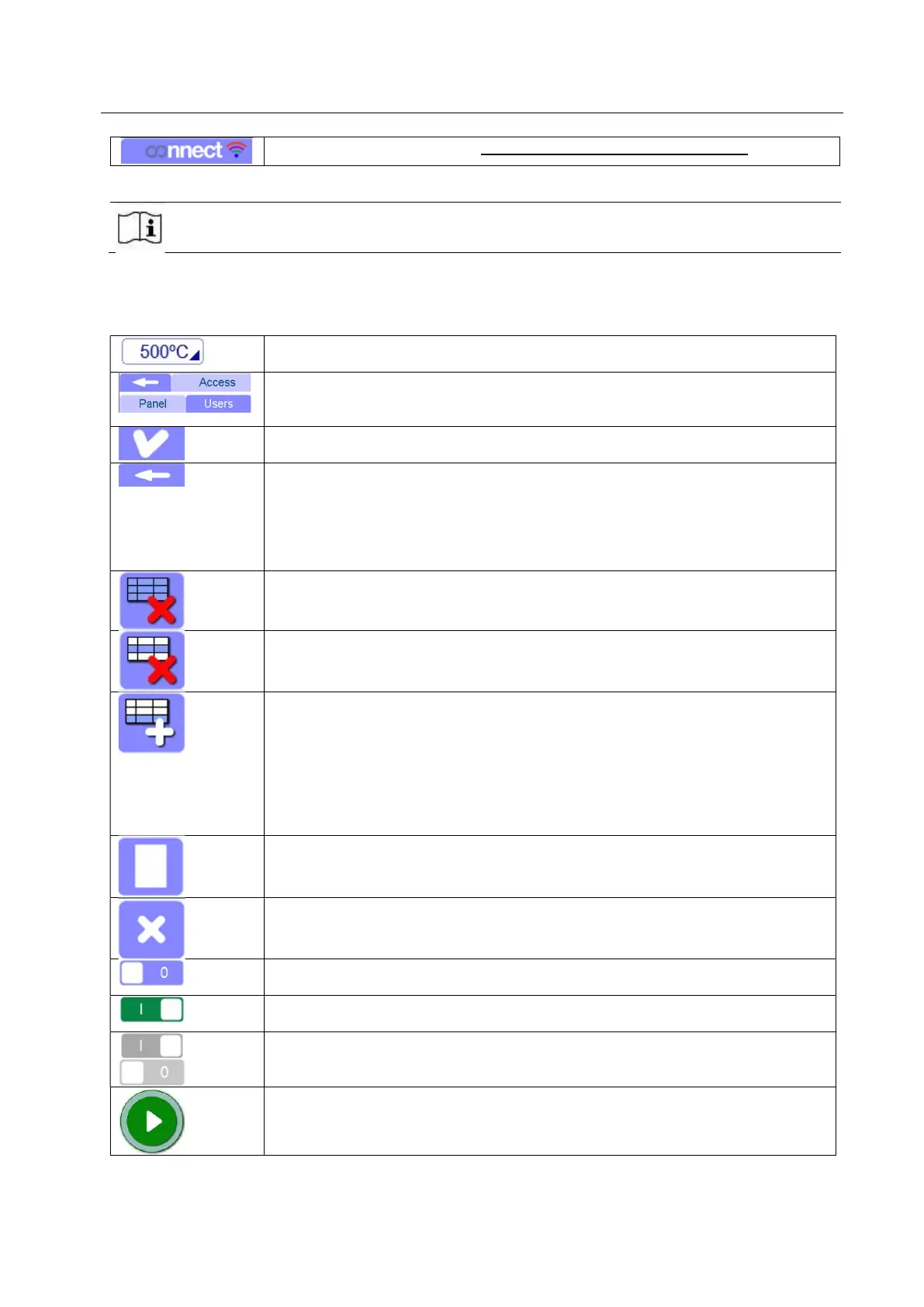
5.10.3.1 Generally used icons
Here below a list of the most used icons.
Input field: Editable fields are marked with a triangle in the right corner. They
open at the moment of activation both by selection or input field.
Active tabs and pressed icons: Pressed tabs and icons are held with lighter
background and darker word/symbol (colors inverted). Grayed icons or tabs are
not available for the user or the type of unit.
Input or selection confirmation: The tick in the up right corner is used for
confirmation or acceptance of the input.
Quit a page: The arrow is generally located on the top left side and it is used to
quit the operations like storage, loading, keypad field.
It is also used to return to measurement page from the settings page. Pressing
this icon after changing some setting, it will be automatically saved.
If an input keypad field is open and you press the back arrow, then the
procedure is immediately quitted without saving.
Create a new file: Pressing it, the page is “cleaned”. It creates a new and empty
file. (Calibration and Measure pages). The file is deleted from the temporary
memory (but not from the external memory)
Delete a line: the selected line is deleted after confirmation (Calibration and
Measure pages)
Add a new line: a new line is added in Measure page. There are some options
that you can set when you make a new line. They will be explained in the
chapter 5.13
The sample name, calibration and method are taken over by the marked data
record. If the name has a number as the last figure, this will be increased
automatically by 1.
If no position has been entered yet, no sample name would be registered in this
first line.
Create a new method: pressing it, a new method can be created. Some values
are set as default but you can change them as you like.
Delete the method: Pressing it, the method page is “cleaned”. It creates a new
method with some default values. The file is deleted from the temporary memory
(but not from the external memory)
Switch OFF for function activation: in case the function is not active, the icon
color is blue and it is marked with “0”
Switch ON for function activation: in case the function is active, the icon color is
green and it is marked with “I”
Switch LOCKED:grey color means that the option can not be changed by the
current user.
START: The unit is ready for measurement with no run ongoing.
After pressing, a new measurement is started, if a new sample has been
introduced.



 To Next Page