Milestone Srl MA213-003 – DMA-80 EVO – User Manual
54
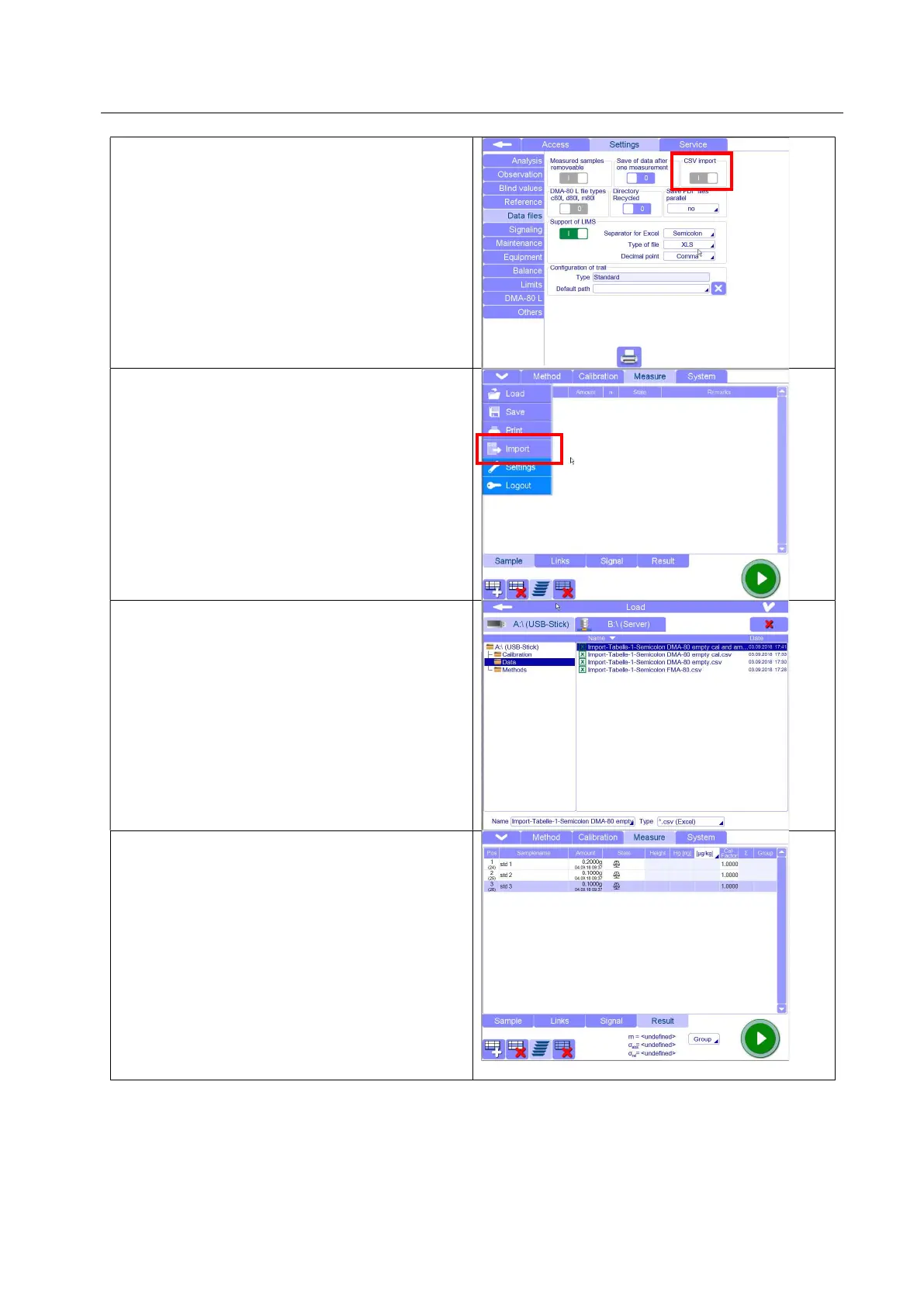
In the software, be sure the function “CSV import”
in Settings/Data Files, is activated.
Only the “Service” access has the permission to
activate this function.
In the Measurement page of the DMA software,
open the drop down menu and click on “Import”
box.
Connect to terminal the USB where you saved the
CSV file previously filled, select and load it.
In the Measurement page, your file will appear.
Now , it is possible to save the file as a normal
data (.d80 format) and start the measurements.



 To Next Page