Milestone Srl MA213-003 – DMA-80 EVO – User Manual
68
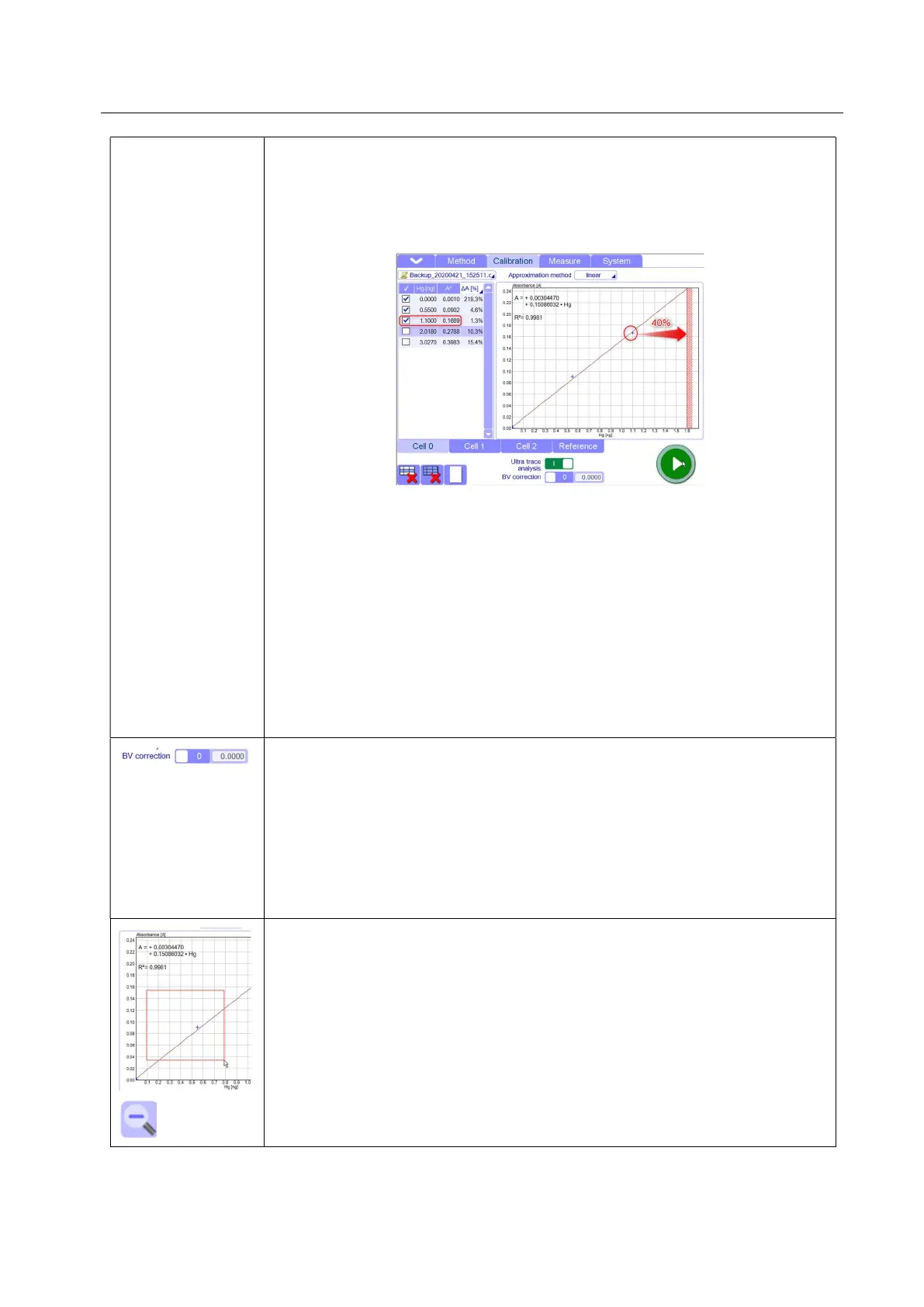
The calibration curve can be adjusted accordingly for the measurement values in
ultra-trace range. This function adds a percentage range (40% as default but
Settable in Setting/Analysis.) to the highest measured value. All values
exceeding this range will not be calculated in this cell and they will be analysed
in the next cell without affecting the slope and quality of the curve at lower
ranges.
The function ultra-trace allows a linear track in the most sensitive cell, without
changing the maximum limit of absorbance for this cell.
In particular, in case of tricell unit, an optimized measurement range is reached
by exceeding the linear range of cuvette 0 in cuvette 1.
The advantage to use the Ultratrace function is that the limit of absorbance of
the cells remains untouched. This is important for who needs to use different
calibration curves on the basis of his samples with different Hg concentrations..
In this way, the limit of absorbance of cell does not need to be changed every
time every time.
So, a dedicated ultra-trace calibration curve should be saved and used
whenever required.
BV correction: with this function you can set the absorbance point on y-axis
where the calibration curve meets it.
When the function is activated, the curve is determined by the set value. For the
ultra-trace calibrations, the curve can be forced through the typical blank value,
in order to optimize the accuracy of low range.
In cell 2, the blank value should not be considered. The calibration must be
forced through the zero point and the registration of the correction value is not
necessary in this case.
Zoom: a specific area of the calibration graph can be zoomed by pressing with
finger or mouse curser a point in the graph and then move down or right to
select the interested space.
The magnifying glass icon will scale the image to its original size.



 To Next Page