Milestone Srl MA213-003 – DMA-80 EVO – User Manual
79
1. Open a measuring file.
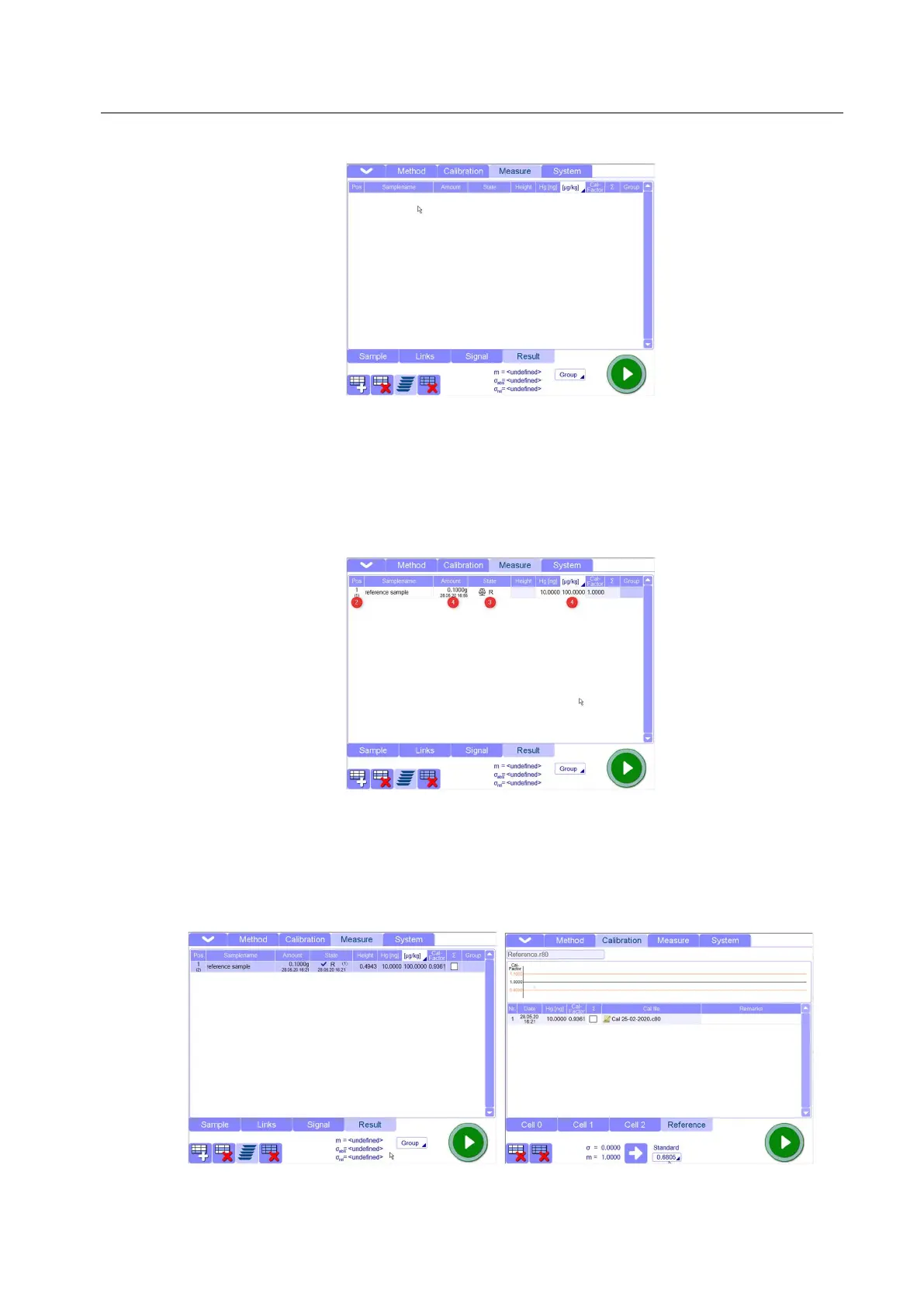
2. Create the reference measurement(s). (You could carry out a multiple determination, in order to
be sure that the result is correct).
3. Define the sample in the Status column of "Results" table as "Reference" sample. The column
"Concentration" c[µg/kg] (otherwise closed) is ready for input. Without editing the concentration,
the sample can not be used as a reference sample for calculating the calibration factor.
4. Enter concentration and weight of sample, insert the reference sample into the Autosampler (use
only perfectly clean boats) and start the measurement.
5. After measuring the reference sample, the result is automatically compared to the set limit values
and, in case of exceeding of the maximum deviation, the specific actions will be taken. After
measuring the reference sample, the data are written in the “Results” table and the calibration
factor is calculated by the “theoretical value” divided by “measured value”. If the values match
exactly, the calibration factor is calculated to be “1,00”. According to the deviation between the
two values the factor is higher or lower that 1,00. Reference measurements are documented in a
Reference window of the Calibration page



 To Next Page