ENGLISH
OM-225 389 Page 23
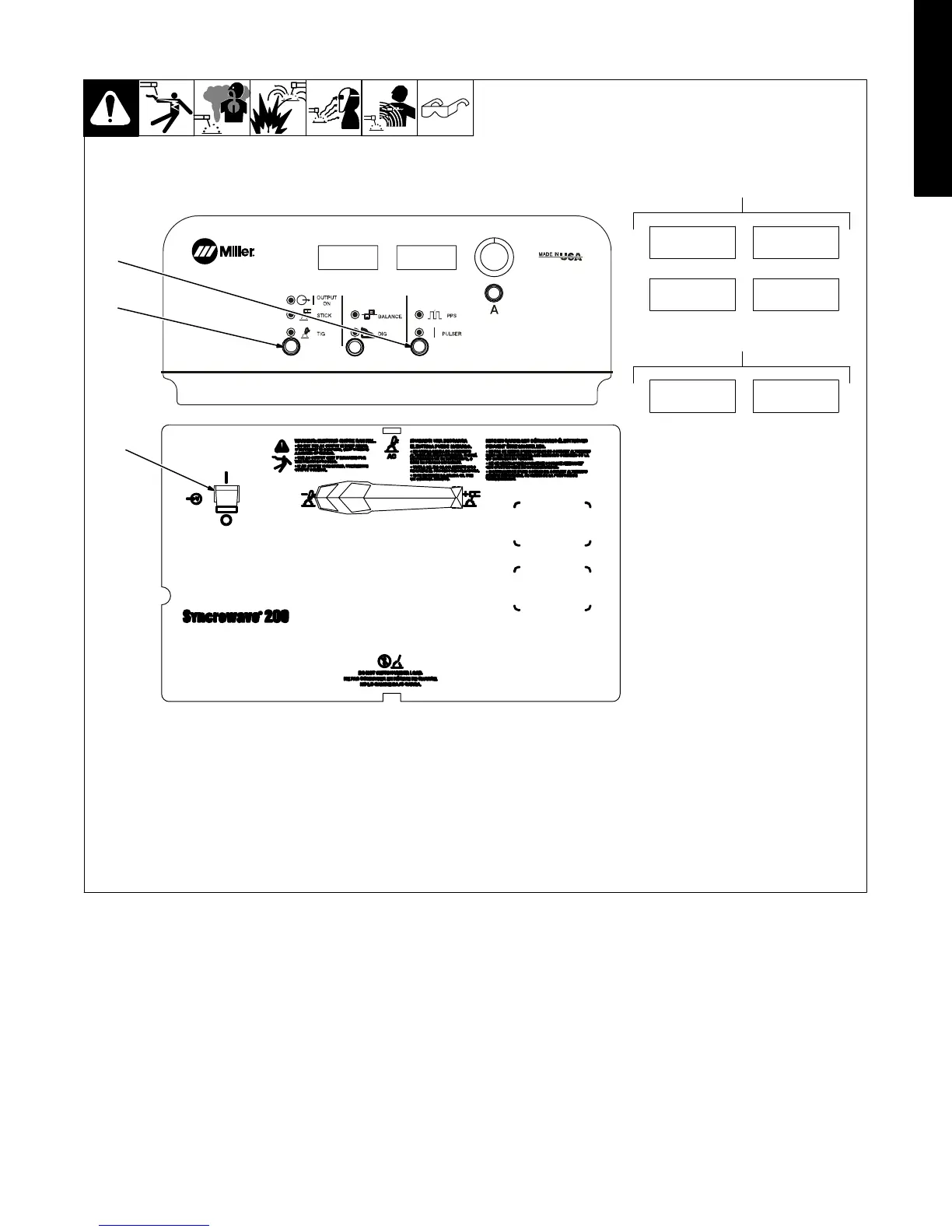
3-11. Timer/Cycle Counter
3
2
1
1 Power Switch
2 Process Control
3 Pulse Control
To read timer/cycle counter, press and hold
the Process and Pulse buttons, and turn
power on.
4 Timer Display
The hours are displayed for five seconds,
and then the minutes are displayed for five
seconds.
5 Cycle Display
The cycles are displayed for the next five
seconds, and are read as 12,345,678
cycles.
1234
Hour
59
MINS
4
1234
5678
5
0000
0000










 To Next Page