OM-225 389 Page 24
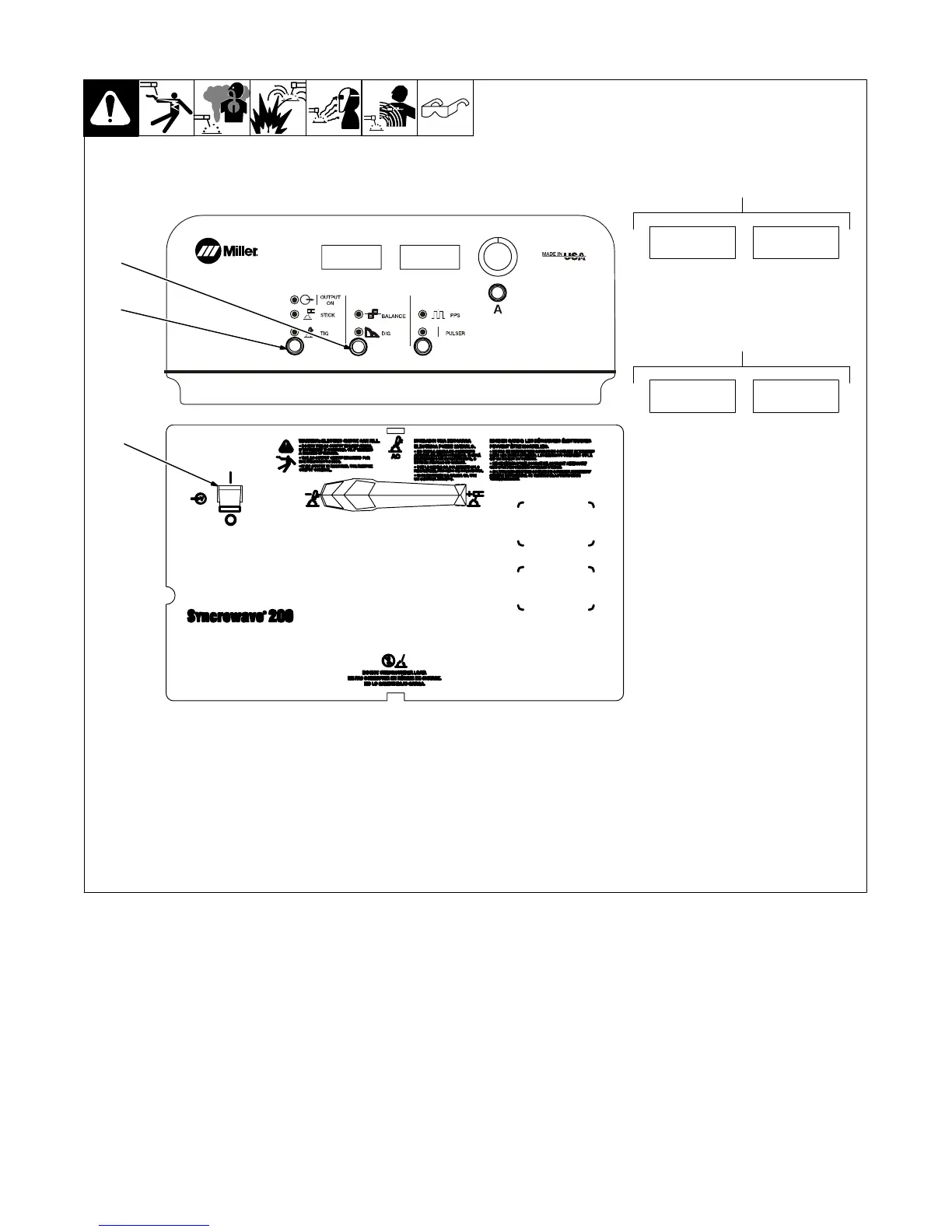
3-12. Software Number/Revision
3
2
1
1 Power Switch
2 Process Control
3 Adjust Control
To read software number/revision, press
and hold the Process and Adjust buttons,
and turn power on.
4 Software Number Display
The software number is displayed for five
seconds.
5 Revision Display
The revision is displayed for the next five
seconds.
221
161
4
REV.A
5
0000
0000










 To Next Page