OM-284794 Page 26
F
Complete Parts List is available at www.MillerWelds.com
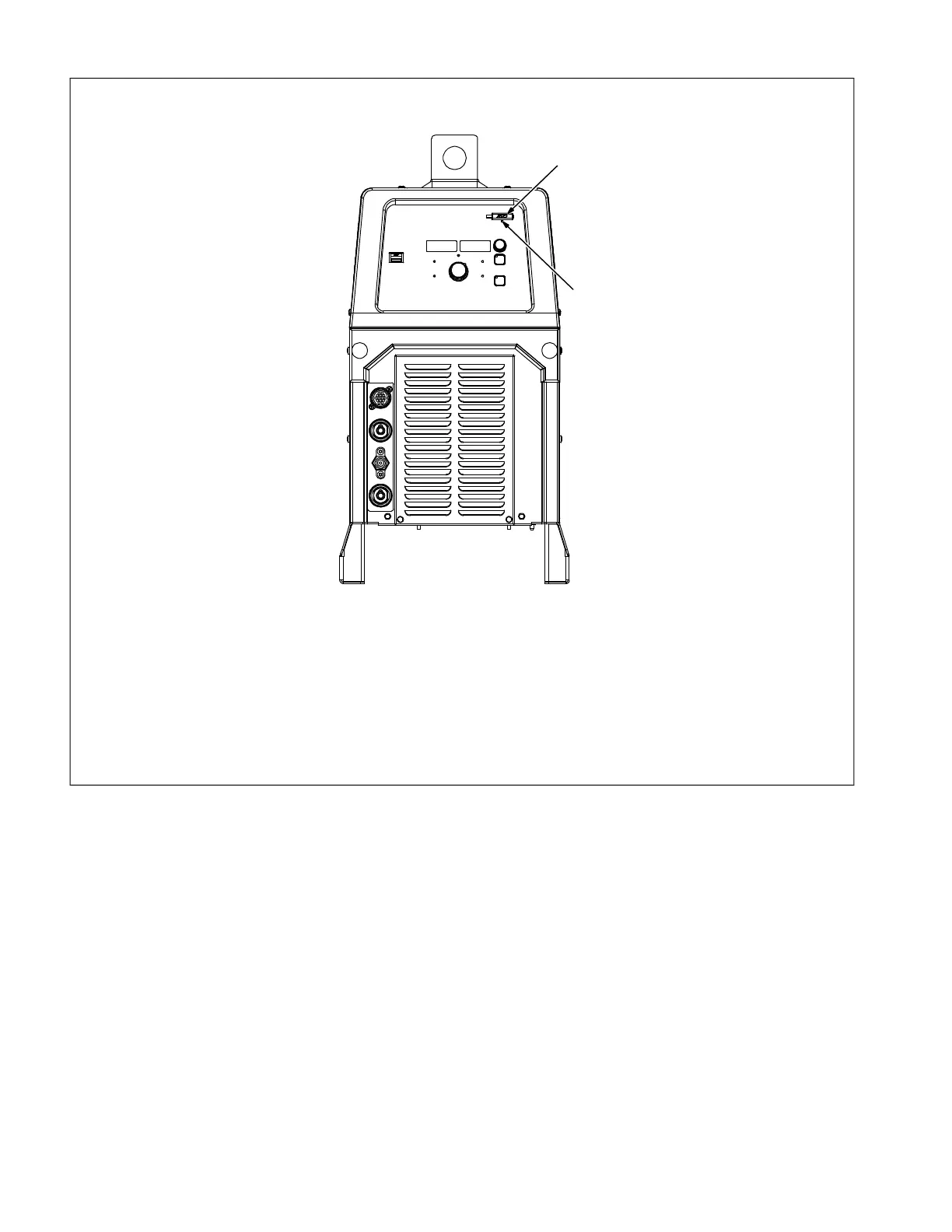
B. Installing Software Updates
Syncrowave 300 Shown
F
Software updates may reset machine
back to default values.
Card Requirements:
32 GB max, full size SD memory card
required.
1 Memory Card Port
2 Indicator LED
Insert card containing new software into port
while machine is on, but not while welding.
Inserting card while welding will interrupt the
welding process.
LED indicator blinks green when machine is
reading from or writing to the card, and the
meter displays go blank. The update time
may vary up to three minutes. Do Not re-
move card while LED is blinking green.
After successfully reading from or writing to
the card, the LED switches from blinking to
continuous green, and the meters illuminate.
The machine is now ready for use.
Troubleshooting:
Indicator LED is blinking red: Error updating
software, or software is not compatible. Try
removing and inserting card.
Indicator LED is continuous red: Cannot
read card. Card might be bad.












 To Next Page