A5/A3™ Service Manual 046-001141-00 6 - 15
Repair and Disassembly Disassemble the Assemblies
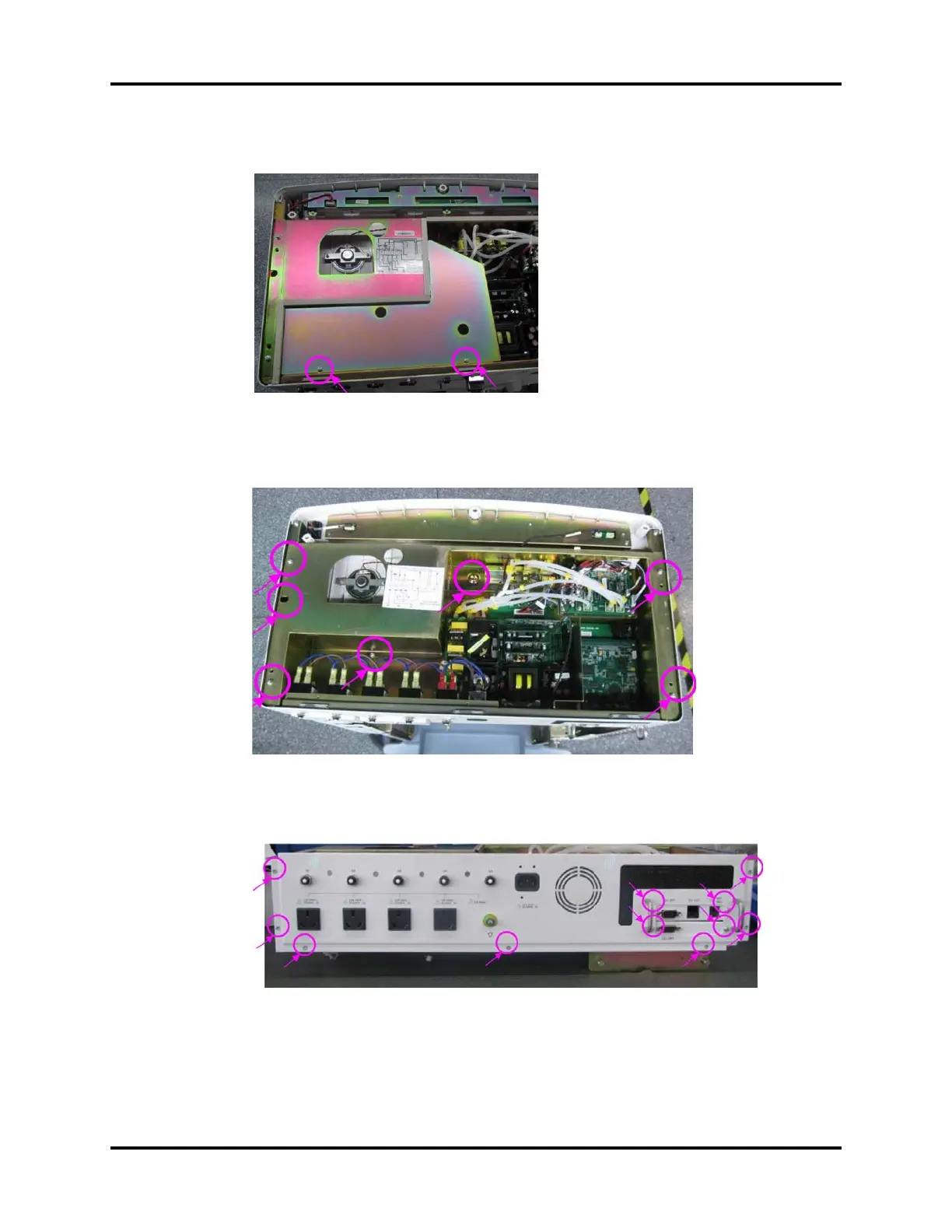
4. Unscrew the two screws fastening the high-pressure protection cover to remove the protection
cover.
FIGURE 6-26
5. Unscrew the seven screws on the hardware box and lift off the hardware box to remove it.
FIGURE 6-27
6. Remove related cables and tubes on the rear panel assembly from other assemblies
7. Unscrew the elevn screws on the rear panel of hardware box to remove the rear panel assembly.
FIGURE 6-28





 To Next Page