Options Installation 8-1
8 Options Installation
8.1 Installation of Optional Devices
1. Copy the optional devices to the U disk, then insert it to the USB port of the ultrasound
system;
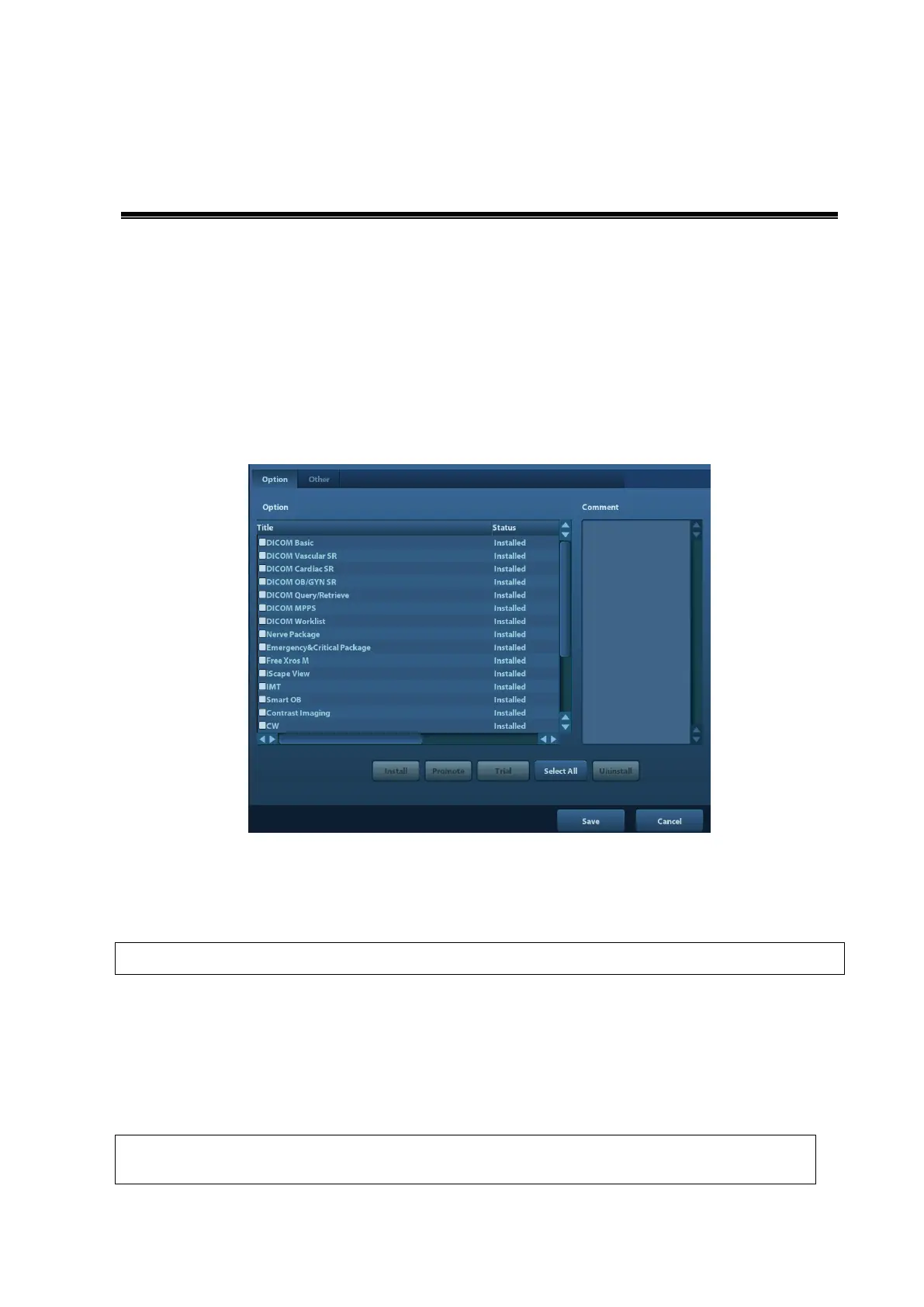
2. Enter [Preset], click [Maintenance] to enter [Option] menu to select the option module to
be installed, click [Install].
3. Select the corresponding key file in the prompted “Load File” dialogue box and click [OK].
4. After the Key file is successfully installed, you can see the option module in the “Installed”
status. Corresponding functions are available after return from preset.
After all modules are installed, please go to the previous interface to confirm.
Trial: select the corresponding software package, and then click [Trial].
Note: for each component, you can activate trial version only once. The trial lasts 180 days for each
key.
Promote
The service engineers must log in the system with the account of Service, and
then conduct the promote function.



 To Next Page