StakMax Microplate Handling System User Guide
5016072 A 29
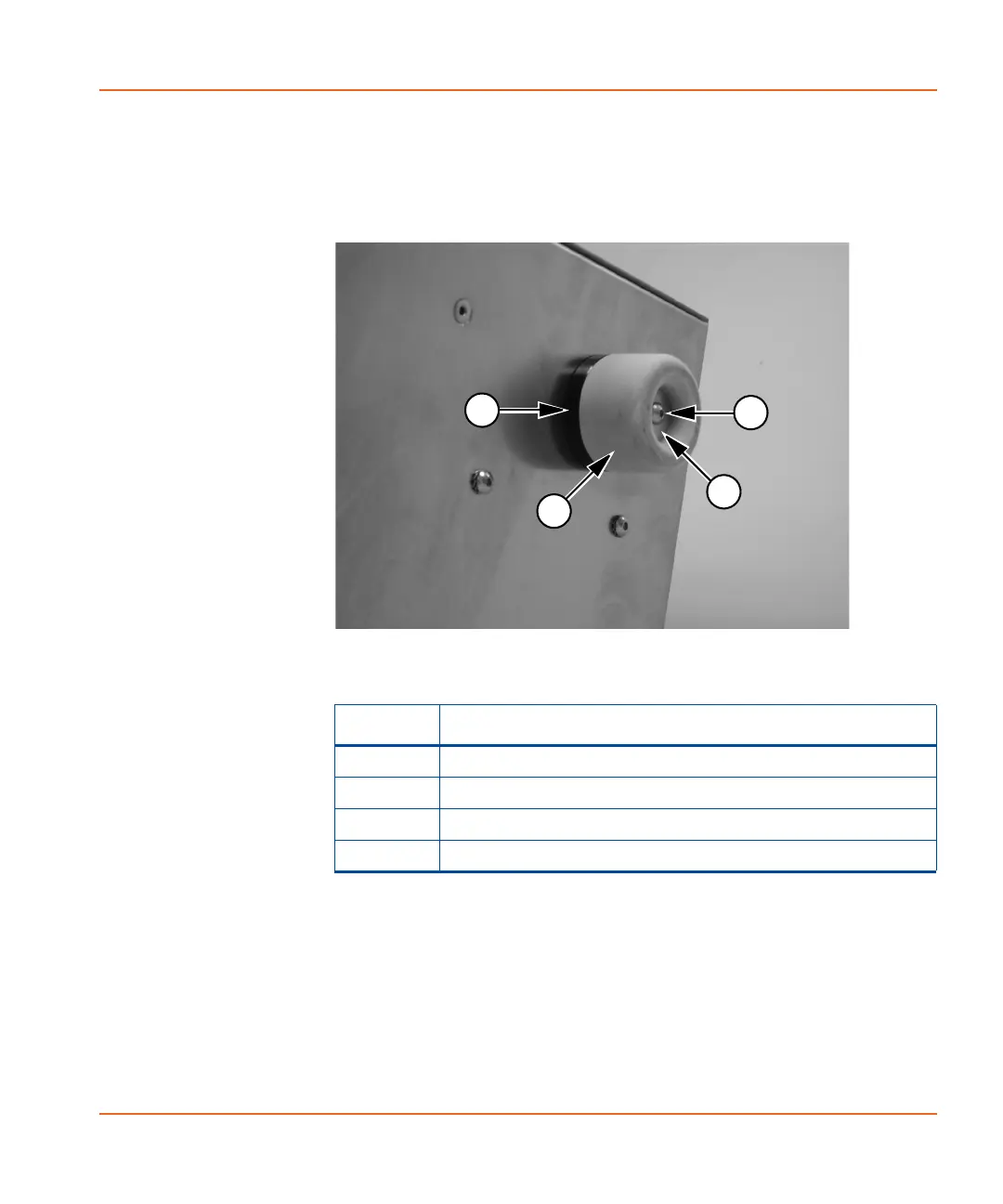
6. Re-use the foot and the washer and insert a black spacer
bushing between the foot and the reader, and then use a new
screw from the accessory kit to reattach the foot to the base of
the reader. See Figure 2-16.
7. Repeat Step 5 and Step 6 with the other rear foot.
8. Use the 2.5 mm hex key screwdriver to remove the front feet
from the reader.
9. Position the baseplate at the front of the plate reader (see
Figure 2-17 for correct position).
Figure 2-16 Rear foot and spacer bushing installed on the
reader
Item Description
1 Spacer Bushing
2 Foot
3Washer
4Screw
StakMax-UG-5016072A.book Page 29 Friday, October 21, 2011 3:51 PM














 To Next Page