Installation and Set Up
40 5016072 A
Installing the StakMax Microplate Handler
To install the StakMax microplate handler
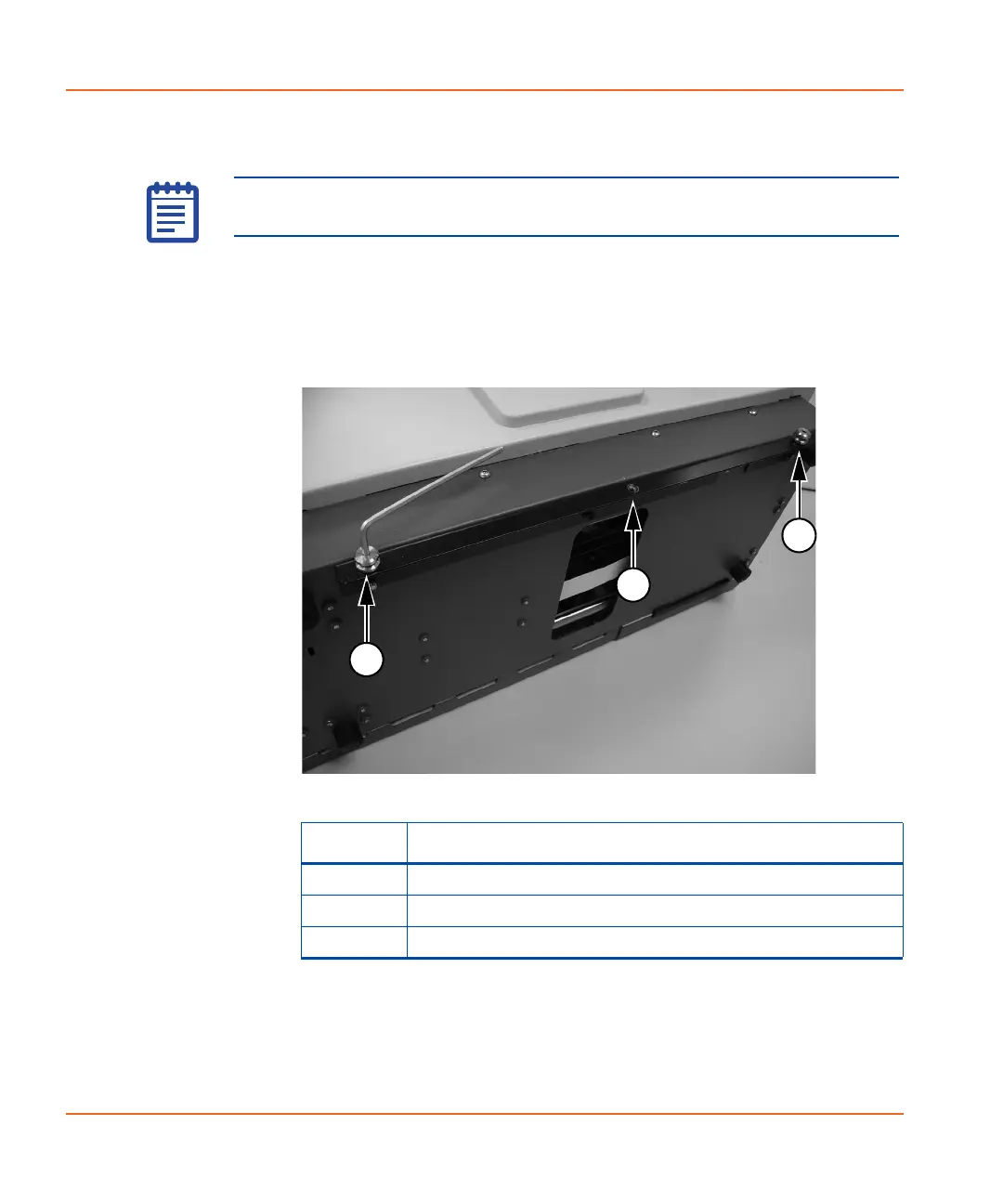
1. Use the 3.0 mm hex key screwdriver to attach the alignment
studs to the outermost holes on the StakMax mounting bracket.
See Figure 2-30.
Note: The photographs used for this procedure are for a side-by-side
installation.
Figure 2-30 Attaching the alignment studs
Item Description
1 Installed Alignment Stud
2 Unused Hole in Bracket
3 Installed Alignment Stud
StakMax-UG-5016072A.book Page 40 Friday, October 21, 2011 3:51 PM














 To Next Page