Monarch SE 2004-------------------------------------------------------------------------------------------------------------------------------------------------------------------------------------------------------------------------------------------------------------------------- Section 4 Appliances | 155
Two Door
Without Icemaker:
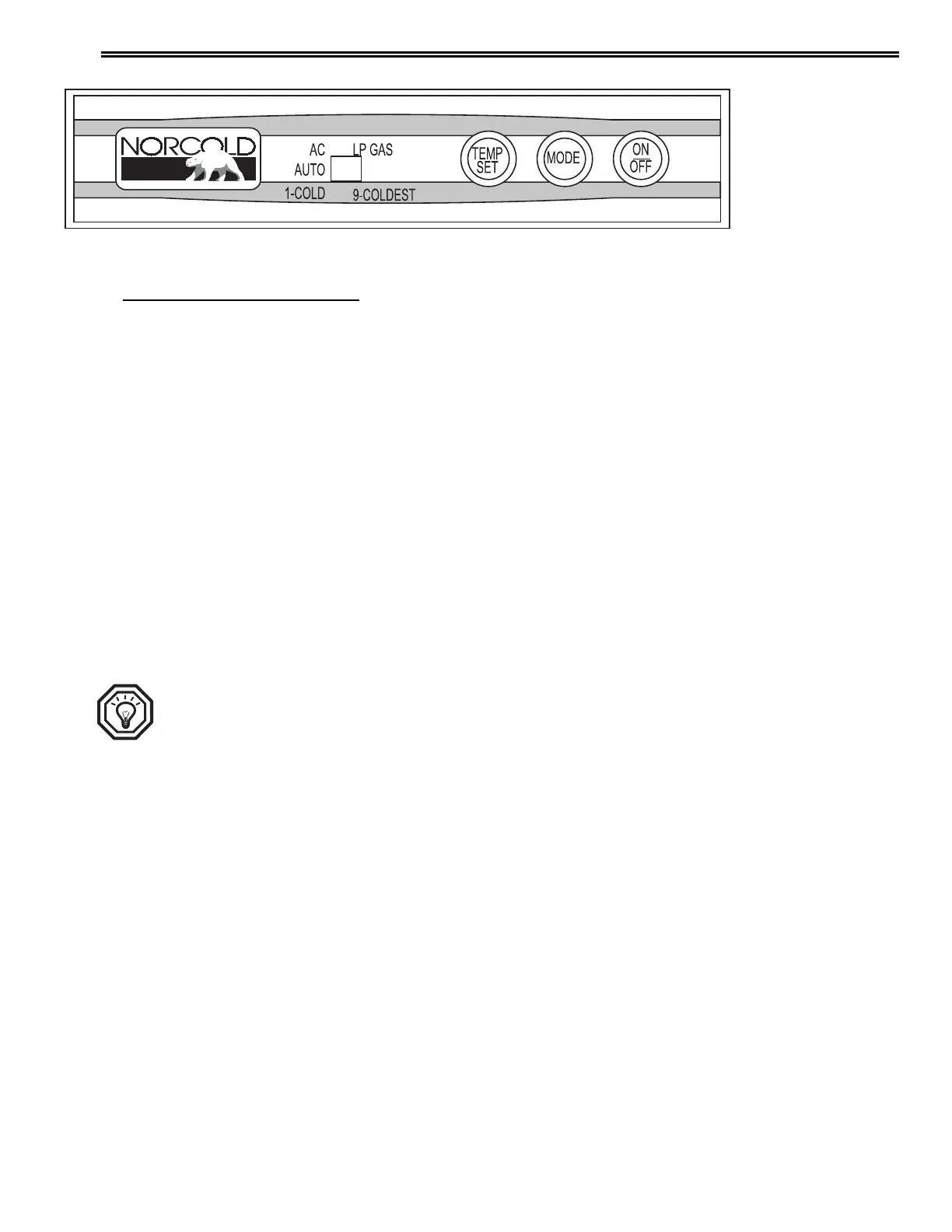
The ON/OFF button starts and shuts down the refrigerator:
• To turn on the refrigerator, push and release the ON/OFF button.
• To turn off the refrigerator, push the ON/OFF button for two seconds
and then release.
The TEMP SET button controls the temperature adjustment of the freezer and
the fresh food compartment.
• Push the TEMP SET button and the temperature setting "1- 9"
appears in the display window.
• Push and hold the TEMP SET button and the temperature setting
changes.
• When the desired temperature setting shows, release the TEMP SET
button.
• The temperature setting shows for ten seconds and then the current
operation mode of the refrigerator shows.
• The number "9" is the coldest temperature setting.
TIP: The selected temperature adjustment does not change if the
mode of operation of the refrigerator changes.
The MODE button controls the operation mode of the refrigerator.
• Push and hold the MODE button and a light bar indicator is shown in
the display window beside each of the operating modes of the
refrigerator, one at a time.
• There is one automatic mode of operation and two manual modes of
operation.
• When the light bar shows beside the mode of choice, release the
MODE button to operate the refrigerator in that mode.
Control Panels
030908



 To Next Page