EasyManua.ls Logo

MPI 40 Series - Page 91

Default Icon
102 pages
Print Icon
To Next Page IconTo Next Page
To Previous Page IconTo Previous Page
Loading...
Table 6-2: Optional Configuration
MODIFIED
OPERATION
PARAGRAPH
Drive
Select
Reconfiguration
. . . . . . . .
. . . .
. .
. .
6.2
Select
Drive
without
Loading Heads
or
Enabling
Stepper
Motor.
6.3
Select
Drive
and
Enable
Stepper
Motor
without
Loading
Heads .
6.4
Hard
Sectored
Diskette
with
32/16/8
Sectors
. . . . .
.
. .
6.5
FM
Separated
Data
and
Clock
.
. . . . . . . .
. . . . .
. . .
6.6
External
Motor
On
. . . . . . .
. .
.
. . . .
. . . . .
. .
.
6.7
Write
Current
Switch.
. . . . .
. . . . . . . .
. . . . .
. .
6.8
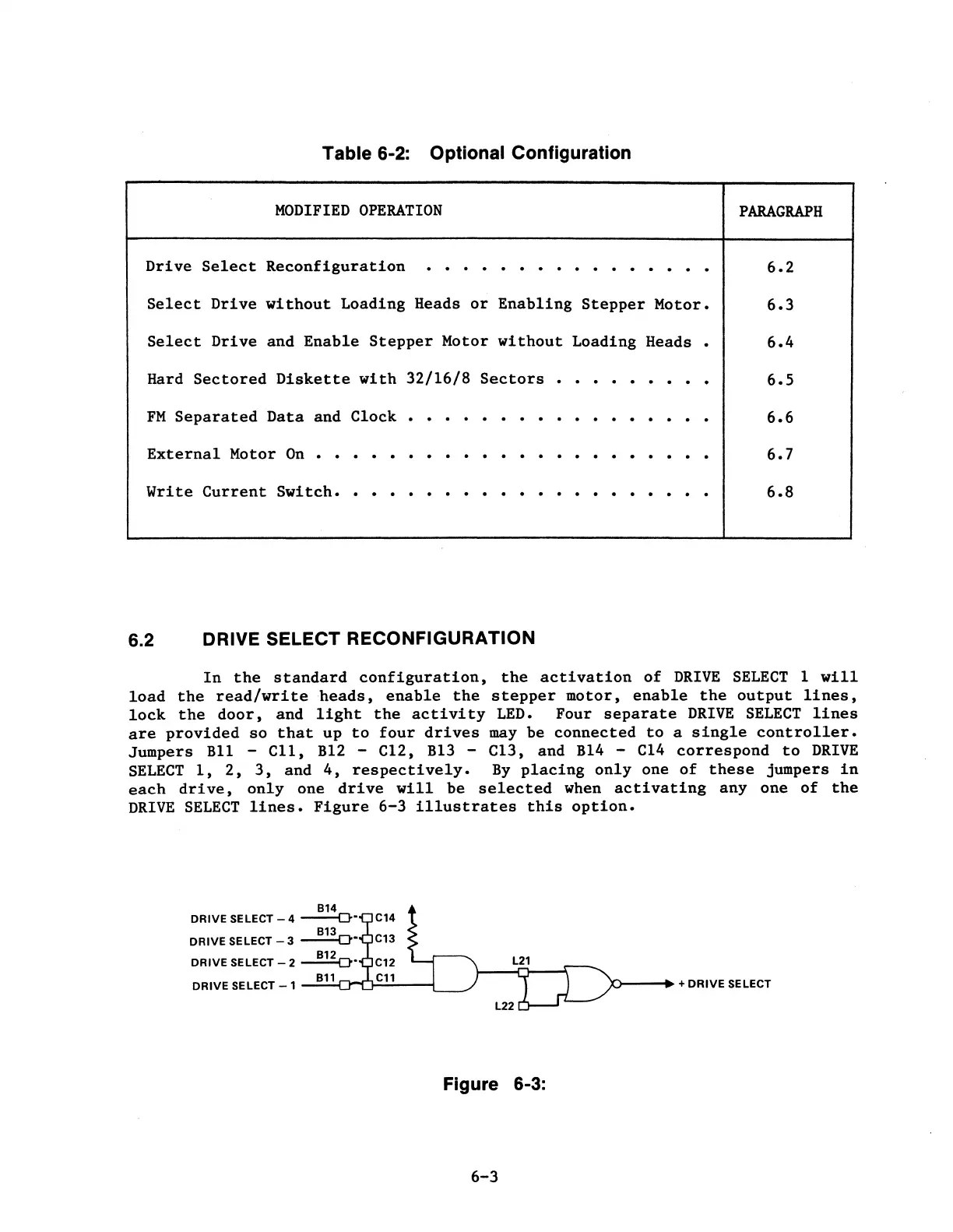
6.2 DRIVE SELECT RECONFIGURATION
In
the
standard
configuration,
the
activation
of
DRIVE
SELECT
1
will
load
the
read/write
heads,
enable
the
stepper
motor,
enable
the
output
lines,
lock
the
door,
and
light
the
activity
LED.
Four
separate
DRIVE
SELECT
lines
are
provided
so
that
up
to
four
drives
may
be
connected
to
a
single
controller.
Jumpers
Bll
-
Cll,
B12
-
Cl2,
B13
-
Cl3,
and
B14
- Cl4
correspond
to
DRIVE
SELECT
1,
2,
3,
and
4,
respectively.
By
placing
only
one
of
these
jumpers
in
each
drive,
only
one
drive
will
be
selected
when
activating
any
one
of
the
DRIVE
SELECT
lines.
Figure
6-3
illustrates
this
option.
814
DRIVE SELECT - 4
---O·
813
DRIVE SELECT - 3
~-
DRIVE SELECT - 2
~
DRIVE SELECT
-1
--=
8
:.:.
1
.:..j
1
-::t-0-:~--1
Figure 6-3:
6-3

Table of Contents