8 Operation
Maschinenfabrik Reinhausen GmbH 2018 1435252433/02 EN ECOTAP
®
VPD
®
CONTROL PRO
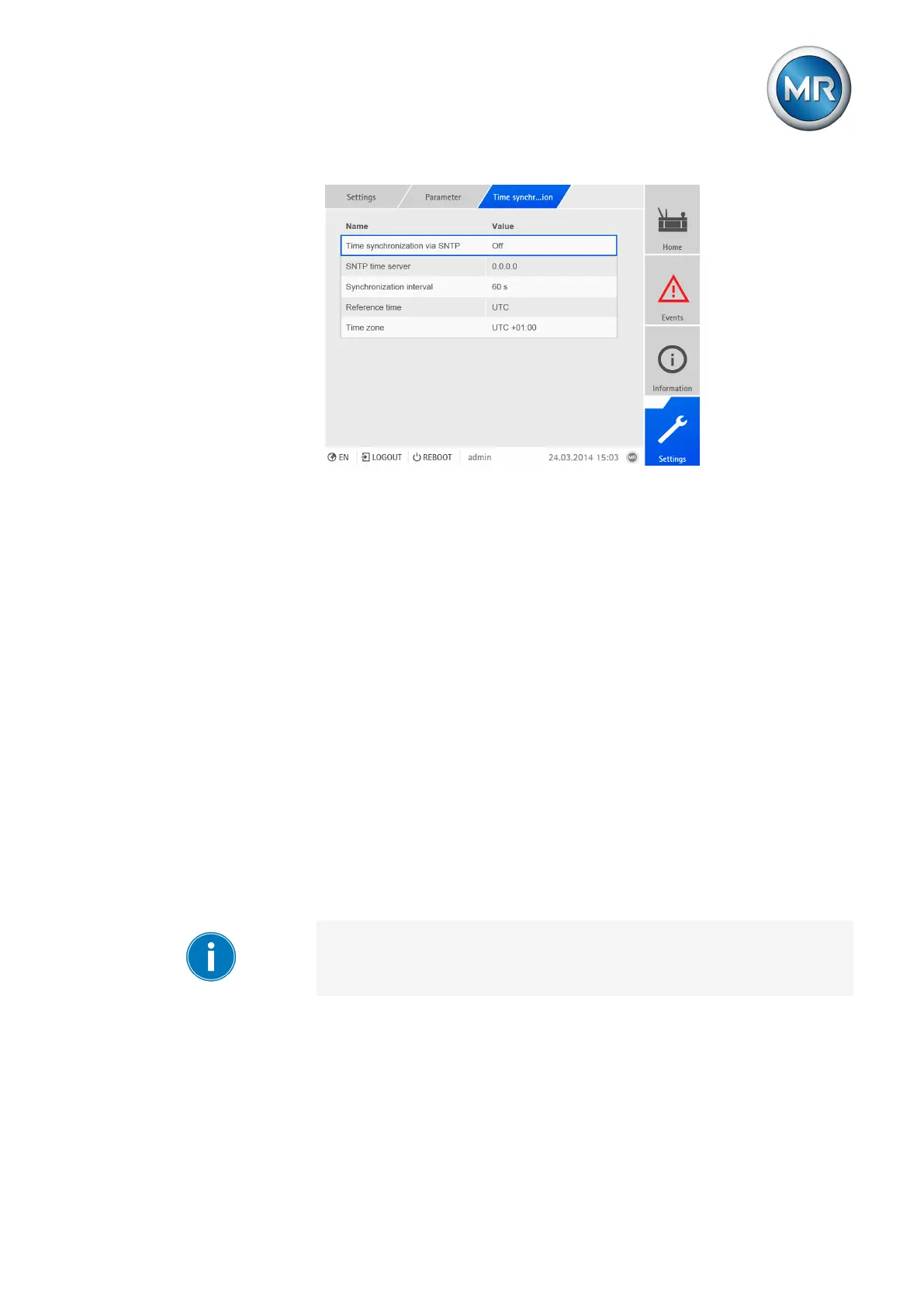
Figure93: Setting time synchronization
The following sections describe how you can set these parameters.
8.12.1 Activating time synchronization using SNTP
You can use this parameter to activate time synchronization using an SNTP
time server.
To activate time synchronization using SNTP, proceed as follows:
1. Go to Settings > Parameters > Time synchronization > Time synchro-
nization via SNTP.
2. Select the option you want.
3. Press the Accept button to save the modified parameter.
Second time server (optional)
As an option, you can use a second time server, e.g. should the first one fail.
When you activate the second time server, the device synchronizes the time
with the second time server if a connection cannot be established with the
first time server. If the device is able to re-establish the connection to the first
time server, it automatically synchronizes the time with the first time server
again.
You can only use the second time server if you have activated the Time
synchronization via SNTP parameter and entered an IP address for the
first time server.
To activate the second time server, proceed as follows:
1. Go to Settings > Parameters > Time synchronization > Activate sec-
ond time server.
2. Select the option you want.
3. Press the Accept button to save the modified parameter.



 To Next Page