8 Operation
Maschinenfabrik Reinhausen GmbH 2018 715252433/02 EN ECOTAP
®
VPD
®
CONTROL PRO
Proceed as follows to unlock communication between the ECOTAP VPD
Control and ECOTAP Pro:
ü There is a connection between the ECOTAP VPD Control and ECOTAP
Pro.
1. Go to Settings > ECOTAP VPD Comm..
2. Press the Continue button to unlock communication with the connected
ECOTAP VPD Control.
8.4 Control
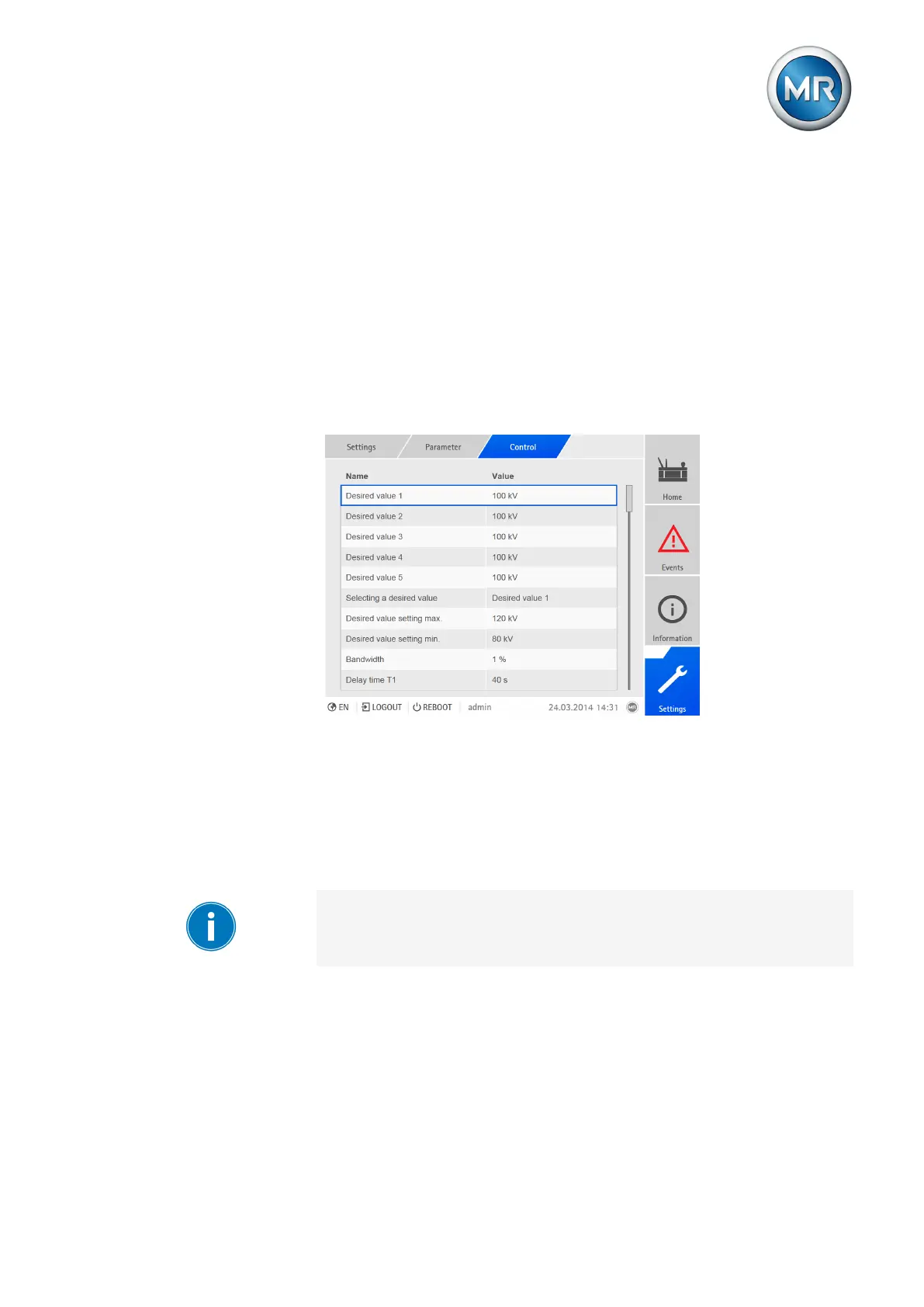
All of the parameters required for the regulation function are described in this
section.
Figure54: Setting the control parameters (example)
8.4.1 Setting the desired value
In accordance with the order, the device is equipped with one of the follow-
ing variants for setting the desired value:
8.4.1.1 Desired value 1
You have to set the parameters for both winding 1 (W1) and winding 2
(W2).
To set the desired value, proceed as follows:
1. Go to Settings > Parameters > Control > Desired value.
2. Enter desired value.
3. Press the Accept button to save the modified parameter.



 To Next Page