8 Operation
Maschinenfabrik Reinhausen GmbH 2018152 5252433/02 ENECOTAP
®
VPD
®
CONTROL PRO
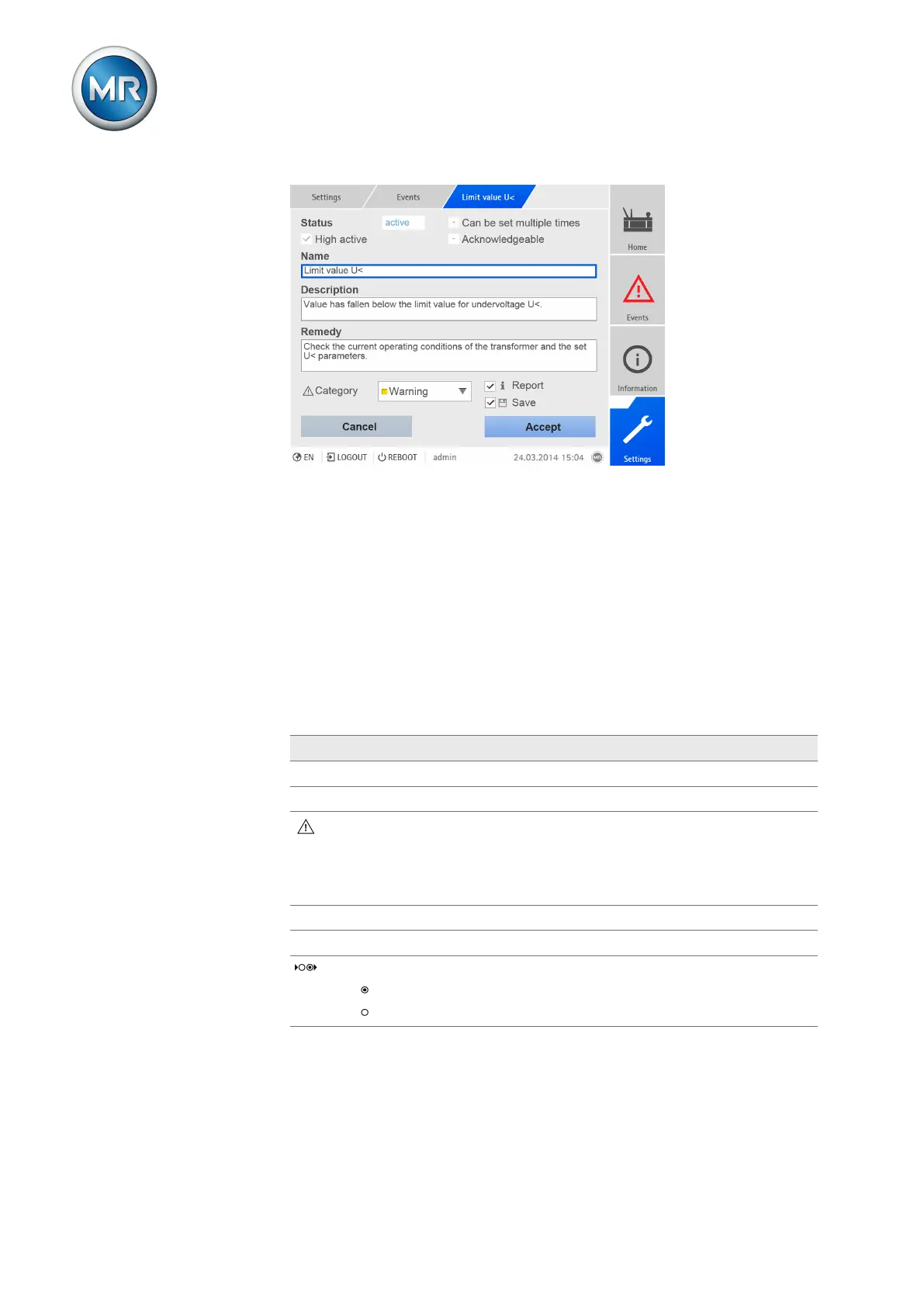
Figure98: Configuring events
To configure an event, proceed as follows:
1. Go to Settings > Events.
2. Select the event to be changed in the list.
3. Select the options you want.
4. Press the Accept button to save the change.
8.14.3 Displaying event memory
Past events are stored in the event memory. The following information is dis-
played:
Description
# Consecutive number of events
No. Event number for clear identification
Event category:
▪ Error (red)
▪ Warning (yellow)
▪ Info (gray)
Event Event text
Time Date and time of event (DD.MM.YYYY, HH:MM:SS/ms)
Event coming/going:
Event coming
Event going
Table53: Event memory
To call up the event memory, proceed as follows:
1. Go to Events.



 To Next Page