6 Mounting
Maschinenfabrik Reinhausen GmbH 2018 355252433/02 EN ECOTAP
®
VPD
®
CONTROL PRO
NOTICE
Damage to the device!
If you connect the CAN bus cable to devices with different potentials, cur-
rent may flow across the shielding. This current may damage the device.
► Connect the devices to a potential equalization rail to equalize the poten-
tial.
► If both devices have different potentials, only connect the CAN bus cable
shielding to one device.
Variant 1: The connected devices share the same potential
If the devices to be connected share the same potential, proceed as follows:
1. Connect all devices to a potential equalization rail to equalize the poten-
tial.
2. Connect the CAN bus cable shielding to all connected devices.
Variant 2: The connected devices have different potentials
Note that the shielding is less effective with this variant.
If the devices to be connected have different potentials, proceed as follows:
► Connect the CAN bus cable shielding to just one device.
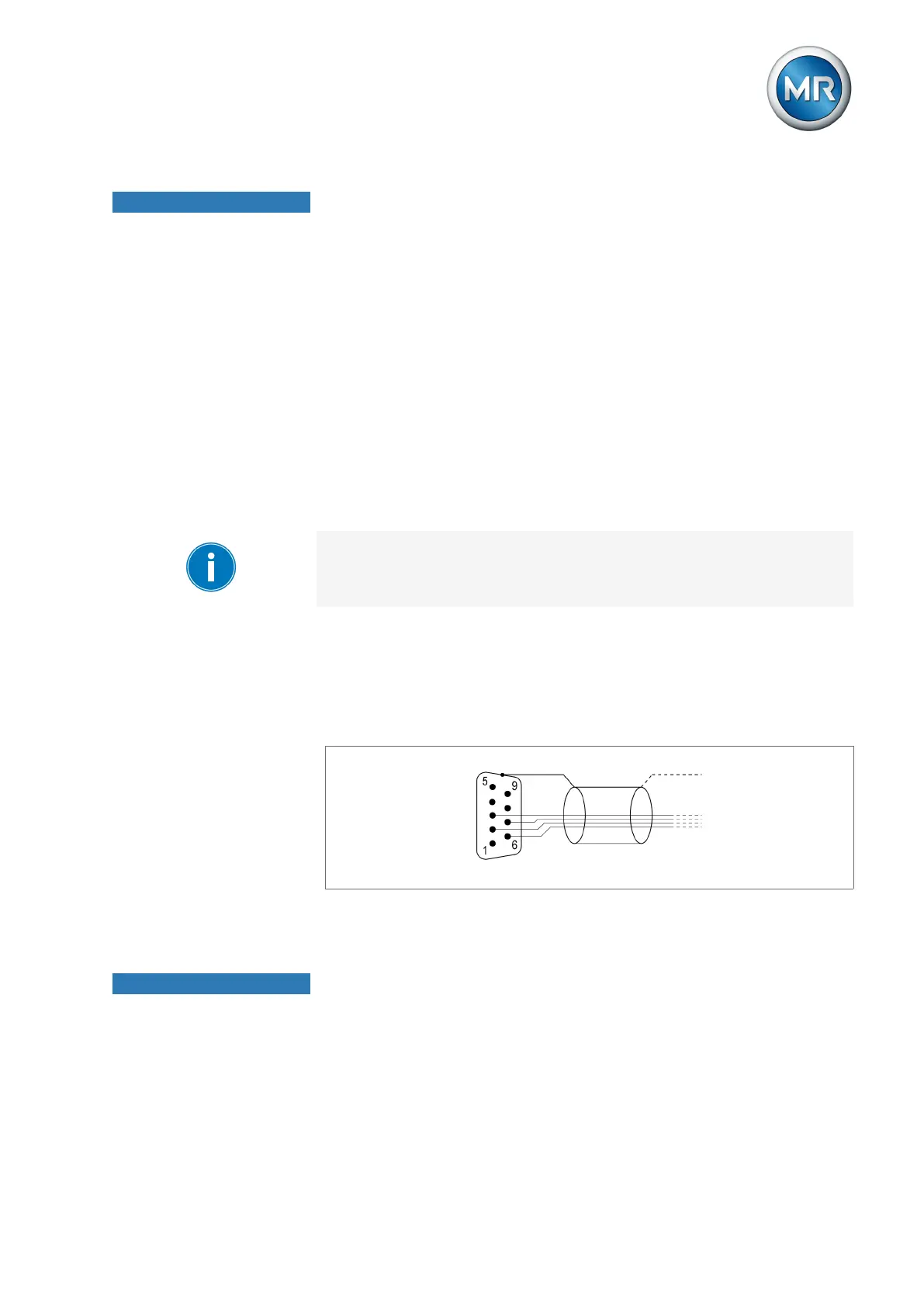
Connecting shielding
Connect the shielding for the CAN bus cable to the 9-pin D-sub connector:
Figure13: Connection of CAN bus cable shielding to the 9-pin D-sub connector
6.2 Minimum distances
NOTICE
Damage to the device!
Insufficient circulation of ambient air can result in damage to the device due
to overheating.
► Keep the ventilation slots clear.
► Ensure sufficient distance to neighboring components.
► Only mount device in horizontal position (ventilation slots are at the top
and bottom).



 To Next Page