8 Operation
Maschinenfabrik Reinhausen GmbH 201876 5252433/02 ENECOTAP
®
VPD
®
CONTROL PRO
Setting the bandwidth
To set the bandwidth, proceed as follows:
1. Go to Settings > Parameters > Control > Bandwidth.
2. Enter bandwidth.
3. Press the Accept button to save the modified parameter.
8.4.3 Delay time T1
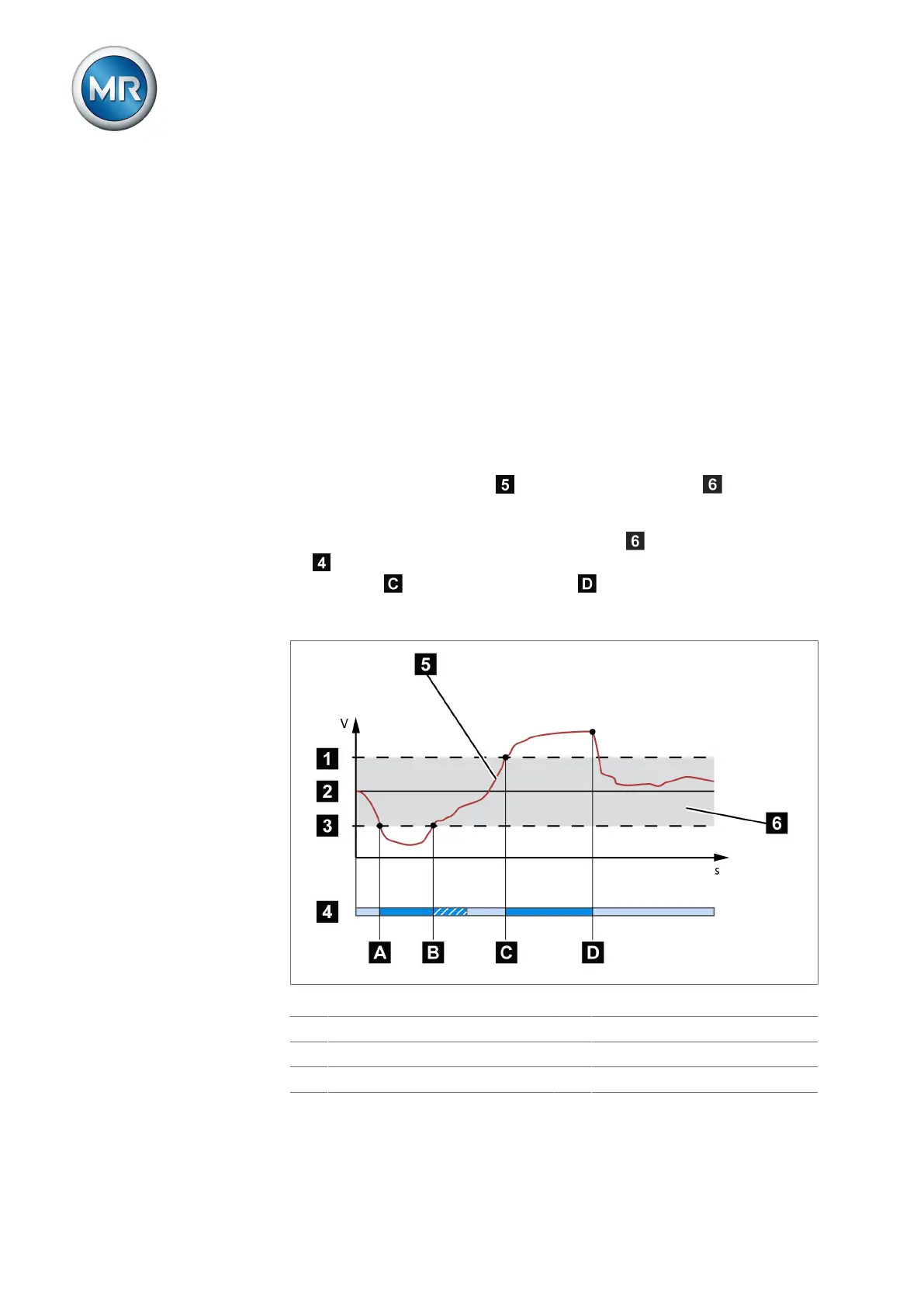
Delay time T1 delays the issuing of a tap-change command for a defined pe-
riod. This prevents unnecessary tap-change operations if the tolerance
bandwidth is exited briefly.
Behavior only with delay time T1
If the measured voltage U
actual
is within the set bandwidth , no control
commands are issued to the motor-drive unit for the tap-change operation.
Control commands will also not be issued to the motor-drive unit if the mea-
sured voltage returns to the tolerance bandwidth within the set delay time
T1 . However, if the measured voltage deviates from the set bandwidth for
a long period , a tap-change command occurs after expiration of the
set delay time T1. The on-load tap-changer carries out a tap-change in a
raise or lower direction to return to the tolerance bandwidth.
Figure57: Behavior of the regulation function with delay time T1
1 +B%: Upper limit 4 Set delay time T1
2 U
desired
: Desired value 5 U
actual
: Measured voltage
3 -B%: Lower limit 6 B%: Tolerance bandwidth



 To Next Page