8 Operation
Maschinenfabrik Reinhausen GmbH 2018 1495252433/02 EN ECOTAP
®
VPD
®
CONTROL PRO
2. Press the Create user button.
3. Enter the user name once and the password twice.
4. Select the role you want.
5. If necessary activate the Group account, Active or Auto login options.
6. Press the Accept button to save the user.
Editing users
To edit an existing user, proceed as follows:
1. Go to Settings > Administration > User.
2. Select the desired user in the list.
3. Make the amendments desired.
4. Press the Accept button to save the user.
Deleting user
To delete an existing user, proceed as follows:
1. Go to Settings > Administration > User.
2. Select the desired user in the list.
3. Press the Delete user button.
4. Press the Accept button to delete the user.
8.13.4 Setting access rights to parameters and events
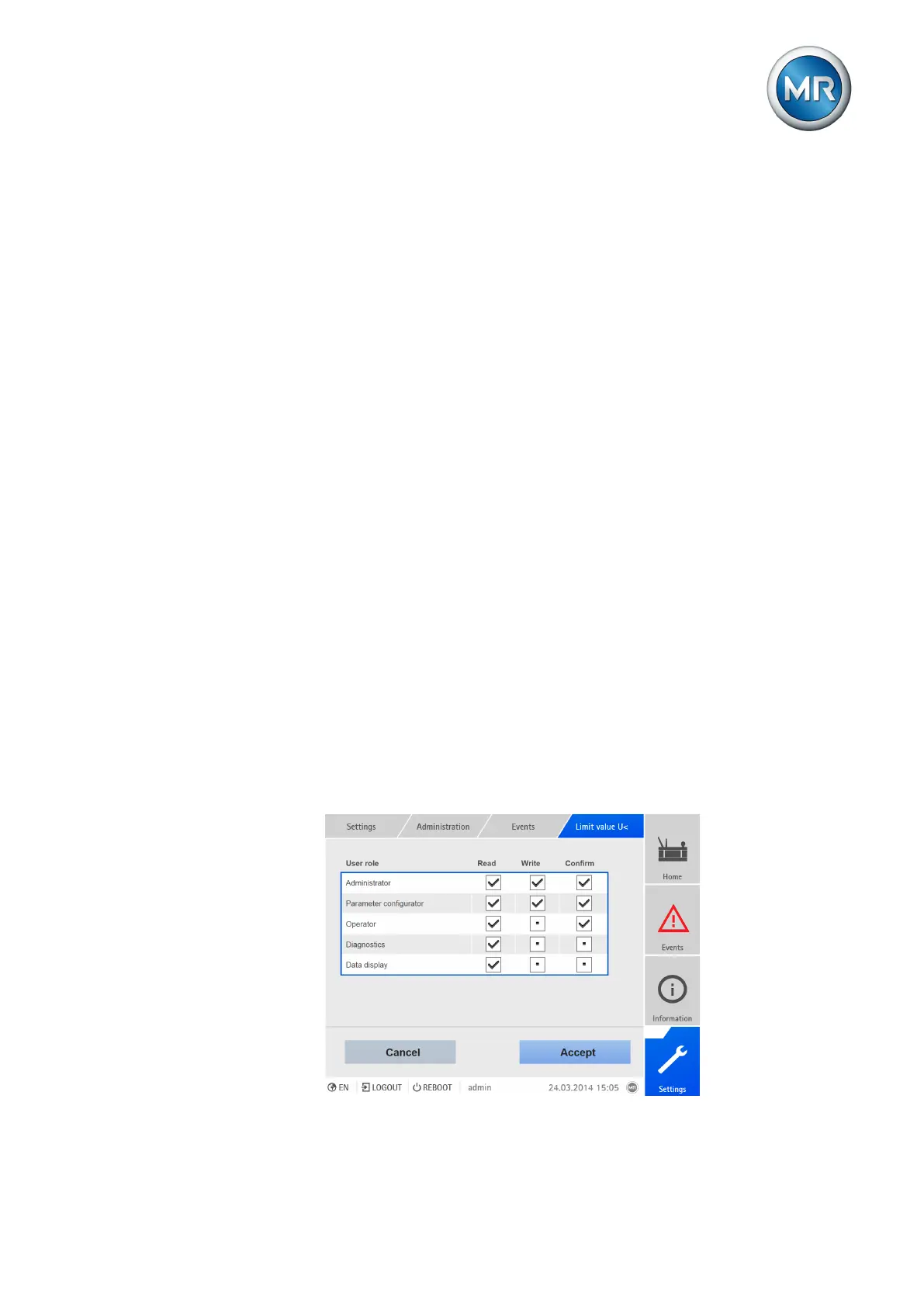
You can configure access rights to parameters and events for the available
roles. The following options are available for this purpose:
▪ Read: Parameter/event may be displayed.
▪ Write: Parameter/event may be modified.
▪ Acknowledge: Event may be acknowledged.
Figure96: Setting access rights for an event



 To Next Page