8 Operation
Maschinenfabrik Reinhausen GmbH 2018 935252433/02 EN ECOTAP
®
VPD
®
CONTROL PRO
8.6.4 Setting the display for the power factor
This parameter lets you set whether the device is to display a negative
power factor. You can select the following options:
Option Description
Off The power factor is always shown as positive.
P > 0 The power factor is shown as negative if the active power is
positive.
P < 0 The power factor is shown as negative if the active power is
negative.
Q > 0 The power factor is shown as negative if the reactive power is
positive.
Q < 0 The power factor is shown as negative if the reactive power is
negative.
Table30: Setting the display for the power factor
To set the power factor display, proceed as follows:
1. Go to Settings > Parameters > Measurement > Negative power factor
display.
2. Select the desired option.
3. Press the Accept button to save the modified parameter.
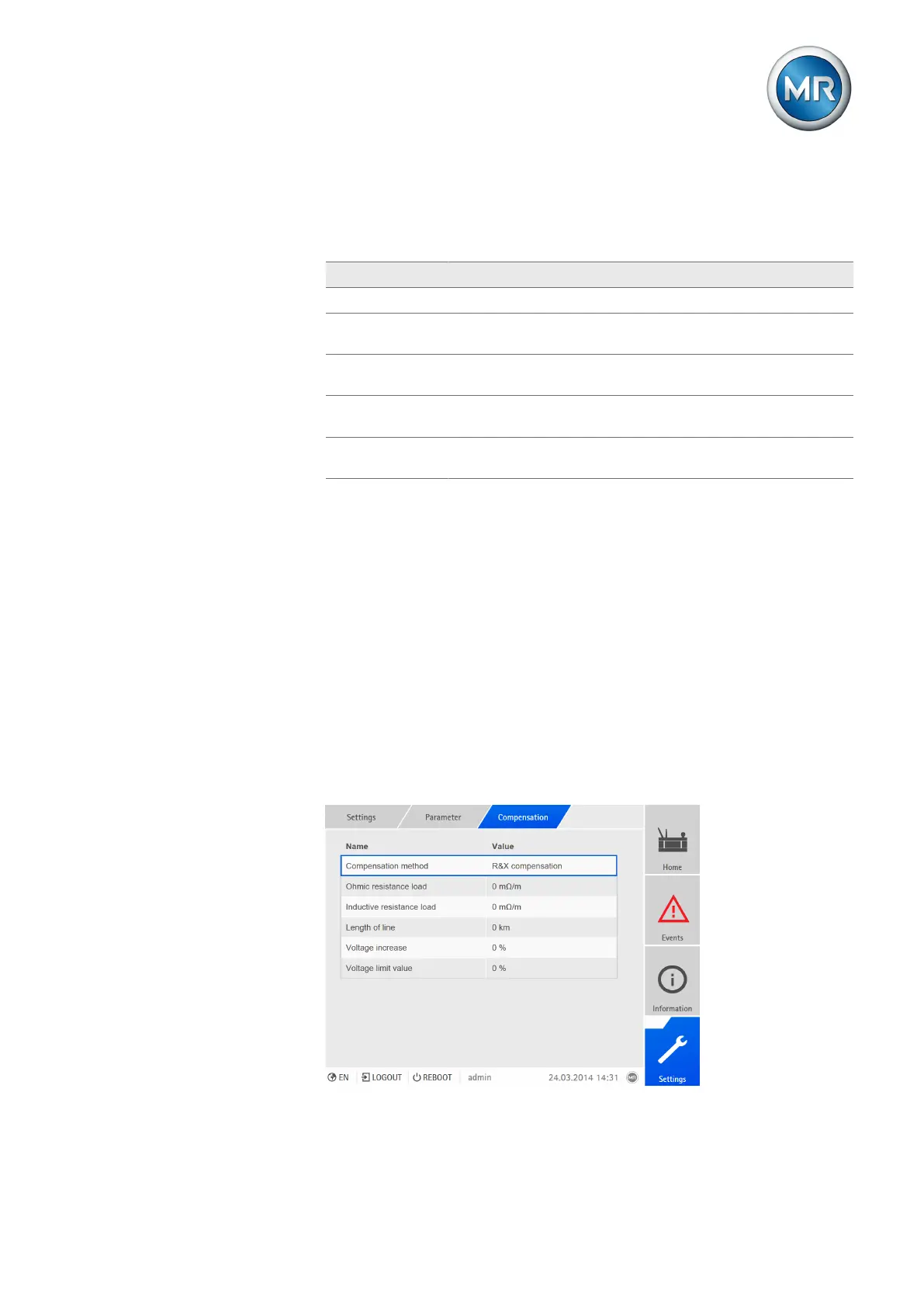
8.7 Line drop compensation
You can use the compensation function to compensate for the load-depen-
dent voltage drop between the transformer and consumer. The device pro-
vides 2 methods of compensation for this purpose:
▪ R&X compensation
▪ Z compensation
Figure61: Setting line drop compensation



 To Next Page