Copy Operations 1-3
1.1 Making a Copy (Basic Operation Flow)
1
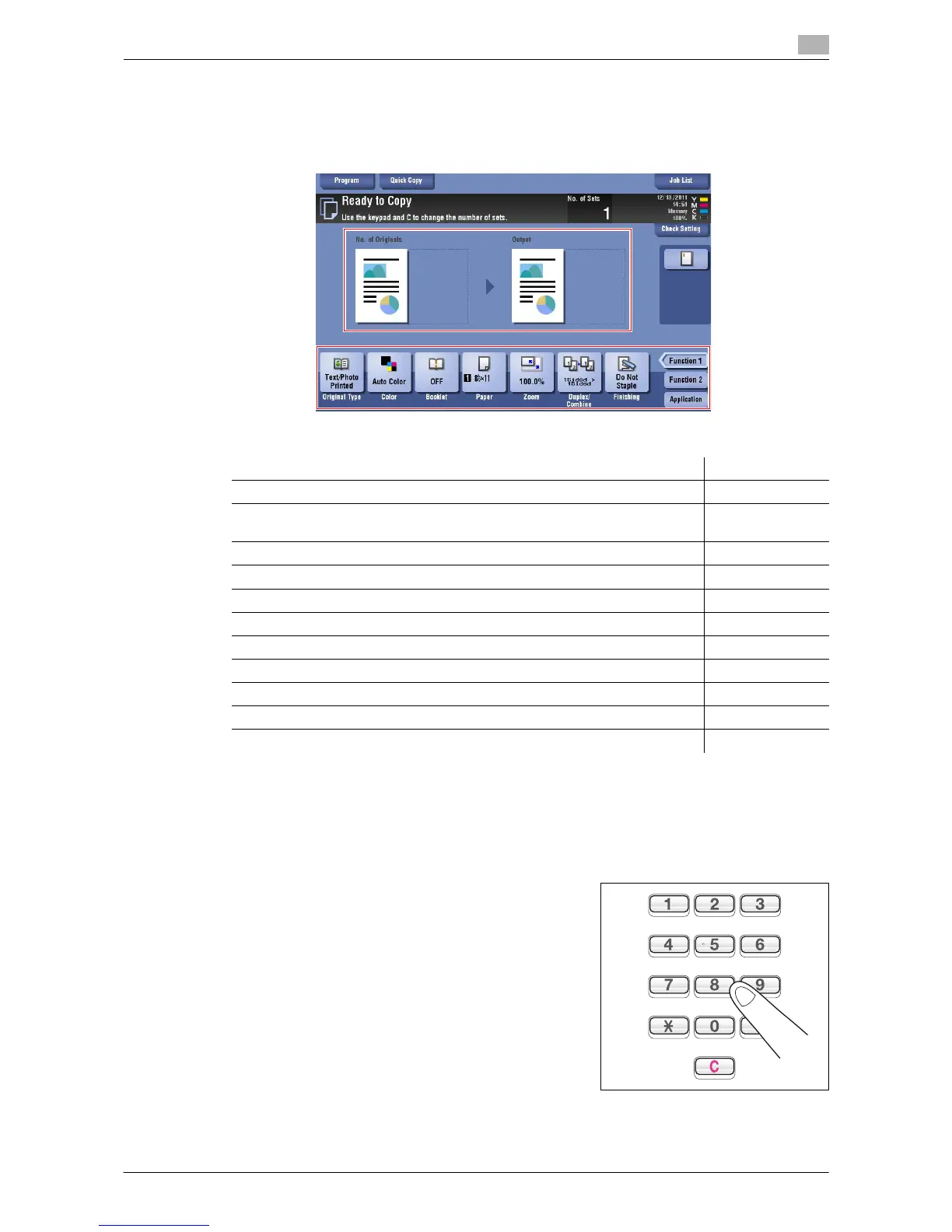
3 If necessary, configure copy settings.
% The setting change is reflected on the image of [Output]. Therefore, you can configure the settings
while checking the output image.
% To reconfigure settings, press Reset.
% For details on copy settings, refer to the respective columns of the following table.
4 If necessary, specify the number of copies using the Keypad.
% To use the Keypad, slide the Control Panel to the left.
% If the [10 Keypad] is assigned to the Register key, pressing the Register key enables you to display
the Keypad on the Touch Panel to enter data.
% To retype the number of copies, press C (Clear).
Purpose Reference
To copy by specifying the color, image quality, density, etc. page 3-2
To print on both sides of paper or combine pages, and save the number of
sheets
page 4-2
To change the paper size or type of the paper to be copied page 5-2
To staple printed copies or create a booklet page 6-2
To copy various types of originals, such as card and magazine page 8-2
To adjust the layout such as specifying the zoom ratio and creating a poster page 9-2
To insert a cover sheet or blank sheet into copied documents page 10-2
To add the date, page number, stamp, etc. on copied documents page 11-2
To remove an unnecessary portion of the original page 12-2
To prohibit unauthorized copying page 13-2
To save originals on the hard disk (user box) of this machine page 14-2


 To Next Page
 Loading...




