Description of Setup Buttons (Administrator Settings) 17-18
17
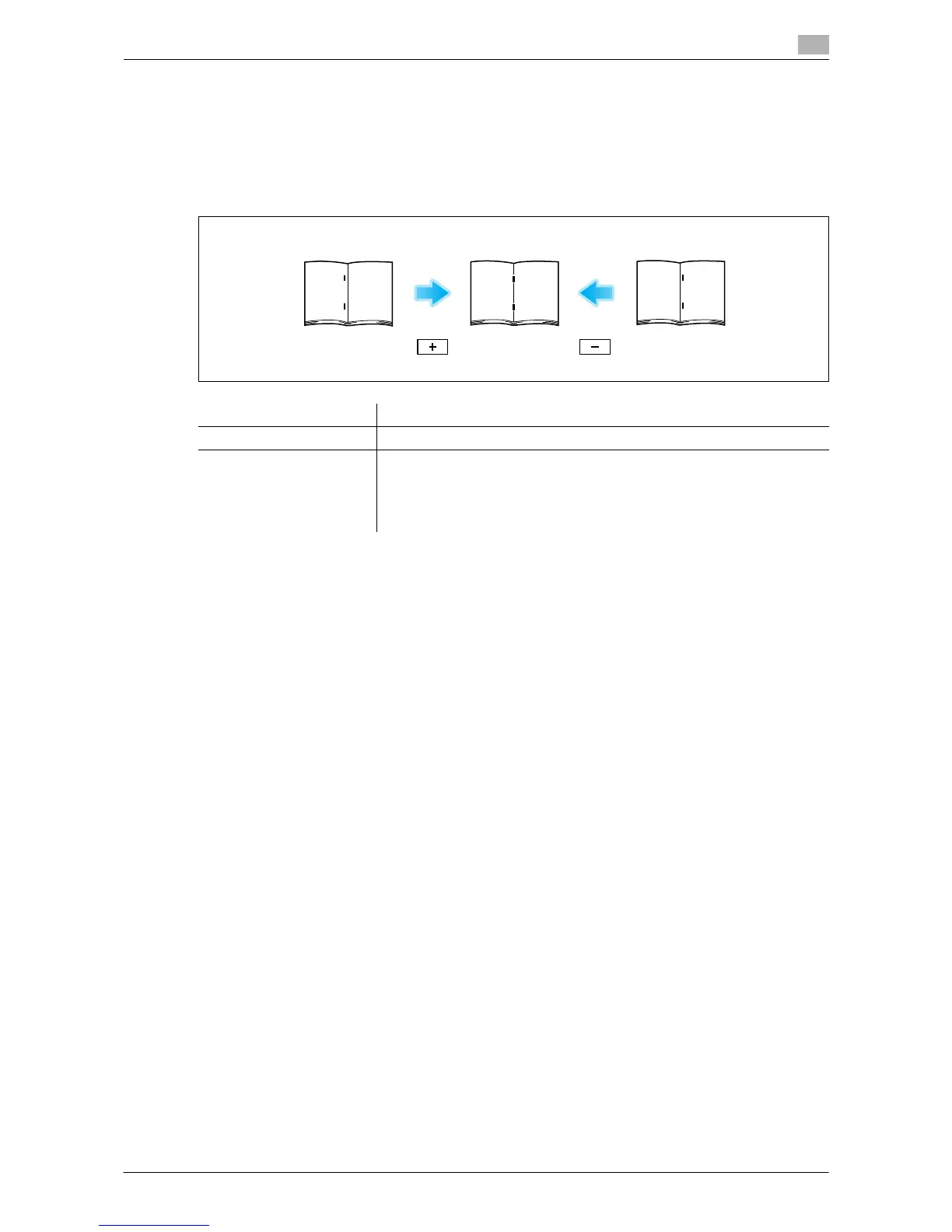
[Center Staple Position]
To display: [Utility] - [Administrator Settings] - [System Settings] - [Expert Adjustment] - [Finisher Adjustment]
- [Center Staple Position]
If the staple position is not on the fold line on saddle-stitched paper, use this option to align the staple posi-
tion on the fold.
Copy after configuration, then repeat adjustments as required.
Tips
- This item is available when the Finisher C2280FN2 and Saddle Stitcher C2280SD are are installed.
- Adjust the half-fold position before adjusting the center staple position.
- Make adjustment while checking paper stapled at a displaced position.
- The value you set by selecting [All] in [Paper Size] will be added to the setting for each paper size.
- For adjustments to put staples parallel with the left edge of paper, contact your service representative
for instructions.
Settings Description
[Paper Size] Select the size of paper that is used to adjust the staple position.
[Adjust Value] Enter an adjustment value between -10.0 mm and 10.0 mm by tapping [-]
and [+].
• [-]: Move the staple position to the left.
• [+]: Move the staple position to the right.
[0.0 mm] is specified by default.


 To Next Page
 Loading...




