Vector-LP Radio Beacon Transmitter Technical Instruction Manual Page 3-3
Section 3 Operating Instructions Issue 1.1
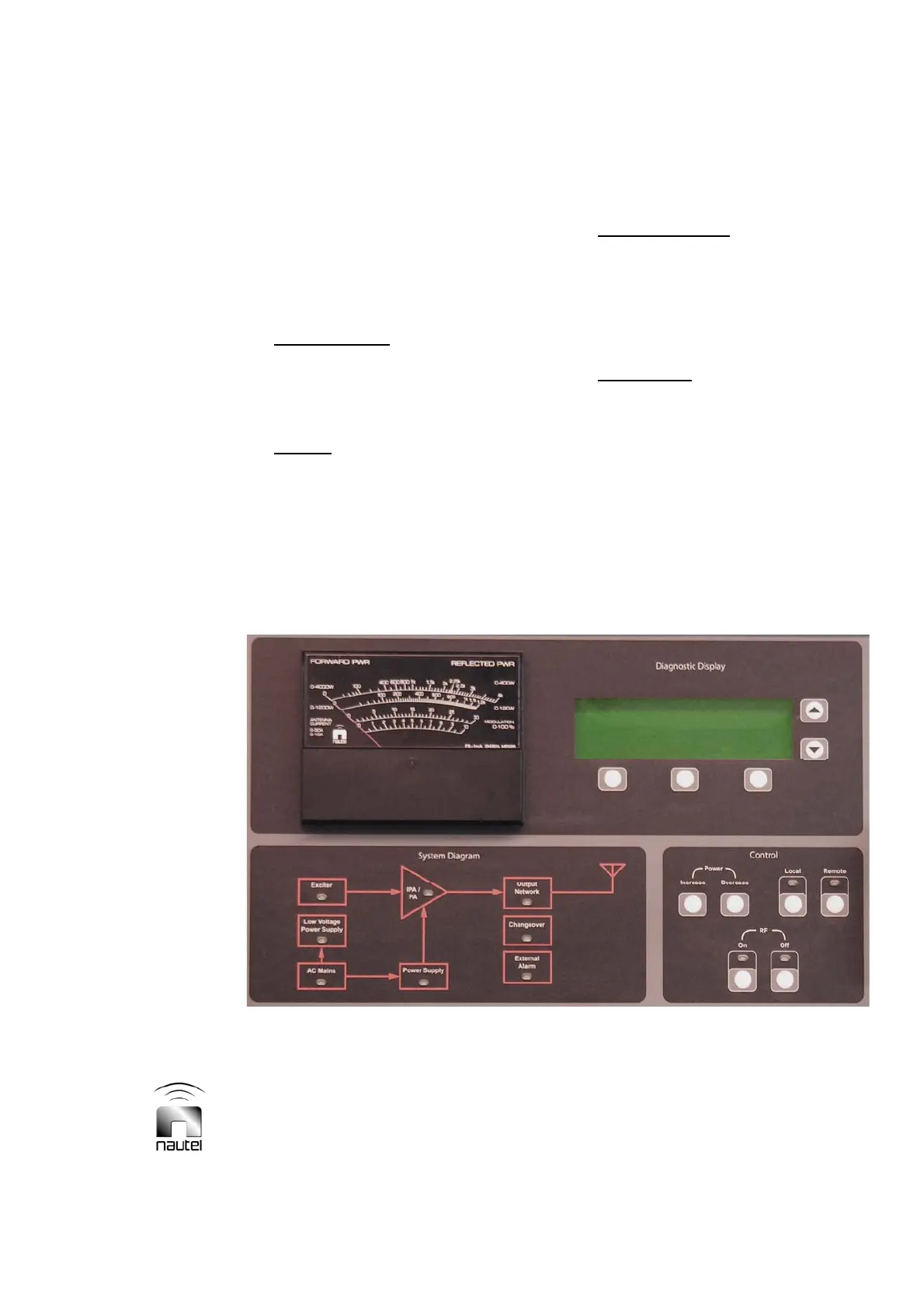
3.5.1 Front Panel
The front panel is the primary local user
interface for the transmitter. Control and
indicators are grouped into four sections of
the panel (see Figure 3-1) as follows:
x System Diagram
- a simple block
diagram of the transmitter complete with
alarm lamps. Refer to Figure 3-2 and
Table 3-1 for a description of the controls
and indicators.
x Control
– push-button switches that
allow convenient control of the
transmitter’s RF status (on or off and
increase or decrease) and its operator
control source (local or remote). The RF
Off switch is functional regardless of
local or remote selection. Refer to
Figure 3-3 and Table 3-2 for a
description of the controls and
indicators.
x Diagnostic Display
– a menu-driven
user interface screen - with five
associated push-buttons - which allows
control and monitoring of the transmitter’s
critical parameters and modes of
operation. Refer to paragraph 3.6 for a
full description of the diagnostic display.
x Analog Meter
– the front panel meter
displays a user selected analog sample
on a user selected scale. Scale selection
and meter enabling is done using the
diagnostic display (refer to paragraph
3.6.8).
Figure 3-
1 Vector Transmitter Front Panel (Primary User Interface)



 To Next Page