Vector-LP Radio Beacon Transmitter Technical Instruction Manual Page 3-21
Section 3 Operating Instructions Issue 1.1
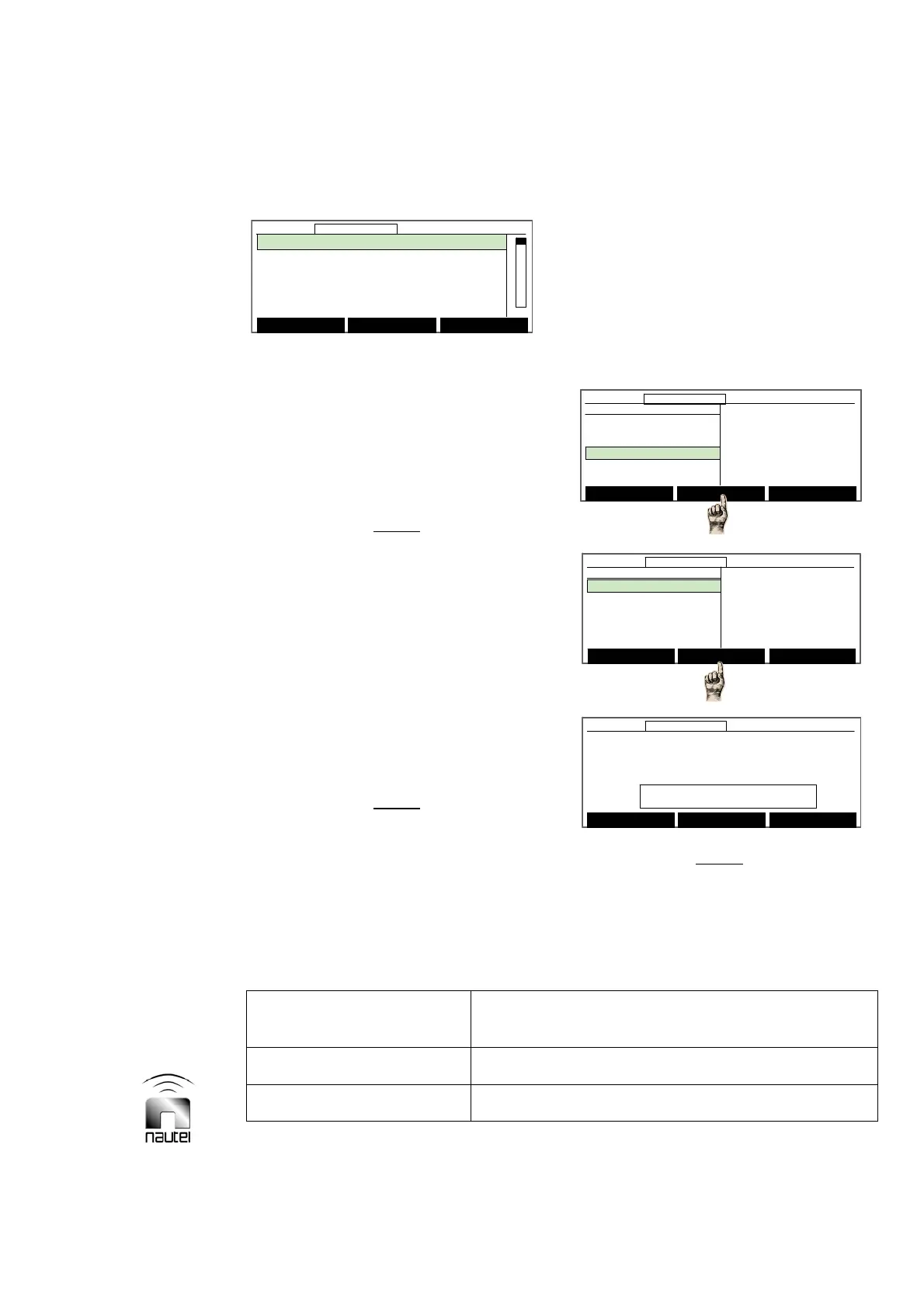
(a) From the main menu, highlight Events
Log (using f and g) and press Select.
The center soft-key permits viewing the
Events Log in two different modes – All
Events or Alarms Only. For either
mode, a list of events is displayed, sorted
chronologically, with a root-cause
description of the event.
NOTE
Refer to Table 3-9 for a list of non-alarm
events that can be displayed on the Events
Log and a brief description of each. A list of
alarm events is available in Table 5-1.
(b) Press f or g to scroll through the
events.
(c) Press Select ### on a highlighted event
to display the transmitter status when the
highlighted event occurred. Use the Next
event button to check the status of
subsequent numbered events.
NOTE
The 3-digit number shown in the Select ###
display is the number allocated to the
highlighted event. Event 000 is the most
recent occurrence.
(d) To clear the history stored in the events
log, press the f and g buttons
simultaneously.
(e) Press Back to return to the main menu.
3.6.6 Setting Real Time Clock
Set the real-time clock as follows:
NOTE
The real-time clock does not automatically
update for Daylight Savings Time (DST).
Table 3-9: Events Log Displays – Non-Alarm Events
NON-ALARM EVENTS
(as displayed)
DESCRIPTION
Return to normal Transmitter alarms have cleared.
Power up Transmitter has completed power up.
12:43:16 Power: 0W Side A Bypass
08Apr80 12:33:15 PS Module A1 Missing
08Apr80 12:33:13 Return to normal
08Apr80 12:33:13 Command Exciter B
08Apr80 12:33:13 Low AC Voltage
08Apr80 12:33:02 Power Up
08Apr80 12:32:56 Mod. Protection
Select 000 Alarms Only Back
12:43:16 Power: 0W Side A Bypass12:43:16 Power: 0W Side A Bypass
08Apr80 12:33:15 PS Module A1 Missing
08Apr80 12:33:13 Return to normal
08Apr80 12:33:13 Command Exciter B
08Apr80 12:33:13 Low AC Voltage
08Apr80 12:33:02 Power Up
08Apr80 12:32:56 Mod. Protection
Select 000 Alarms Only Back
Select Meters
12:43:16 Power: 0W Side A Bypass
Main Menu
Changeover Control
Events Log
Settings
Peripherals
RCMS Settings
Vector NDB
rev 1. 0. 4. 1
Jul 27 2007
13:52:45
Nautel
Select Meters
12:43:16 Power: 0W Side A Bypass12:43:16 Power: 0W Side A Bypass
Main Menu
Changeover Control
Events Log
Settings
Peripherals
RCMS Settings
Vector NDB
rev 1. 0. 4. 1
Jul 27 2007
13:52:45
Nautel
Main Menu Select Back
12:43:16 Power: 0W Side A Bypass
Settings
Set Real Time Clock
Monitor Settings
Meter Settings
Power Source Select
Configure Sonalert
Main Menu Select Back
12:43:16 Power: 0W Side A Bypass12:43:16 Power: 0W Side A Bypass
Settings
Set Real Time Clock
Monitor Settings
Meter Settings
Power Source Select
Configure Sonalert
Set Real Time Clock
Use up / down keys to select a value to
change. Press MODIFY to make changes.
SET: Save changes to clock BACK: done
Set Modify Back
12:43:16 Power: 0W Side A Bypass
Time Day Date
14:30:29 Wed 08/Apr/80
Set Real Time Clock
Use up / down keys to select a value to
change. Press MODIFY to make changes.
SET: Save changes to clock BACK: done
Set Modify Back
12:43:16 Power: 0W Side A Bypass12:43:16 Power: 0W Side A Bypass
Time Day Date
14:30:29 Wed 08/Apr/80



 To Next Page