Page 3-30 Vector-LP Radio Beacon Transmitter Technical Instruction Manual
Issue 1.1 Section 3 Operating Instructions
3.6.13 Viewing and Setting
Peripherals
View and set parameters related to auxiliary
items, such as the keyer, the ATU or the
transmitter’s inactive (standby) side, as
follows:
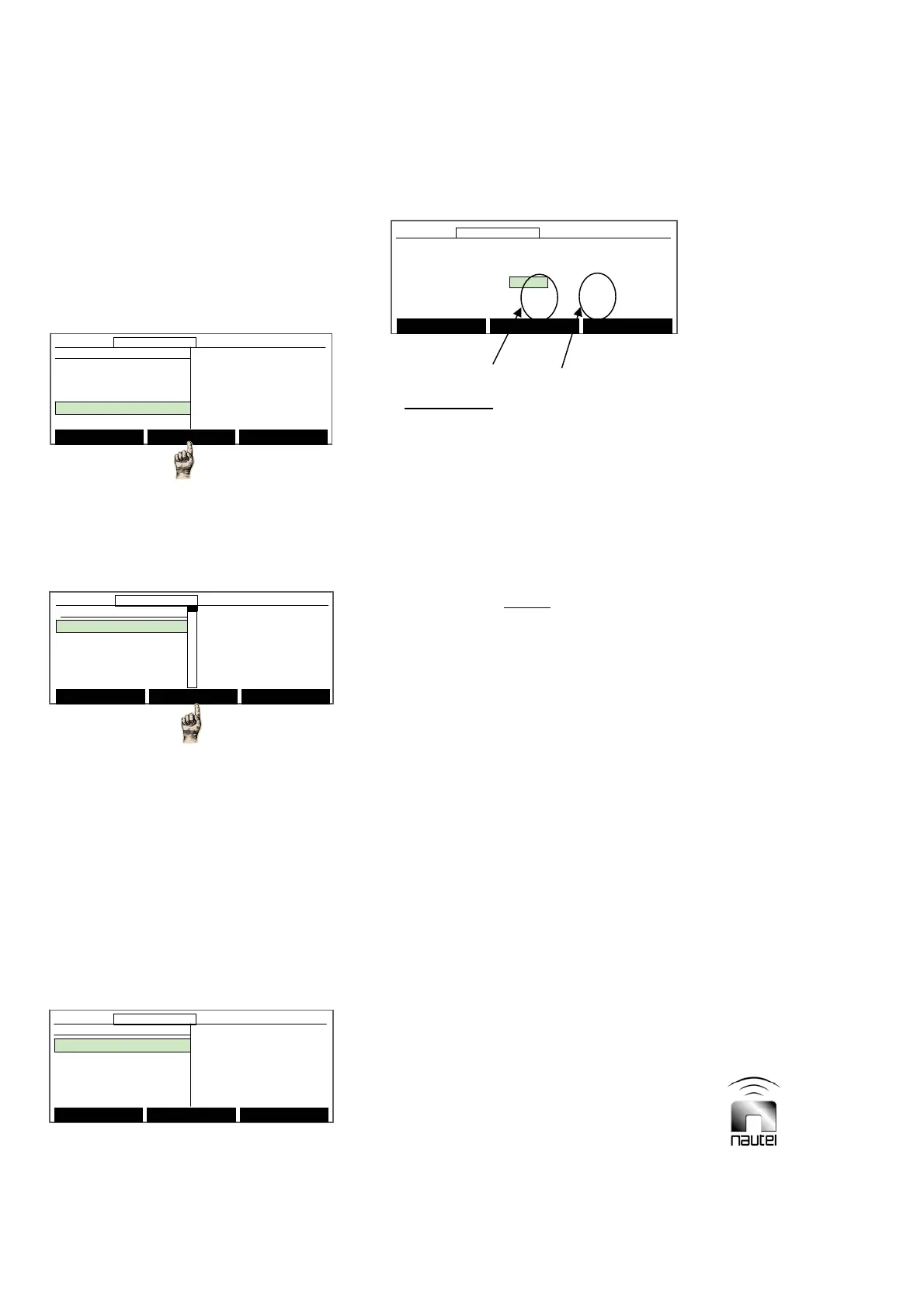
(a) From the main menu, highlight
Peripherals (using f and g) and press
Select.
(b) Press f or g to scroll through the
options and press Select to enter the
appropriate sub-menu (see 3.6.13.1
through 3.6.13.6).
x Keyer Settings (para. 3.6.13.1)
x Power Modules (para. 3.6.13.2)
x ATU Controls (para. 3.6.13.3)
x Test Standby Side (para. 3.6.13.4)
x Select Peripherals (para. 3.6.13.5)
x Module Check (para. 3.6.13.6)
3.6.13.1 SETTING THE KEYER
Set up the keyer as follows:
(a) Audio Levels:
Select the desired
parameter, using f or g. To edit, press
Modify and then use f or g to adjust
the Side B Scaling factor, Keying Pot
(for tone modulation level in beacon
mode), PTT Keying Pot (for tone
modulation level in PTT, or press-to-talk
mode) or Voice Pot (for voice modulation
level in PTT mode) value. Press Done
and Back when complete.
NOTE
The Side B Scaling factor is factory set and
should not require user adjustment. If the
modulation depth on side B does not match
the modulation depth on side A, adjust the
Side B Scaling factor up or down until they
agree.
After adjusting the Side B Scaling factor,
adjust a Pot value (press f and g) to
enable the new scaling factor.
x The Side B Scaling factor is used to
scale pot values for side B to allow for an
adjustment so the modulation depth on
side B can be calibrated to match side A.
x There are two values displayed for each
Pot. The left-hand value is for side A.
The right-hand value is for side B. The
side B Pot value should be the side A
Pot value multiplied by the Side B
Scaling factor.
x If a Pot value (side A or B) is adjusted,
the other side’s value will automatically
change according to the Side B Scaling
factor.
Main Menu Select Back
12:43:16 Power: 0W Side A Bypass
Peripherals
Keyer Settings
Power Modules
ATU Controls
Test Standby Side
Select Peripherals
Main Menu Select Back
12:43:16 Power: 0W Side A Bypass12:43:16 Power: 0W Side A Bypass
Peripherals
Keyer Settings
Power Modules
ATU Controls
Test Standby Side
Select Peripherals
Main Menu Select Back
12:43:16 Power: 0W Side A Bypass
Keyer Settings
Audio Levels
Keyer Modulation
Keyer Sequence
Standby Code 1
Standby Code 2
Main Menu Select Back
12:43:16 Power: 0W Side A Bypass12:43:16 Power: 0W Side A Bypass
Keyer Settings
Audio Levels
Keyer Modulation
Keyer Sequence
Standby Code 1
Standby Code 2
Audio Levels
Mod %: 0.0%
Side B Scaling: 2.000
Keying Pot: 120 240
Voice Pot: 128 255
PTT Keying Pot: 128 255
Main Menu Modify Back
12:43:16 Power: 0W Side A Bypass
Audio Levels
Mod %: 0.0%
Side B Scaling: 2.000
Keying Pot: 120 240
Voice Pot: 128 255
PTT Keying Pot: 128 255
Main Menu Modify Back
12:43:16 Power: 0W Side A Bypass12:43:16 Power: 0W Side A Bypass
SIDE A SIDE B
Select Meters
12:43:16 Power: 0W Side A Bypass
Main Menu
Changeover Control
Events Log
Settings
Peripherals
RCMS Settings
Vector NDB
rev 1. 0. 4. 1
Jul 27 2007
13:52:45
Nautel
Select Meters
12:43:16 Power: 0W Side A Bypass12:43:16 Power: 0W Side A Bypass
Main Menu
Changeover Control
Events Log
Settings
Peripherals
RCMS Settings
Vector NDB
rev 1. 0. 4. 1
Jul 27 2007
13:52:45
Nautel



 To Next Page