32/71
Modem Web Interface
MDM2210
User Manual R4.1 v1.0
Port Forwarding
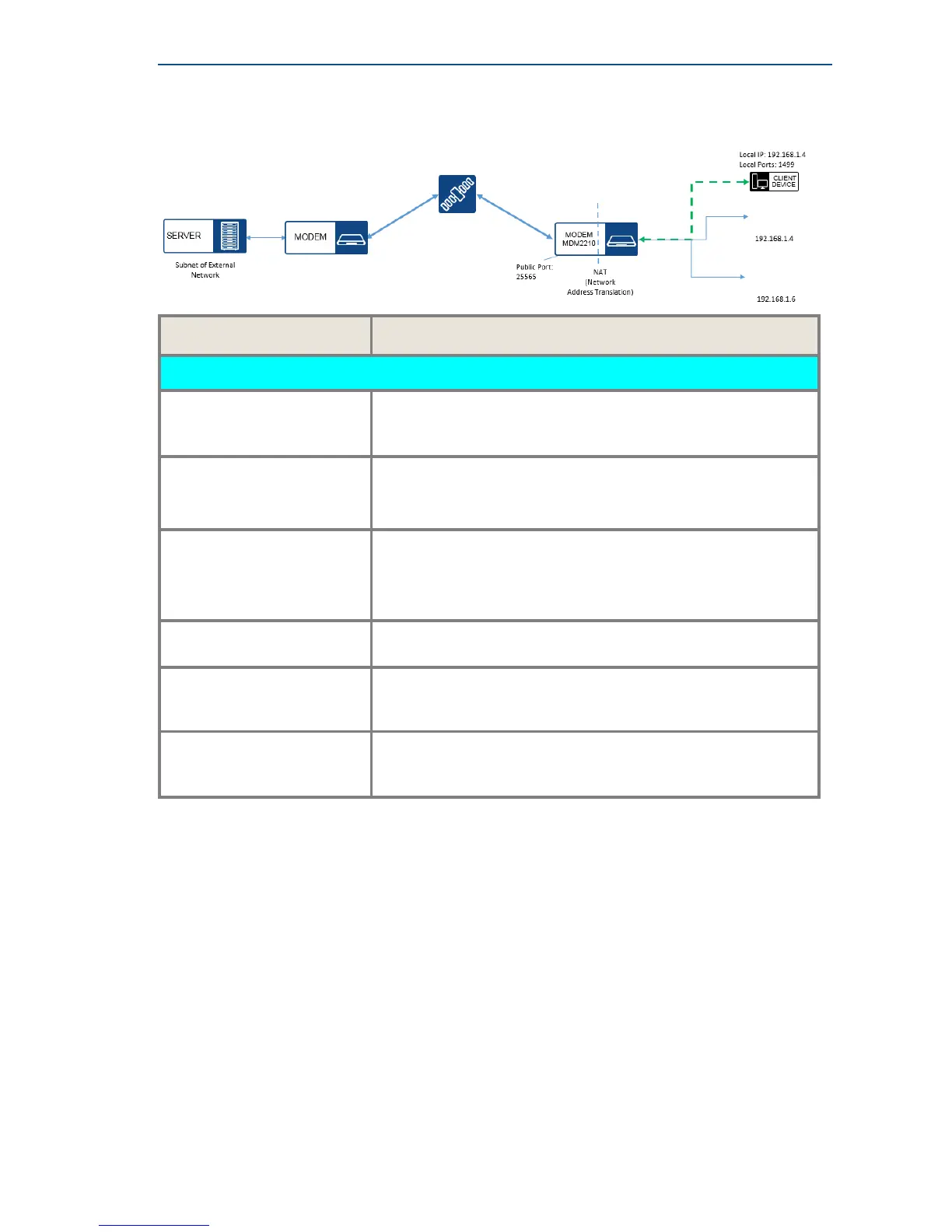
The following figure shows the principle of port forwarding in an example..
Parameter Description
Port Forwarding (This feature is only displayed when NAT is enabled.)
Description
Insert a logical description for the port forwarding.
For example the name of the program, service that you want to
forward.
Subnet of External Network Enter the public IP Address from a server in the public domain
from which you want to receive data.
Note that entering this public IP address is optional.
Public Ports Enter the port number of your modem on which you want to
receive the data.
This is the port on your MDM2210 facing the public network (for
example the Internet).
Local IP Address Enter the local IP address, indicating to which device on the LAN
you want to forward the data.
Local Ports Enter the local port number you want to reach on the local
device. Note: The local device must be listening on this port to
receive the data.
Protocol
Select the protocol (TCP or UDP) that is used by the source.
Select both if you are not sure which protocol is used by the
source.
IPv6
Firewall Enabled



 To Next Page