3/71
Modem Description
MDM2210
User Manual R4.1 v1.0
3 Modem Description
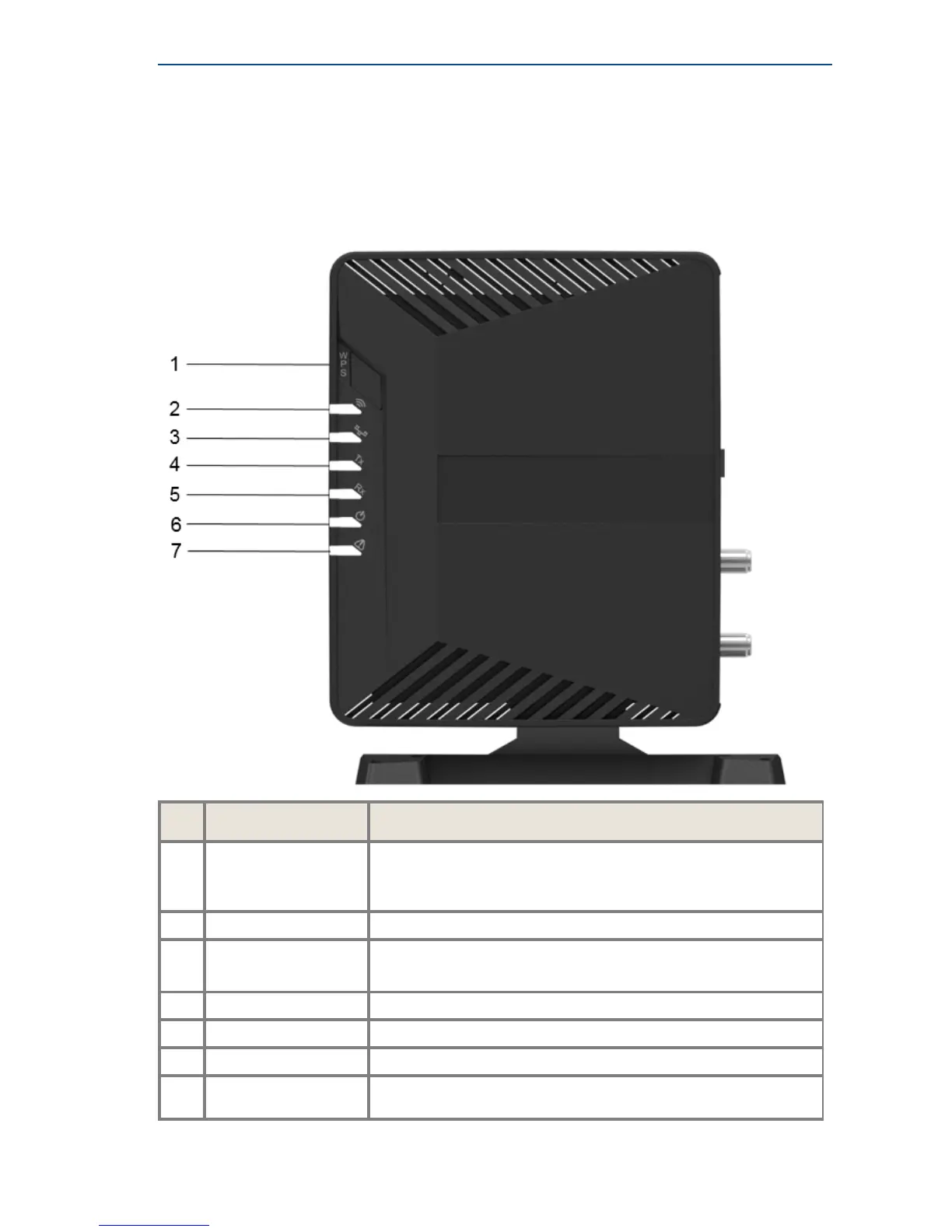
3.1 Modem Side Panel
Nr What Description
1
WPS button Wi-Fi Protected Setup is a feature that lets you easily connect
WPS-supported client devices.
Press WPS to connect client devices.
2
Wi-Fi indicator LED White continuous Wi-Fi is enabled.
3
LAN indicator LED • White continuous - Link layer status.
• White blinking - Ethernet frames are received or transmitted.
4
TX indicator LED White continuous - traffic transmitting via the satellite link.
5
RX indicator LED White continuous - the modem is locked. Traffic is received.
6
Power LED White continuous - when powered up.
7
Warning LED Yellow continuous - when the terminal is not logged on to the
satellite network.



 To Next Page