43/71
Modem Web Interface
MDM2210
User Manual R4.1 v1.0
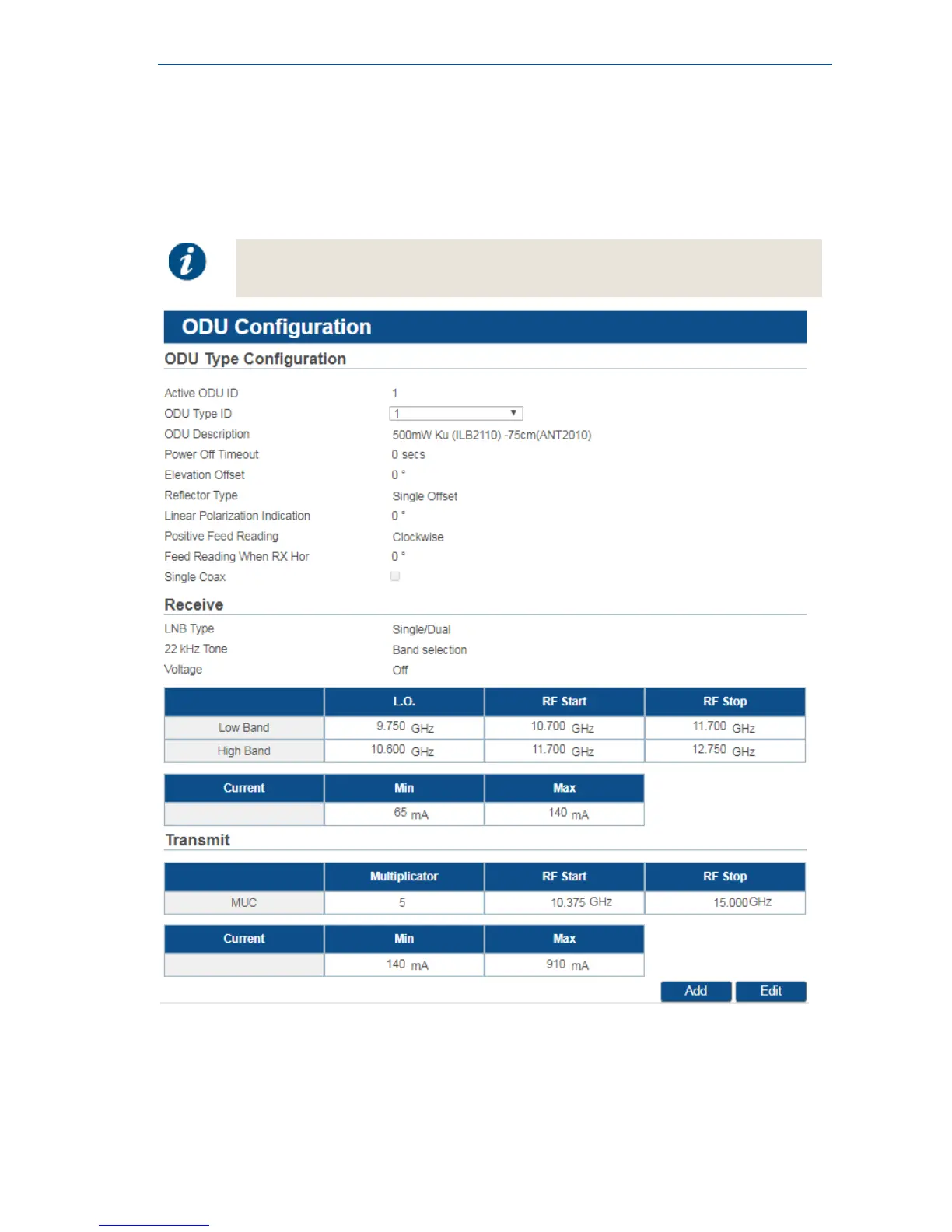
4.7.4.2 Display Outdoor Unit Parameters
When selecting the Outdoor Unit configuration from the menu, the parameters of the ODU which
was selected during installation are displayed by default. If multiple outdoor unit types are defined,
you can use the dropdown box to select the ODU for which you want to display the parameters.
Editing or adding an ODU can be disabled by the Service Provider. In such case, the
Edit or Add buttons are not present and the ODU configuration settings are read-only.



 To Next Page