20/71
Modem Web Interface
MDM2210
User Manual R4.1 v1.0
4.6.4.1 Using the Point&Play Tool
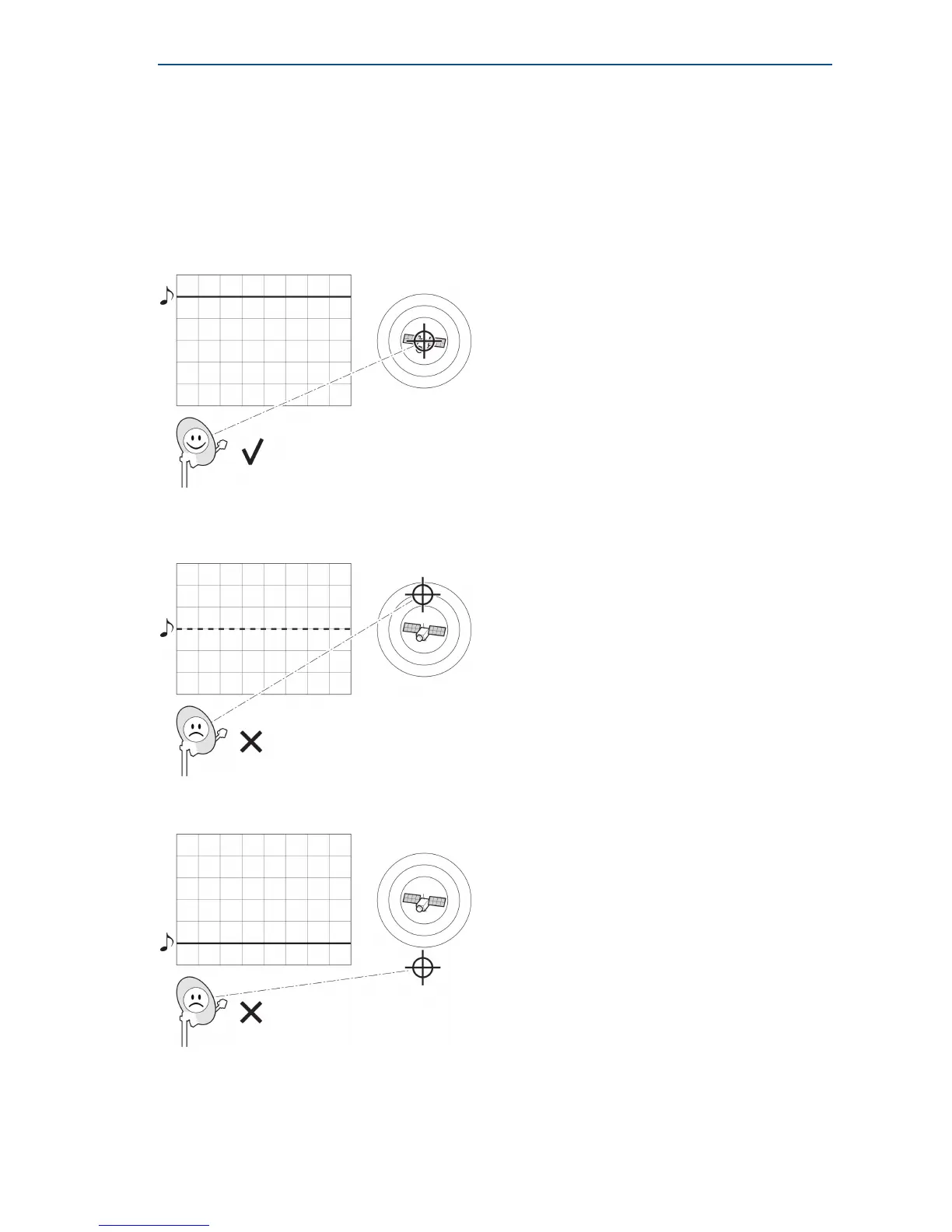
The Point&Play tool helps you to point the antenna correctly. During the pointing procedure, the
Point&Play tool can produce various sounds, each having a specific meaning described below.
High uninterrupted tone (correct tone):
The antenna points to the correct satellite and is receiving the strongest signal. Some fine-pointing
might still be required to find the optimal position of the antenna (highest tone within the high
uninterrupted tone range).
Medium or high interrupted tone:
The antenna points to the correct satellite but does not receive the strongest signal so far.
The pointing procedure must be continued until an uninterrupted high tone is perceived.
Low uninterrupted tone:
The antenna points to a wrong satellite or is not pointing to a satellite.



 To Next Page