62/71
Modem Web Interface
MDM2210
User Manual R4.1 v1.0
4.10.2 On-Screen Test Results
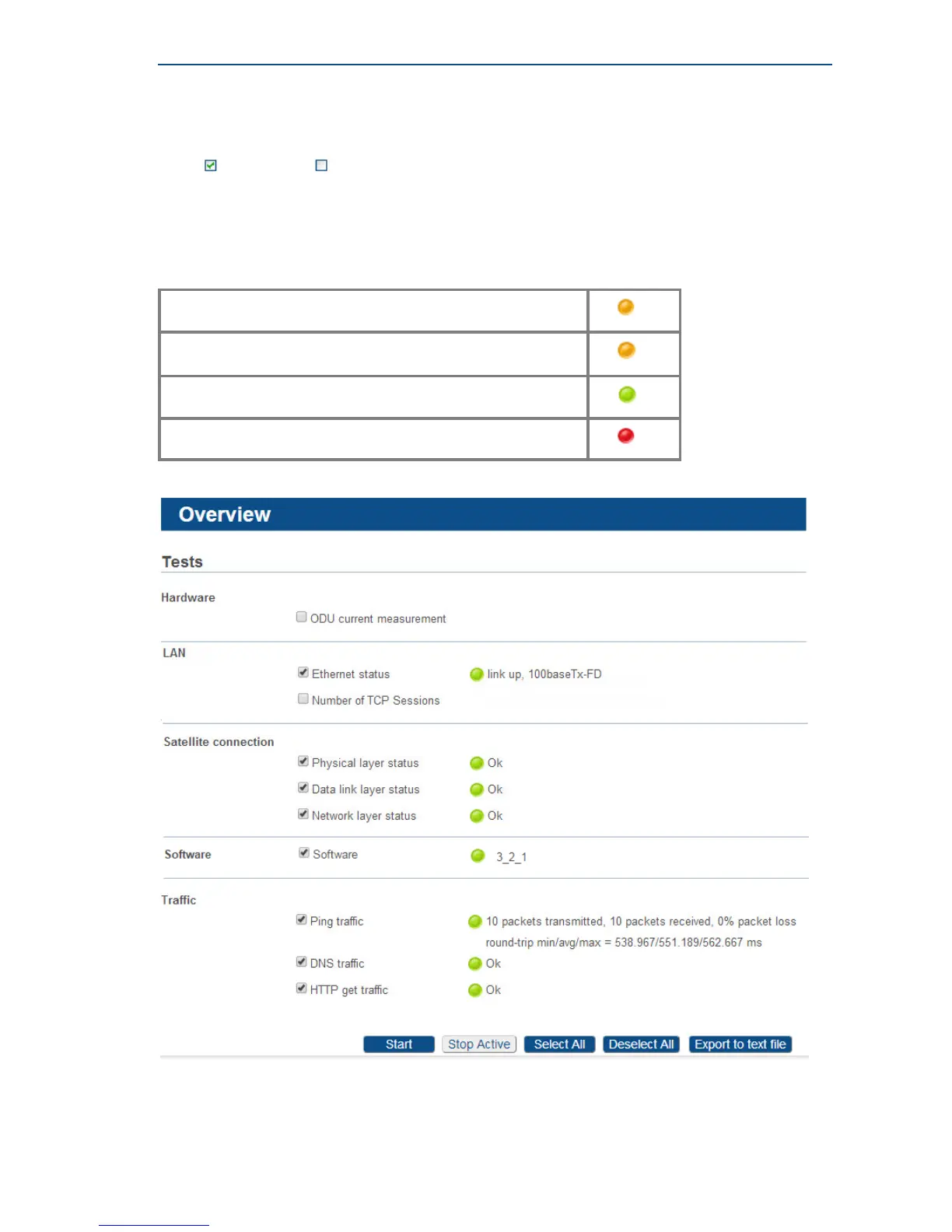
Mark ( ) or unmark ( ) the tests that you want to run.
Click on the START button to start the execution of the tests.
During and after test execution, the state of the tests is shown on screen
(see table below) until finally all results are available.
Test waiting for execution
Test is being executed
Test is finished and successful (passed)
Test is finished and unsuccessful (failed)



 To Next Page