35/71
Modem Web Interface
MDM2210
User Manual R4.1 v1.0
Parameter Description
Radio
Wi-Fi Enable Enable or disable Wi-Fi on the MDM2210.
Country Code Indicates in which country the Wi-Fi is activated.
Channel Selection By default the Wi-Fi channel is automatically selected.
Switch the channel to reduce interference and improve the Wi-Fi signal.
TX Power Reduce the transmitted power to reduce interference with other
surrounding Wi-Fi networks.
Select the appropriate power from the drop down list.
Access Point
SSID
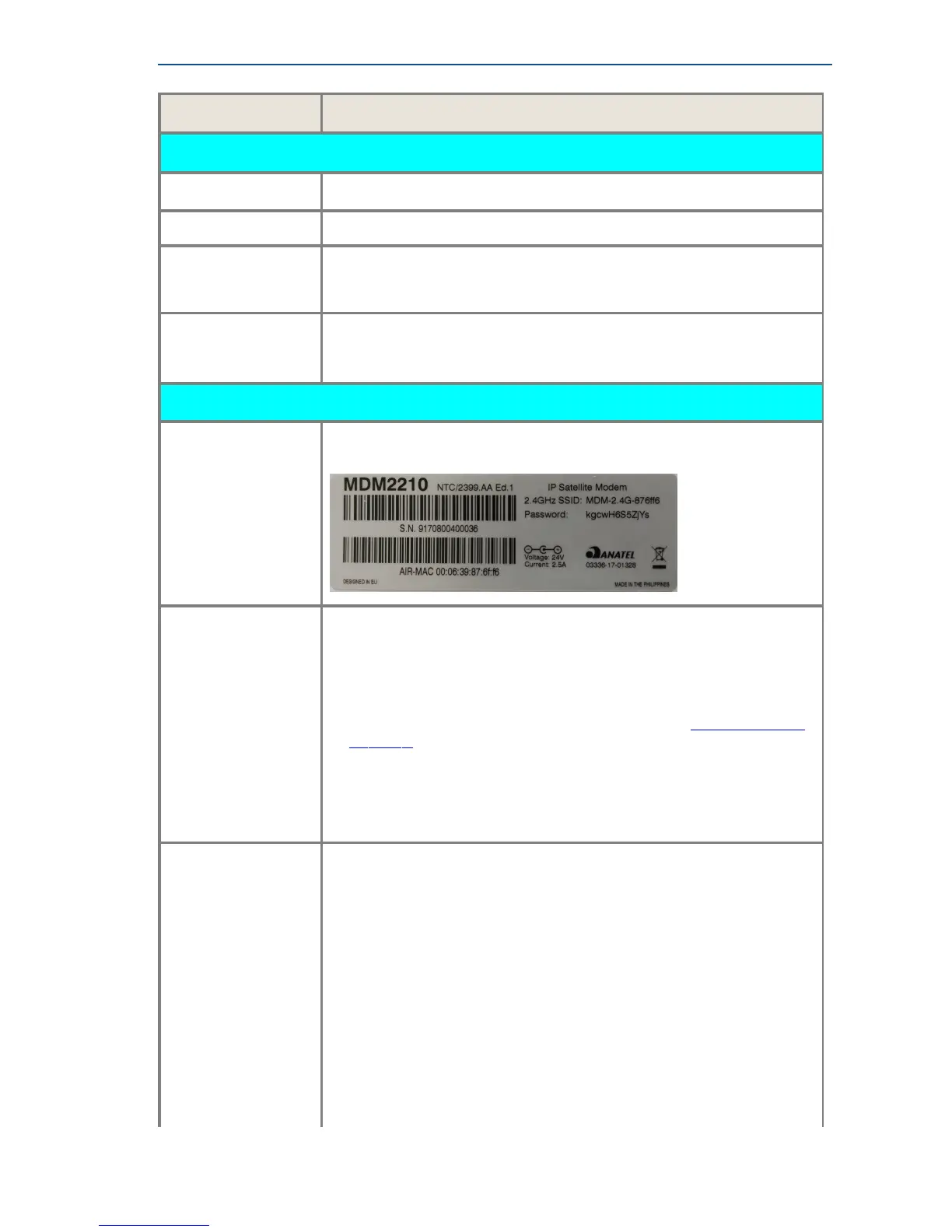
The SSID and initial password key can be found on the product label.
The label is located on the modem’s side panel.
WPS
Wi-Fi Protected Setup is a feature that lets you easily connect
WPS-supported client devices.
For example the MDM2210 and a smartphone.
Proceed as follows to connect a client device using the WPS button.
1. Locate the WPS on your MDM2210 (refer to section ModemSidePanel
onpage3)
2. Press the WPS button on your MDM2210.
3. Within two minutes, press the WPS button on your client device.
4. The MDM2210 and the client device should be connected now.
Encryption
Select your encryption protocol.
None:
This setting is not recommended.
(Only use this in a secure and private environment.)
WEP: Wired Equivalent Privacy
• WEP-64
• WEP-128
WPA: Wi-Fi Protected Access
These are two security protocols that secure wireless computer networks.
These protocols are more robust than the WEP protocols.
• WPA
• WPA-2



 To Next Page