131
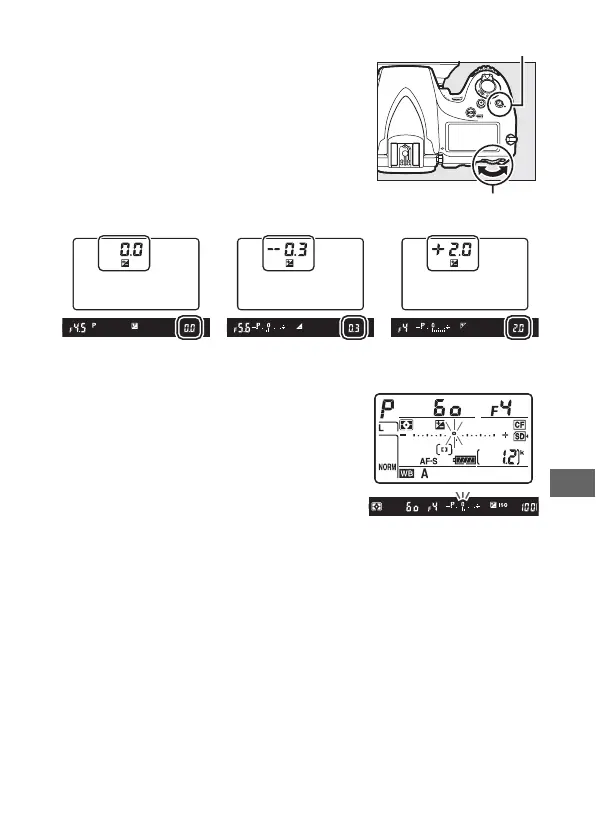
To choose a value for exposure
compensation, press the E button and
rotate the main command dial until the
desired value is displayed in the control
panel or viewfinder.
At values other than ±0.0, the 0 at the
center of the exposure indicators will
flash (exposure modes e, f, and g only)
and a E icon will be displayed in the
viewfinder and control panel after you
release the E button.
The current value
for exposure compensation can be
confirmed in the exposure indicator by pressing the E button.
Normal exposure can be restored by setting exposure
compensation to ±0.0.
Exposure compensation is not reset
when the camera is turned off.
±0 EV
(E button pressed)
–0.3 (–
1
/
3)EV +2.0EV
E button
Main command dial



 To Next Page