442
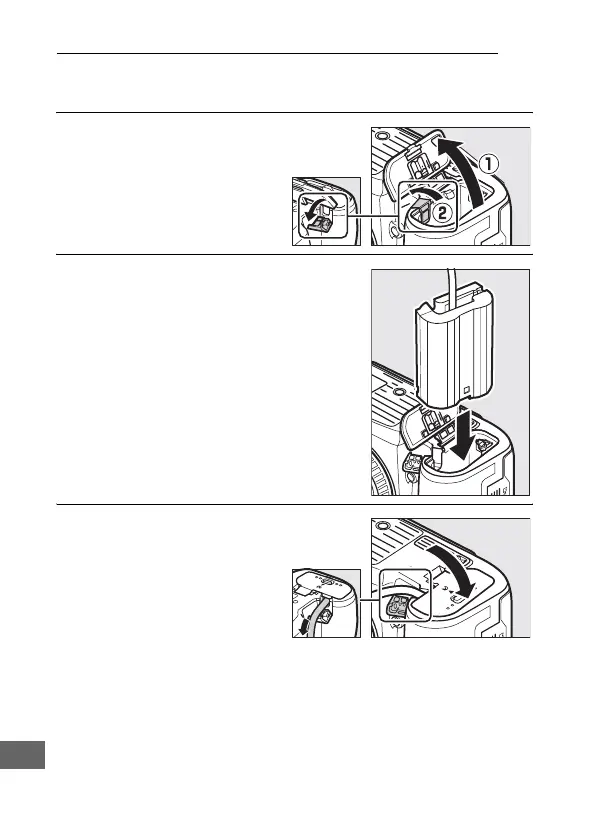
Attaching a Power Connector and AC Adapter
Turn the camera off before attaching an optional power
connector and AC adapter.
1 Ready the camera.
Open the battery-
chamber (q) and power
connector (w) covers.
2 Insert the EP-5B power connector.
Be sure to insert the connector in the
orientation shown, using the
connector to keep the orange battery
latch pressed to one side.
The latch
locks the connector in place when
the connector is fully inserted.
3 Close the battery-
chamber cover.
Position the power
connector cable so that it
passes through the power
connector slot and close
the battery-chamber
cover.



 To Next Page