35
Live View Photography
Follow the steps below to take photographs in live view.
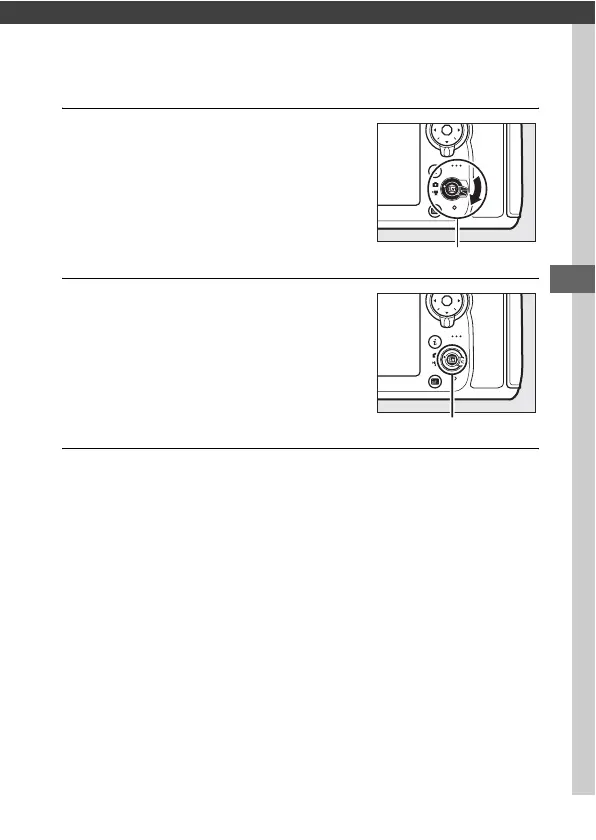
1 Rotate the live view selector to C
(live view photography).
2 Press the a button.
The mirror will be raised and the view
through the lens will be displayed in
the camera monitor.
The subject will
no longer be visible in the viewfinder.
3 Position the focus point.
Position the focus point over your subject as described on
page 40.
Live view selector
a button



 To Next Page