31
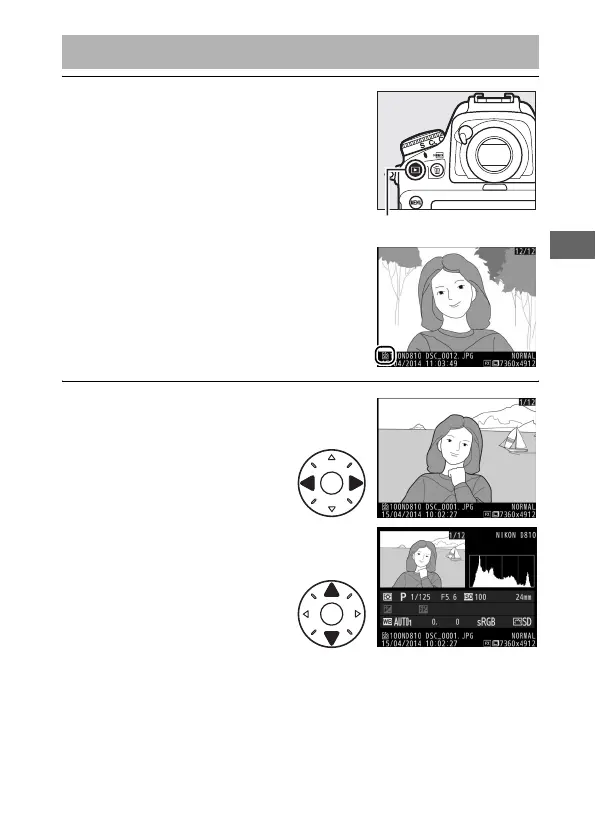
1 Press the K button.
A photograph will be displayed in the
monitor.
The memory card
containing the picture currently
displayed is shown by an icon.
2 View additional pictures.
Additional pictures can be
displayed by pressing 4
or 2.
To view additional
information on the current
photograph, press 1 and
3 (0 238).
To end playback and return to shooting mode, press the
shutter-release button halfway.
Basic Playback
K button



 To Next Page