359
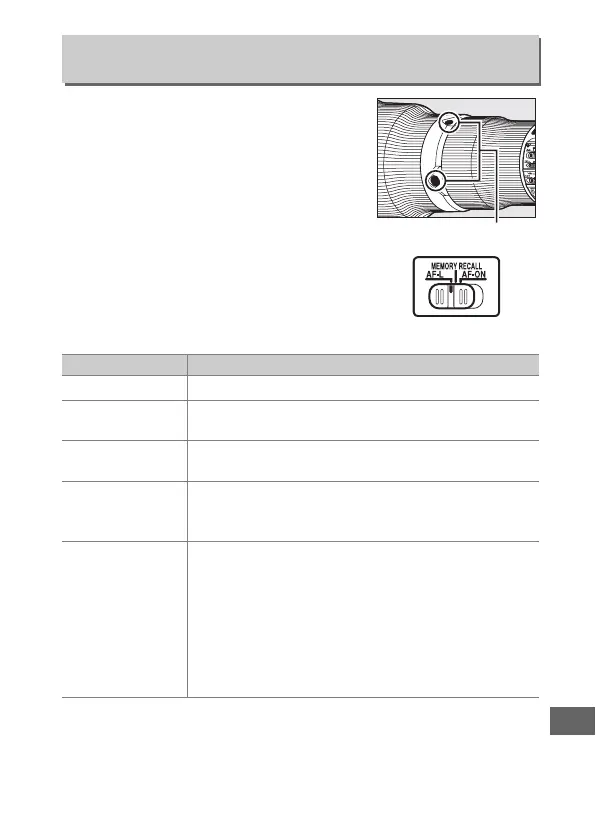
Choose the role played by the focus
function buttons on the lens.
The
buttons can be used for the assigned
function only when AF-L is selected with
the focus function selector.
f17: Lens Focus Function Buttons
G button ➜ A Custom Settings menu
Option Description
F
AF lock only Focus locks while a focus function button is pressed.
B
AE/AF lock
Focus and exposure lock while a focus function
button is pressed.
C
AE lock only
Exposure locks while a focus function button is
pressed.
v
Preset focus
point
Keep a focus function button pressed to select a
preset focus point (0 342).
Release the button to
restore the original focus point selection.
K
AF-area mode
Highlight this option and press 2 to select an
AF-area mode (3D-tracking excluded; 0 90).
The
selected mode will take effect while a focus function
button is pressed; releasing the button restores the
original AF-area mode.
The lens focus function
buttons can not be used to choose the AF-area
mode during autofocus if 3D-tracking is selected
using the controls on the camera.
Focus function buttons
Focus function selector



 To Next Page