55
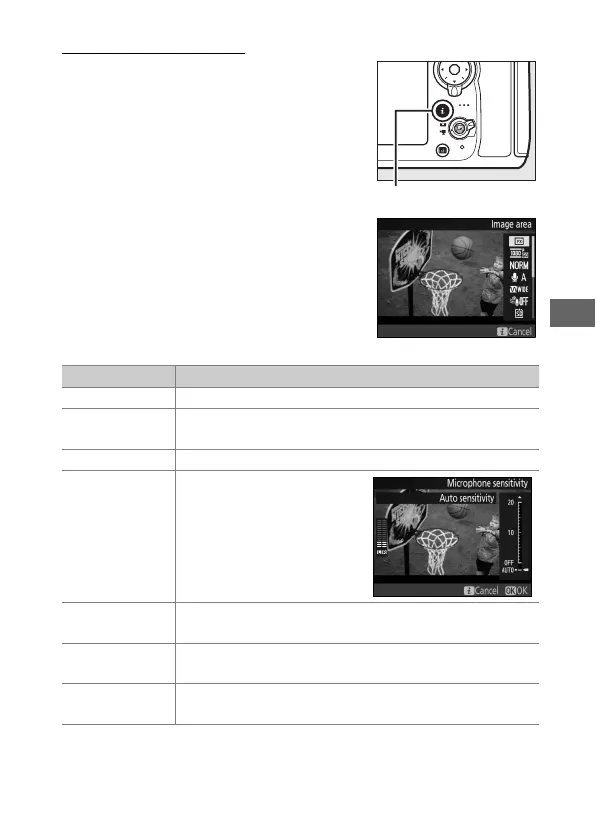
Using the b Button
The options listed below can be
accessed by pressing the b button in
movie live view.
Highlight items using
the multi selector and press 2 to view
options for the highlighted item.
After
choosing the desired setting, press J to
return to the b-button menu.
Press the
b button again to exit to the shooting
display.
Option Description
Image area Choose image area for movie live view (0 59).
Frame size/
frame rate
Select a frame size and rate (0 62).
Movie quality Choose movie quality (0 62).
Microphone
sensitivity
Press 1 or 3 to adjust
microphone sensitivity
(0 62).
Both the built-in
and optional stereo
microphones are affected.
Frequency
response
Control the frequency response of the built-in
microphone or optional stereo microphones (0 63).
Wind noise
reduction
Enable or disable wind noise reduction using the
built-in microphone’s low-cut filter (0 63).
Destination
When two memory cards are inserted, you can choose
the card to which movies are recorded (0 63).
b button



 To Next Page